1
2
3
4
5
6
Printing journals 6-9
Communication management
Reading the journals
For fax communication
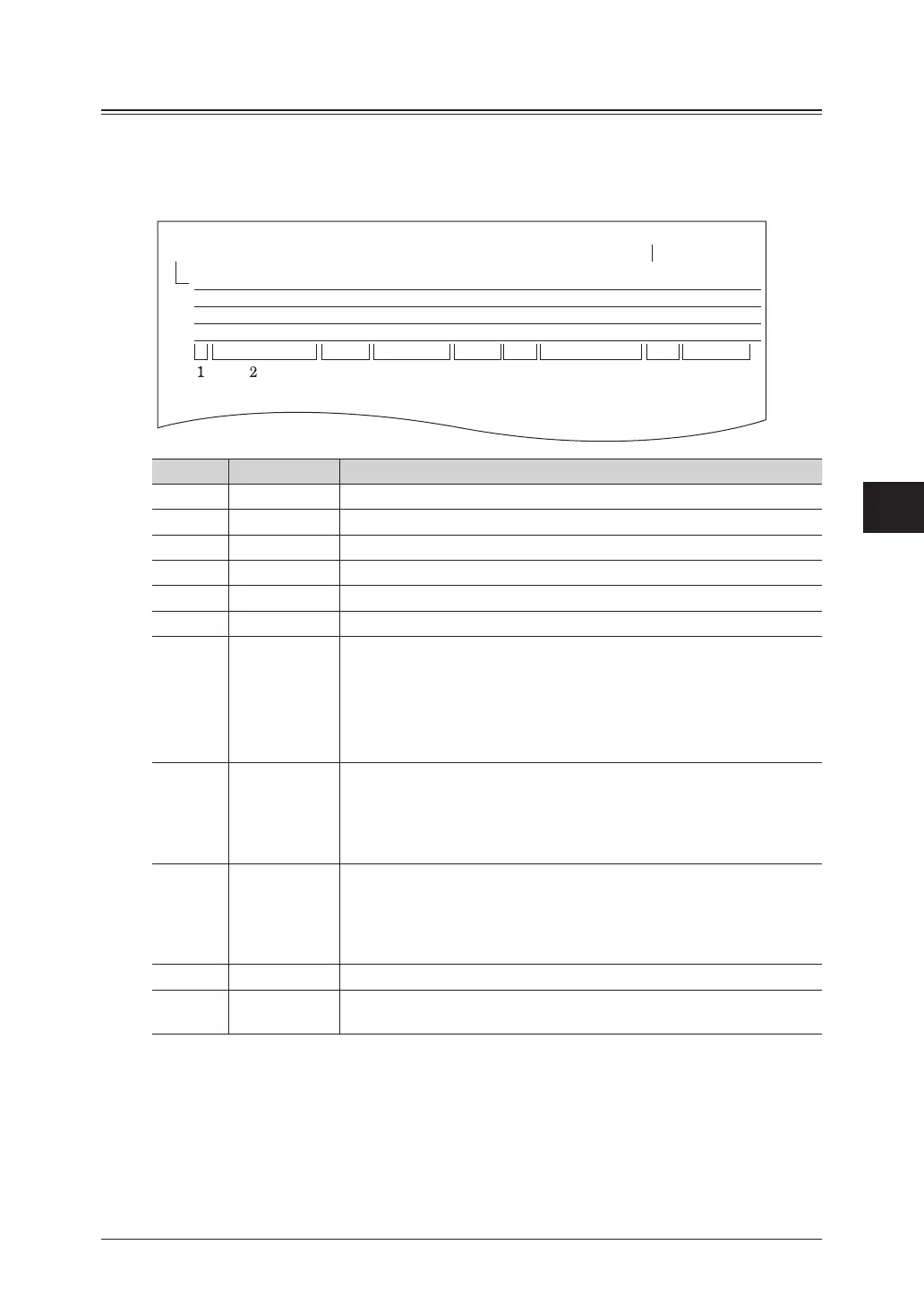
Example of a transmission journal
3456 789
11
10
* * Fax Transmit Journal * *
DestinationNo.
Printed data:Jan 01 2012 01:30pm
Mode Start Time Comm.Time
Page(s)
Sender NoteResult
John Smith0002 Fine 01/01 2012 01:20pm 00’ 38” 1 GUEST
# O K
Movies Inc.0001 Fine 01/01 2012 10:30am 00’ 20” 1 User01
# O K
P1
Jan 1 2012 01:30pm
Number Item Description
1 No. The job number
2 Destination The destination name or fax number
3 Mode The resolution used for the communication
4 Start Time The time the communication started
5 Comm.Time The time required from start to finish for the communication
6 Page(s) The number of pages transmitted
7 Sender
(User name) :
GUEST :
Only when a user is logged in
When transmission is performed without logging in
to the machine
When the machine sends a fax automatically by auto distribution
function,machinenameregisteredusingOfceBridgewillbeprinted
as “Sender.”
8
Result
OK: Completed normally
*: ECM Mode transmission
#: Super G3 transmission
Code: The communication error code
*1
9 Note
The type of communication is printed for the following types of
communication: Nothing is printed for other types of communication.
•ManualTx
•Broadcast
•PC-FaxTx
10 Printed date
*2
The date and time that the journal was reserved printing
11 −
The date and time that the journal was printed, or the date and time
that communication history was prepared for reserve printing
*1 When a communication error code is printed, confirm the content of the error and perform the
transmission again. For details, see “Error messages” (page 8-2).
*2 Only printed at reserve print.



 To Next Page