1
2
3
4
5
Checking specified destinations 5-15
Specifying destinations
Checking specified destinations
You can check or delete the specified destinations at transmission. Either check them
every time you press <Start>, or check them manually as necessary.
NOTE
An icon is displayed in front of the specified destinations in the confirmation screen.
When you set an e-mail address as the destination, it is set as a “To” destination.
To set the destination as a “Cc” or “Bcc” destination, change the setting on the
confirmation screen.
: Fax number
: E-mail address
: Folder
: FTP server
Checking with destination confirmation function
When the confirm destination function is enabled, a screen to confirm or delete the
destinations is displayed every time when you press <Start> after specifying the
destinations.
NOTE
See “Destination confirmation function” (page 4-23) how to setup the function.
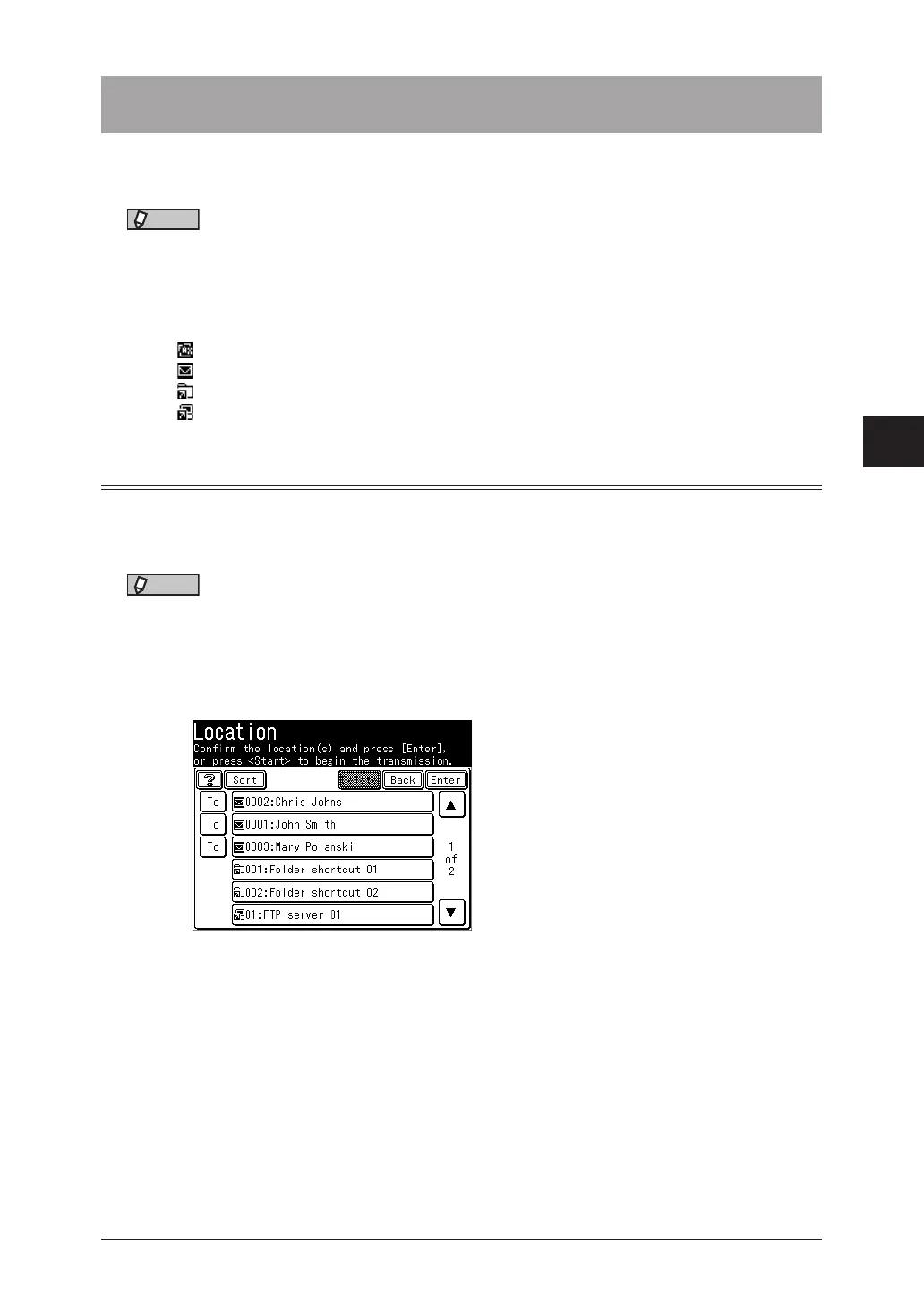
1
A screen to confirm or delete the destinations is displayed when you press
<Start>. Confirm the destinations, and press <Start> or [Enter].
(Example: Scanner screen)
•To delete a selected destination, select the destination to delete, and press [Delete].
•You can change the destination from “To” to “Cc” or “Bcc”. Press [To] to switch to a “To”, “Cc”,
or “Bcc” destination.
•Press [Sort] to sort the destinations in order of “To”, “Cc”, or “Bcc”.



 To Next Page