1
2
Advanced scan functions 2-19
Advanced scan functions
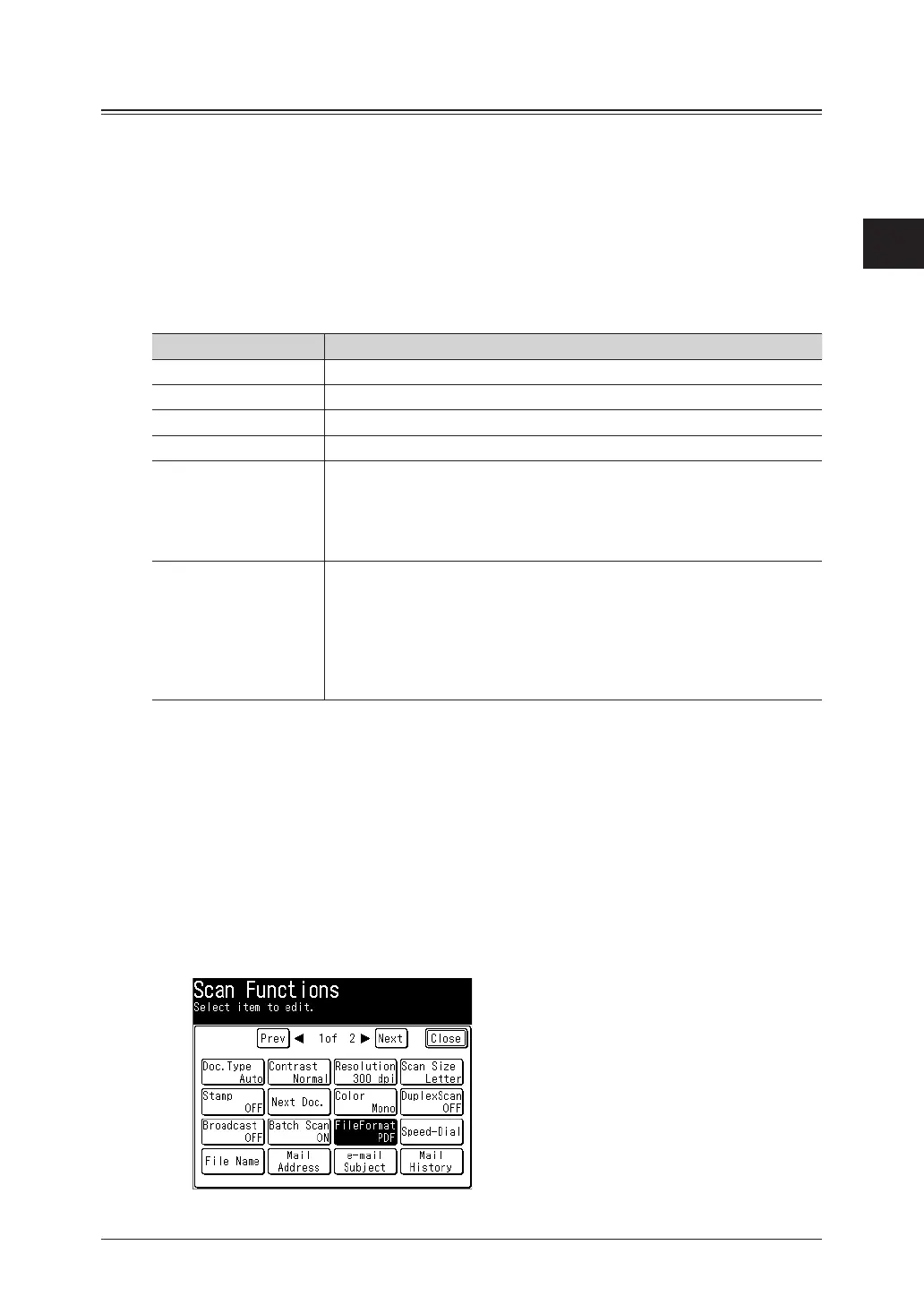
File format
You can select the file format for sending.
Available File Formats
For monochrome scanning:
For color scanning:
TIFF, PDF, or PDF w/Password (encrypted PDF)
JPEG, PDF, or PDF w/Password (encrypted PDF)
Encrypted PDF Settings
When you have selected
PDF w/Password (encrypted PDF)
for the file format, you can also
specify the following settings.
Item Description
Encryption Level
*1
Select Low (40-bit RC4), High (128-bit RC4), or High (128-bit AES).
Printing Allowed Select whether to allow the file to be printed.
Editing Allowed Select whether to allow the file to be edited.
Copying Allowed Select whether to allow the file to be copied.
Open Password If you set this password, the password must be entered when opening
the created PDF file.
Up to 28 alphanumeric characters and symbols can be entered for the
password.
Set the password after pressing <Start>.
Permissions Password If you set this password, the password must be entered when printing
or editing the created PDF file. The operations for which the password
is required can be set in Printing Allowed, Editing Allowed, and Copying
Allowed.
Up to 28 alphanumeric characters and symbols can be entered for the
password.
Set the password after pressing <Start>.
*1 The encryption levels in order of strength are Low (40-bit RC4), High (128-bit RC4), and
High (128-bit AES).40-bit RC4 is supported by Acrobat 4.0 (PDF 1.3) or later, 128-bit RC4 is
supported by Acrobat 6.0 (PDF 1.5) or later, and 128-bit AES is supported by Acrobat 7.0 (PDF
1.6) or later.
1
Press [Scan] on My MFP Menu screen.
If My MFP Menu screen is not displayed, press <Mode> repeatedly until “Scan Ready” screen
is displayed.
2
Press [Advanced].
3
Press [File Format].



 To Next Page