1
2
3
4
Advanced fax functions
Scanner related settings 4-9
Duplex scan
You can transmit both sides of a document.
NOTE
This setting is only available with the automatic document feeder.
1
Press [Fax] on My MFP Menu screen.
If My MFP Menu screen is not displayed, press <Mode> repeatedly until “Fax Ready” screen is
displayed.
2
Press [Advanced].
3
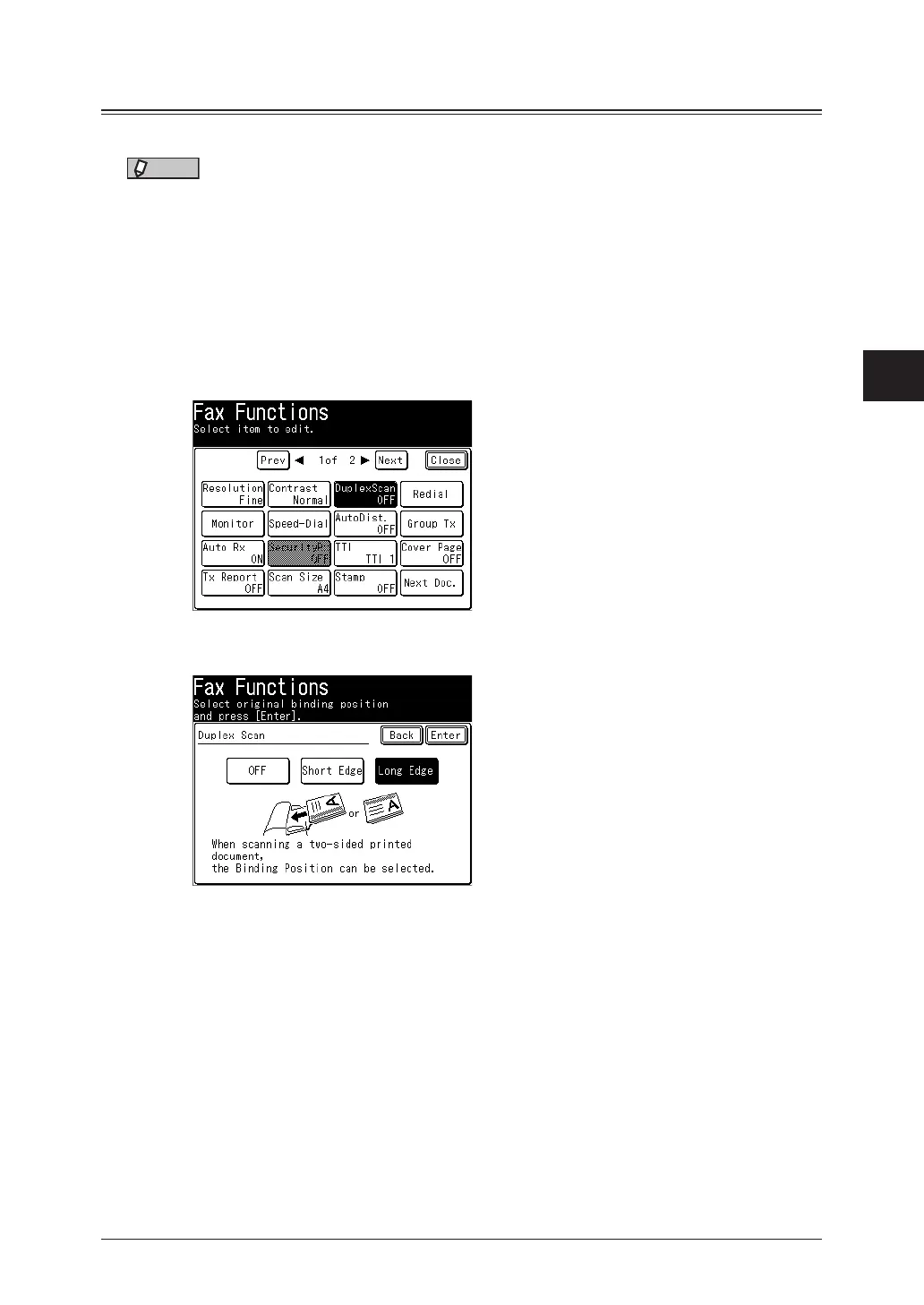
Select [DuplexScan].
4
Select [Long Edge] or [Short Edge], and press [Enter].
•Refer to the display and set the document in the right direction.
•To confirm the binding type of your document, see “Refer to the illustration below to select
the binding position.” (page 2-15).
•Select [OFF] to deselect the setting.
5
Press [Close].
6
Specify the destinations, and press <Start>.
For details on specifying the destinations, see “Specifying destinations” (page 5-2).



 To Next Page