1
2
3
4
Advanced fax functions
Transmission related settings 4-17
E-mail gateway (E Gateway)
You can transmit to a fax server as if you were transmitting to a regular telephone line.
The e-mail gateway settings need to be registered in advance.
For details on registering the e-mail gateway, see chapter 2, “Setting an e-mail gateway”
in “Specifying the network settings” in the Administrator’s Guide.
NOTE
This function cannot be used in the following cases:
•Real time transmission
•Closed transmission
•ID check transmission
•Attachingacoverpage
1
Press [Fax] on My MFP Menu screen.
If My MFP Menu screen is not displayed, press <Mode> repeatedly until “Fax Ready” screen is
displayed.
2
Press [Advanced].
3
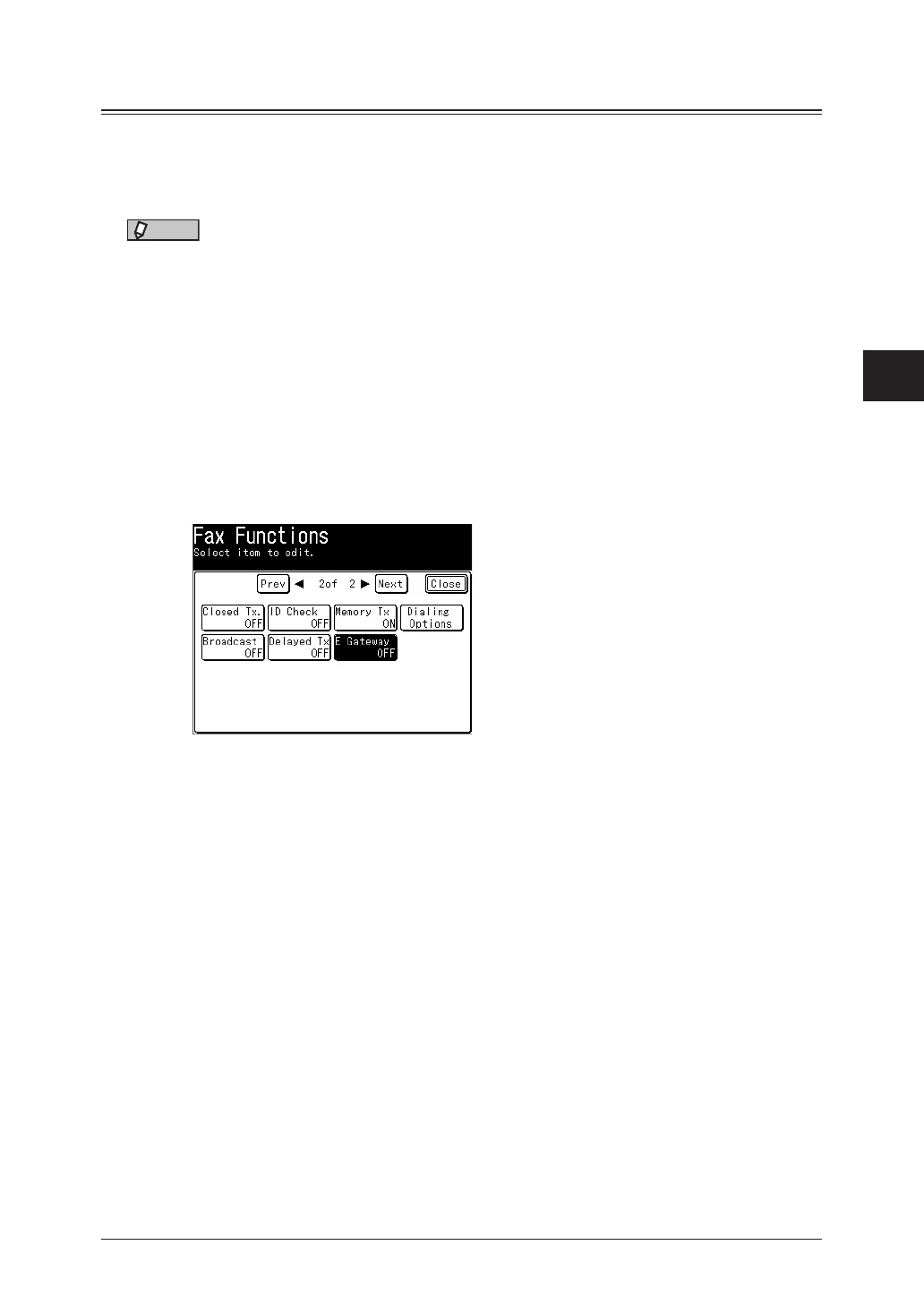
Press [E Gateway].
4
Select [ON], and press [Enter].
Select [OFF] to deselect the setting.
5
Press [Close].
6
Specify the destinations, then press <Start>.
For details on specifying the destinations, see “Specifying destinations” (page 5-2).



 To Next Page