1
2
3
Basic faxing 3-13
Basic fax functions
Canceling / Checking faxes
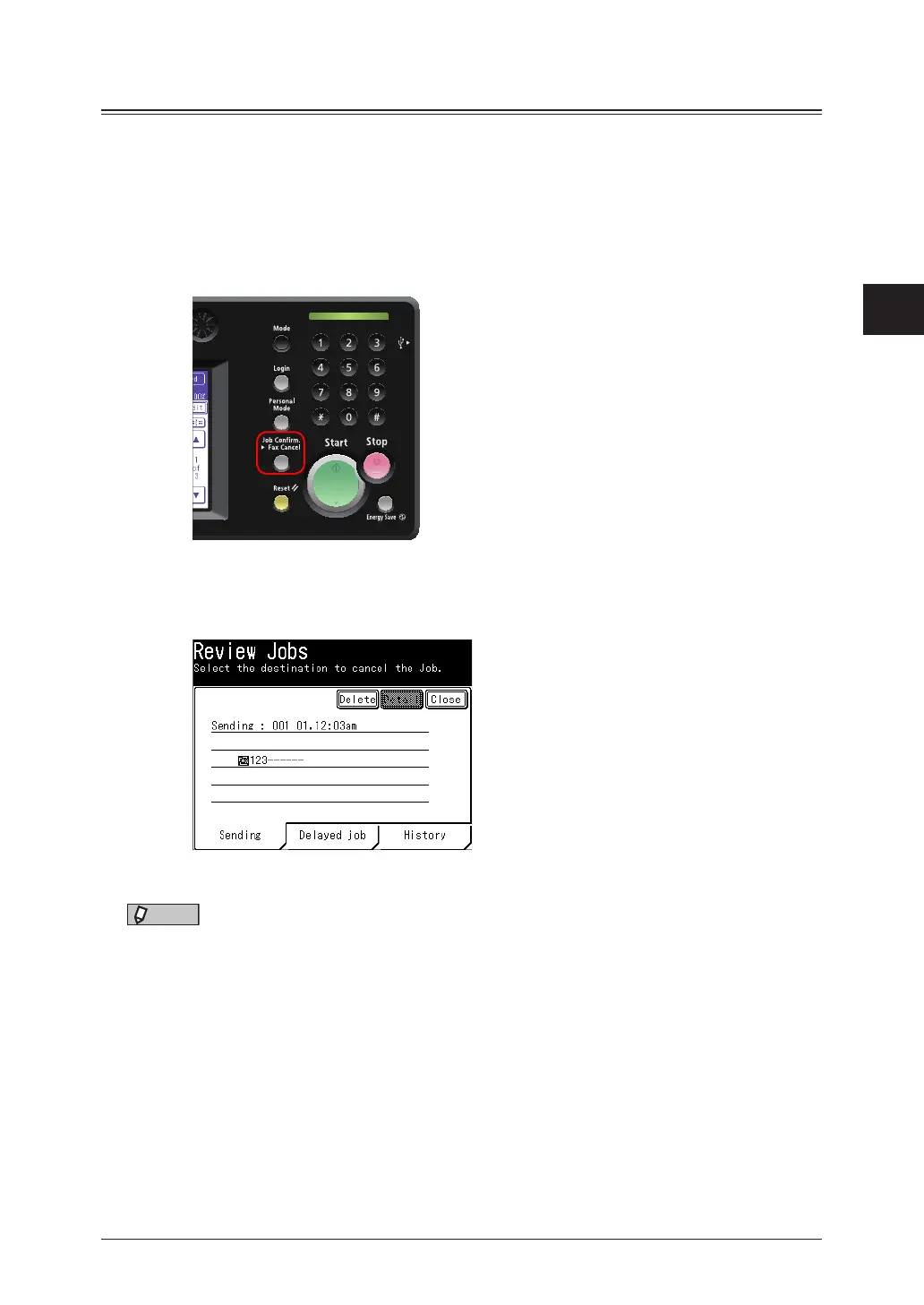
If you want to cancel a fax transmission or check currently reserved transmission, press
<Job Confirm.
Fax Cancel>. You can also check the communication result of the latest
fax jobs.
Canceling or checking the currently sending fax job
1
During fax transmission, press <Job Confirm. Fax Cancel>.
During fax communication, the information lamp flashes.
2
If you want to cancel the currently sending fax job, press [Delete].
If you do not wish to cancel the job, press [Close].
NOTE
When you broadcasting, “Broadcast” is displayed on the screen.
•When you want to delete all the broadcasting destinations at once, press [Delete].
•To individually check or delete destinations for the broadcast, press [Detail]. For
details, see “Canceling or checking parts of a broadcast” (page 3-15)..



 To Next Page