1
2
3
Basic faxing 3-15
Basic fax functions
Canceling or checking parts of a broadcast
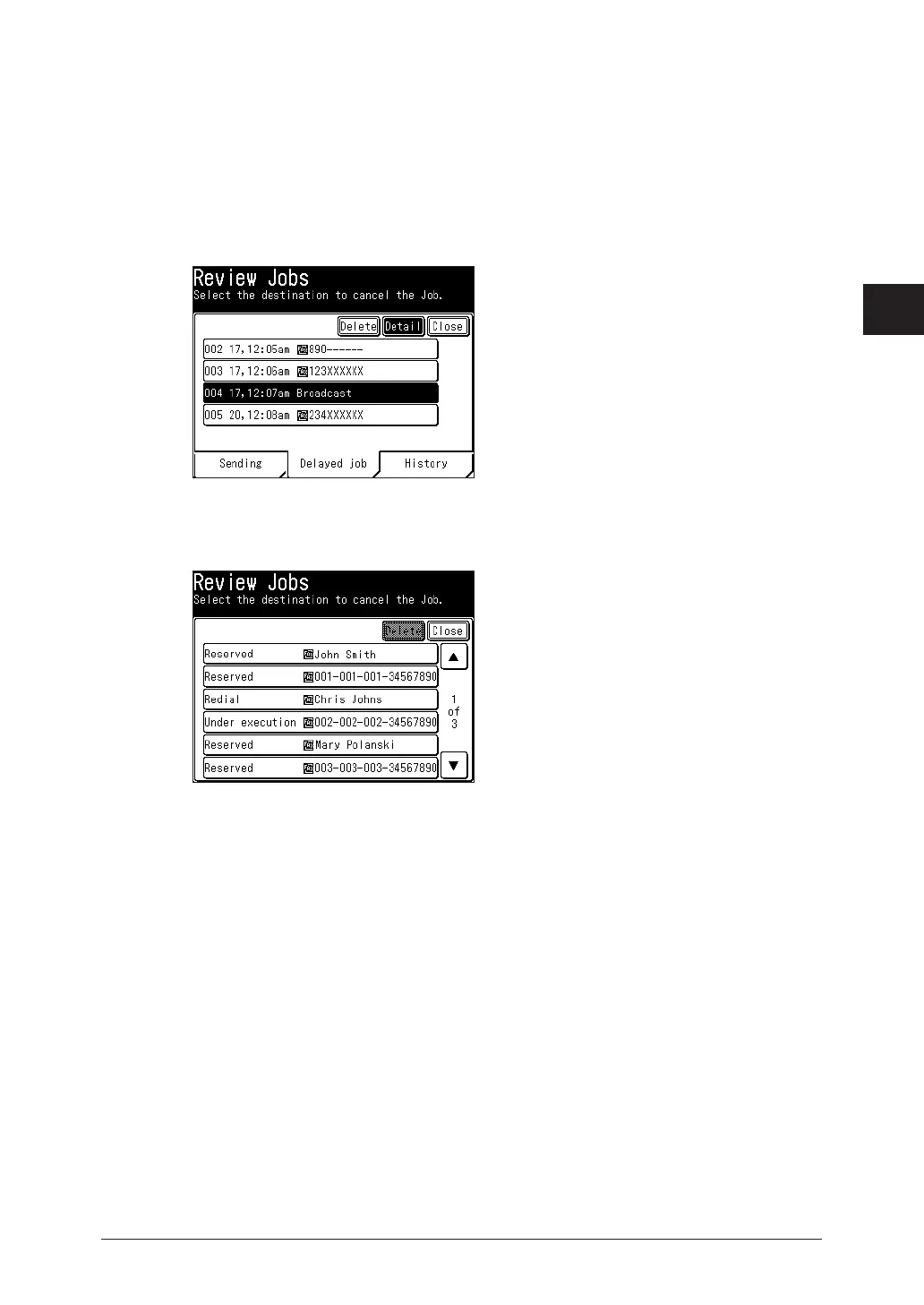
You also can review or cancel certain numbers within a broadcast.
1
Press <Job Confirm. Fax Cancel>.
2
When you want to cancel a reserved job, press [Delayed job].
3
Select the broadcast job you want to delete, and press [Detail].
4
Select the destination you want to cancel, and press [Delete].
If you do not want to cancel a destination, press [Close].
On the “Detail” screen the following statuses are displayed for each destination.
Reserved :
Under execution :
Completed :
Deleting :
Redial :
Displayed for a destination that has not yet started transmission.
Displayed for the destination currently being transmitted to.
Displayed for a destination that has finished transmission.
Displayed after deleting a destination until the actual deletion process is
complete.
Displayed for a destination that is waiting for redialing.
5
Press [Close].



 To Next Page