1
2
3
Basic faxing 3-23
Basic fax functions
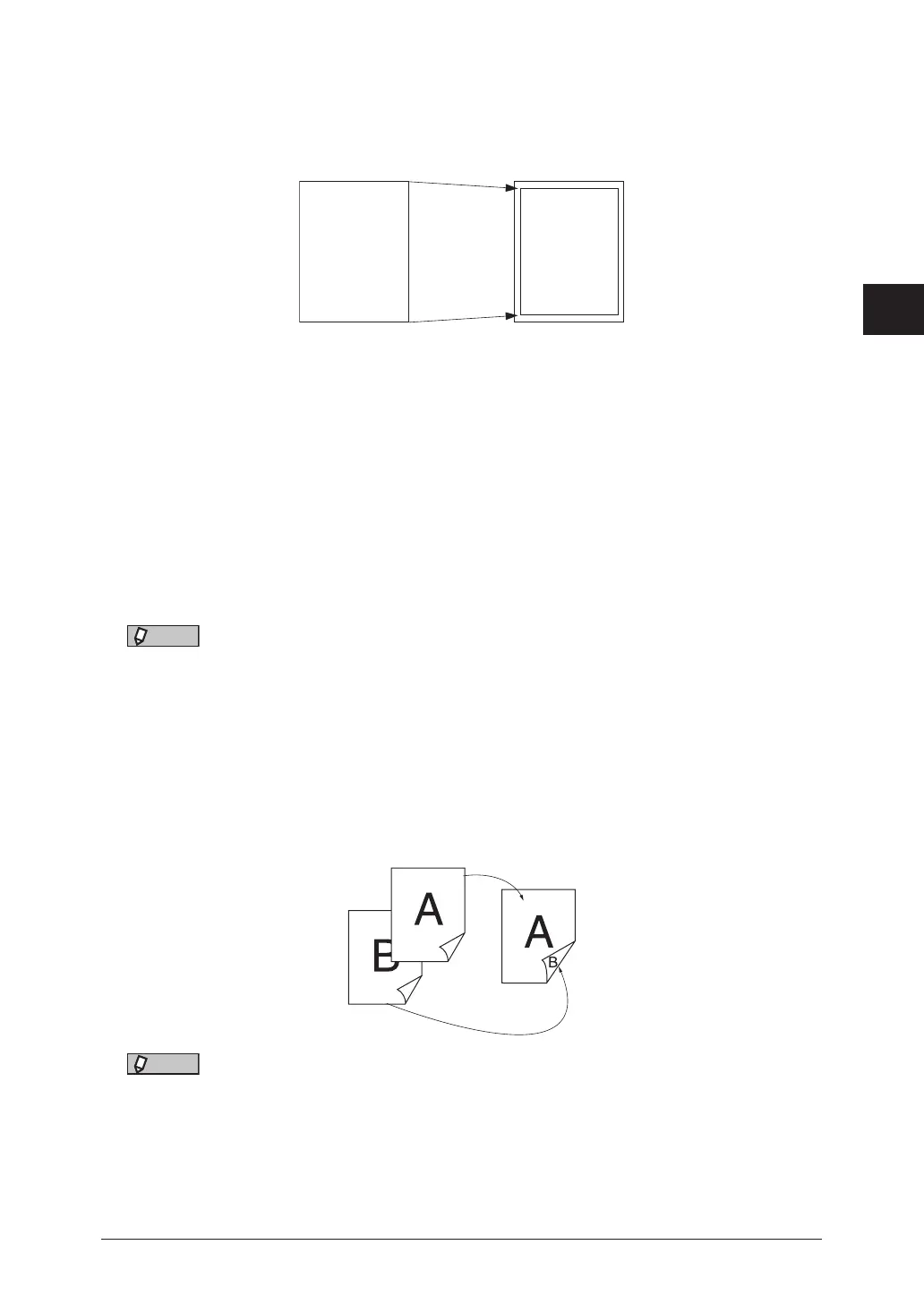
Effective recording area
Printing is not possible on the area approximately 0.12" (3 mm) around the edge of the
paper. For this reason, the received document may be reduced in size or cut off during
printing. The area which can be printed is referred to as the “Effective recording area”.
Document
Effective
recording
area
100% or
reduced
zoom ratio
Reduction margin
The reduction margin is the value that determines whether to cut off an edge or reduce
the document to fit on one sheet when the received document will not fit in the effective
recording area. When a document that is longer than the loaded paper is received, only
the blank margin may be printed on the next page, which can be prevented by setting the
“Reduction margin”.
When the document length exceeds the effective recording area but is within the
reduction margin, the document is reduced or cut off to fit onto one sheet, but when the
document is longer than the reduction margin, the page is divided into multiple sheets.
For details, see “List of recording methods” (page 3-22).
NOTE
You can set the reduction margin to a value between 0 and 3.3" (85 mm), according to
the length of the margin for the type of documents that are received most frequently.
For details on setting the reduction margin, see “List of other default settings” (page
7-36).
Paper saving settings
In order to save paper, you can set the duplex printing.
Two documents received in succession can be printed on both sides of the paper.
NOTE
For details on setting the duplex reception, see “List of other default settings” (page
7-36).



 To Next Page