1
2
Advanced scan functions 2-5
Advanced scan functions
Contrast
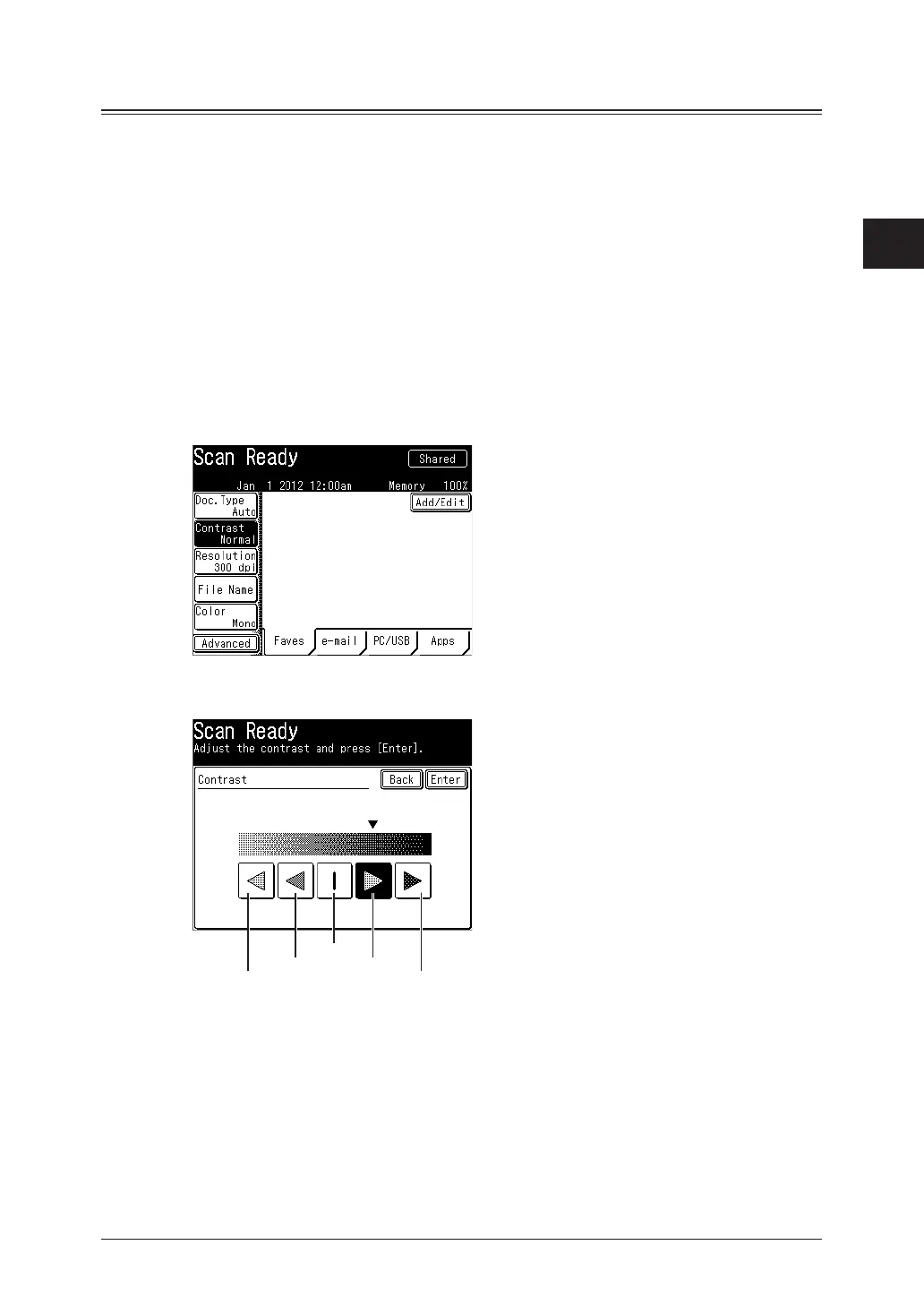
You can set the contrast to scan with according to the document.
Lightest:
Lighter:
Normal:
Darker:
Darkest:
Select to scan with the lightest contrast.
Select to scan with a contrast between the normal contrast and the lightest contrast.
Select to scan with the normal contrast.
Select to scan with a contrast between the normal contrast and the darkest contrast.
Select to scan with the darkest contrast.
1
Press [Scan] on My MFP Menu screen.
If My MFP Menu screen is not displayed, press <Mode> repeatedly until “Scan Ready” screen
is displayed.
2
Press [Contrast].
If [Contrast] is not displayed, press [Advanced] and then [Contrast].
3
Select the desired contrast, and press [Enter].
DarkerLighter
Lightest Darkest
Normal
4
Specify the destinations, and press <Start>.
For details on the procedure, see “Basic scanning” (page 1-2).



 To Next Page