3-2 Basic faxing
Basic faxing
Transmitting faxes
This section describes the often-used basic procedure for transmitting faxes.
1
Load the document.
2
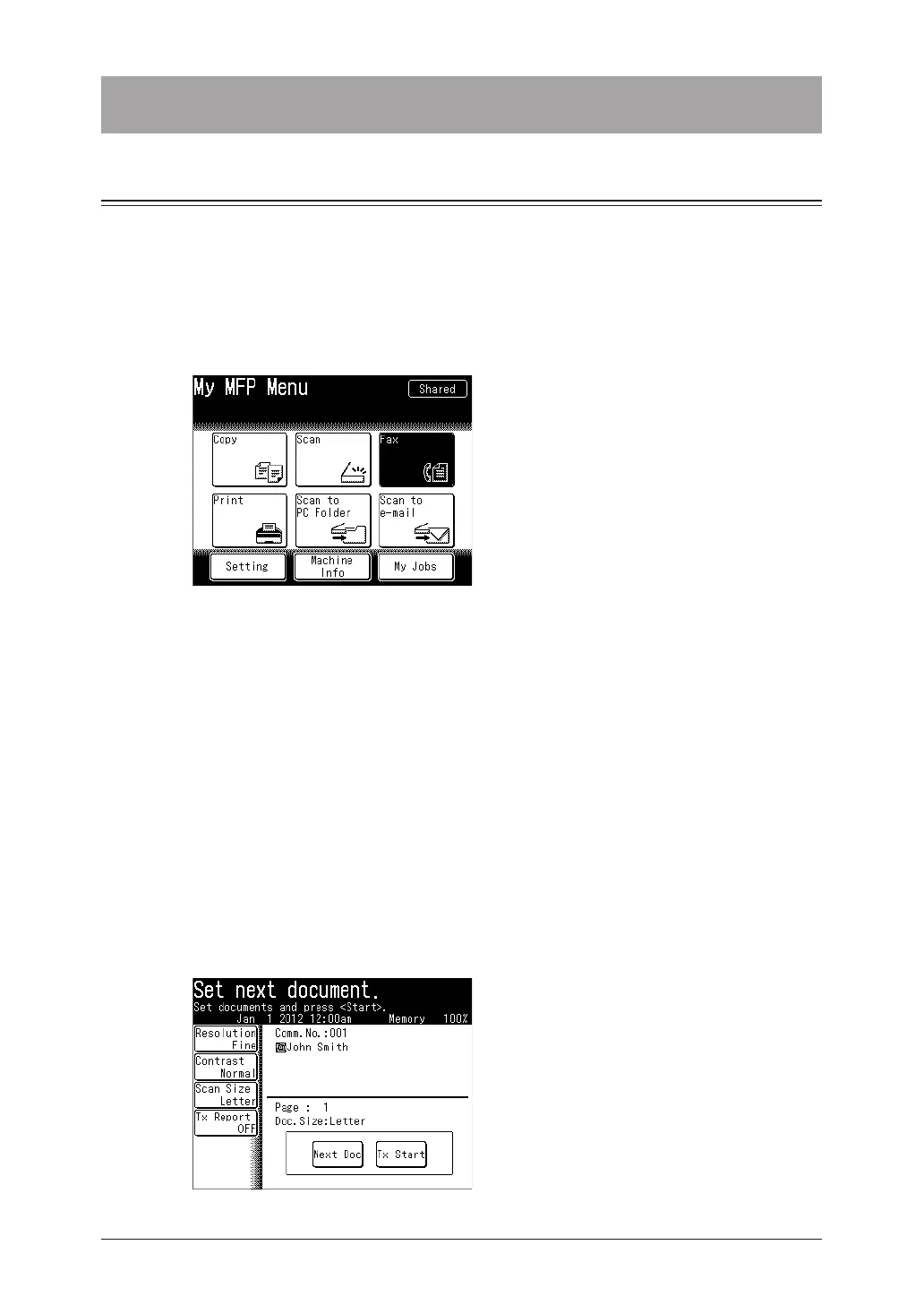
Press [Fax] on My MFP Menu screen.
If My MFP Menu screen is not displayed, press <Mode> repeatedly until “Fax Ready” screen is
displayed.
3
Set the resolution and contrast, as necessary.
For details, see “Setting the resolution “ (page 3-8) and “Setting the contrast” (page 3-9).
4
Specify the destination.
•For details on specifying the destinations, see “Specifying destinations” (page 5-2).
•To use the personal address book, log in to the machine in advance.
•If you have selected a destination from the address book, scanning starts immediately.
5
Repeat step 4 to specify all the destinations.
You can confirm or delete the specified destinations. For details, see “Checking specified
destinations” (page 5-15).
6
Press <Start>.
•When you have loaded the document on the automatic document feeder, this will conclude
the operation.
•When you have loaded the document on the document glass, the following message will
appear when the first page of the document is scanned.



 To Next Page