1
2
3
4
Advanced fax functions
Scanner related settings 4-5
Scanner related settings
Scan Size
You can transmit an image scanned using a scan size set in advance. This is useful when
you want to transmit a part of the document or want to specify the document size.
NOTE
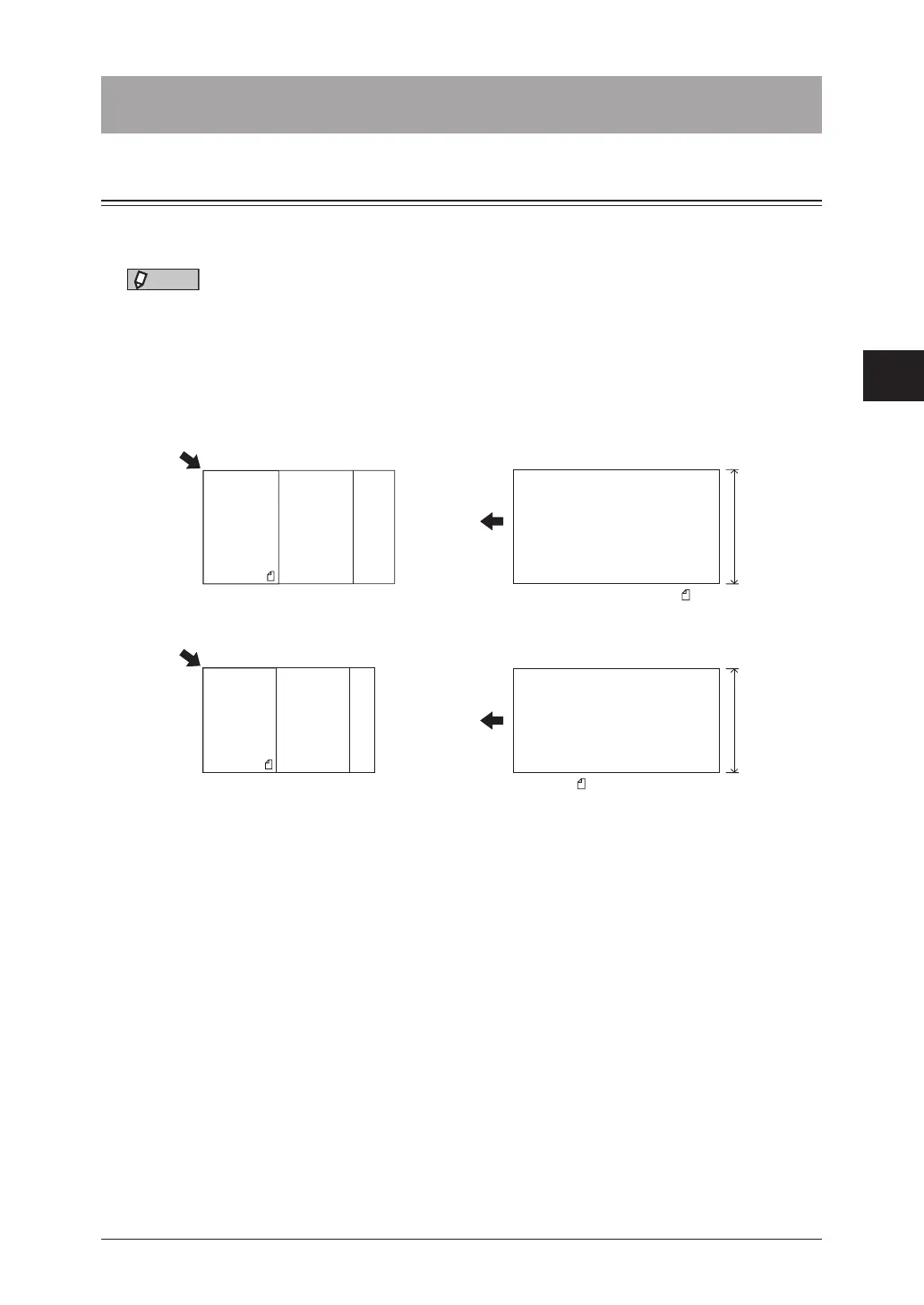
•When you scan using the document glass, only an area from the reference setting
position equal to the set scan size is scanned.
•When you scan using the automatic document feeder, only an area from the
center with a width equal to the set scan size is scanned. The whole length of the
document is scanned.
Document glass Automatic document feeder
Reference setting position
A: A4 / A5 / F4
A
Reference
setting
position
A5 A4 F4
Reference setting position
A: Legal / Letter / Half-letter
Half-letter Letter Legal
A
Reference
setting
position
1
Press [Fax] on My MFP Menu screen.
If My MFP Menu screen is not displayed, press <Mode> repeatedly until “Fax Ready” screen is
displayed.
2
Press [Advanced].



 To Next Page