1
2
3
4
5
Specifying destinations 5-5
Specifying destinations
Using groups
When you often transmit to the same multiple destinations, you can specify them in
one operation by registering them as a group.
NOTE
To use this function, register group numbers in advance. For details, see “Registering
or editing groups ” (page 7-10).
1
Press [Scan] or [Fax] on My MFP Menu screen.
If My MFP Menu screen is not displayed, press <Mode> repeatedly until “Scan Ready” or “Fax
Ready” screen is displayed.
2
To use the personal address book, log in to the machine.
For details on logging in, see chapter 1, “Logging in / Logging out” in the Administrator’s
Guide.
3
When you are logged in, press <Personal Mode> to switch the address book
between “Shared” and “Personal”.
4
Press [Advanced].
5
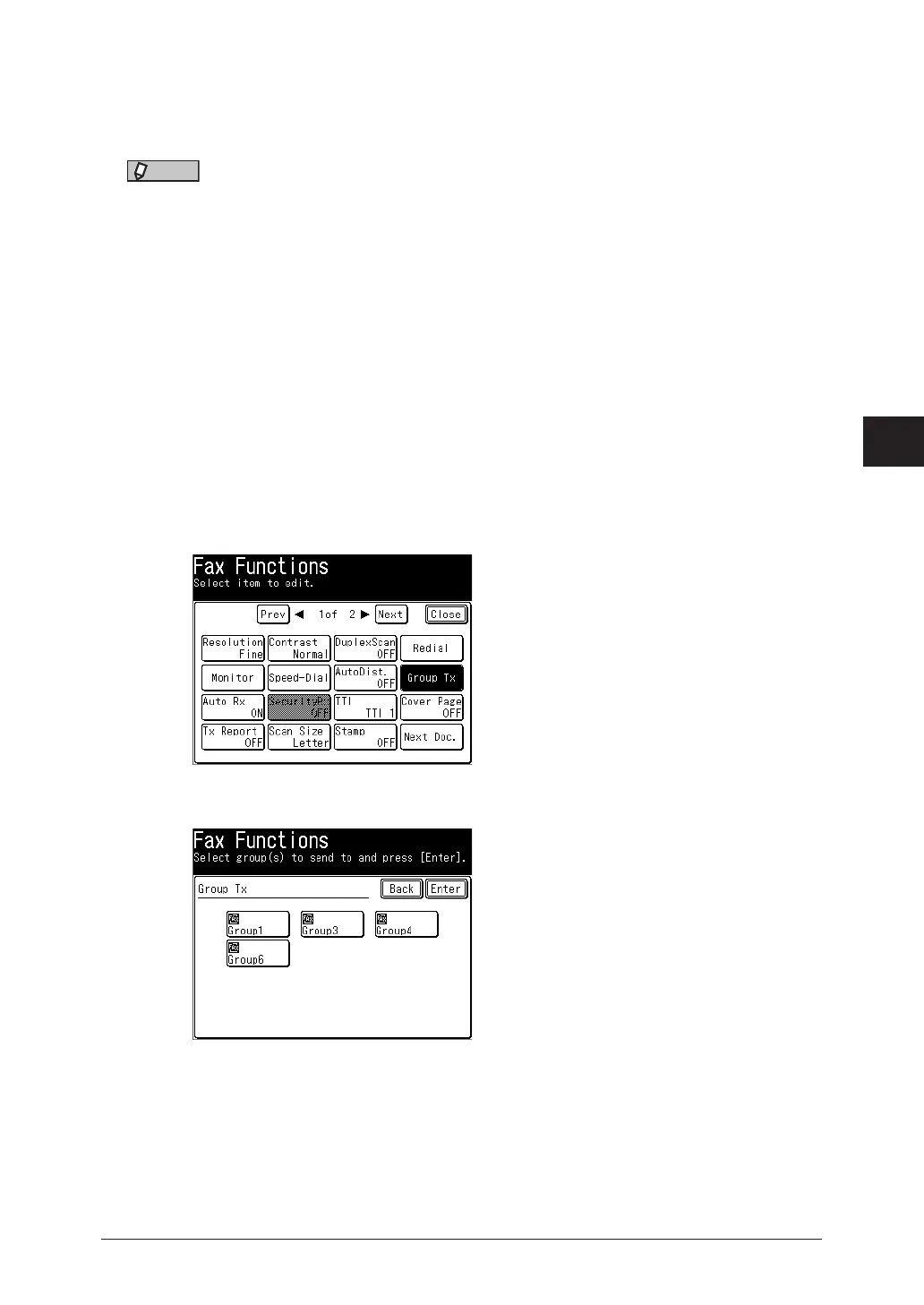
Press [Group Tx].
6
Select your desired group and press [Enter].



 To Next Page