1
2
3
4
5
6
7
Registering other settings 7-39
Machine settings
5
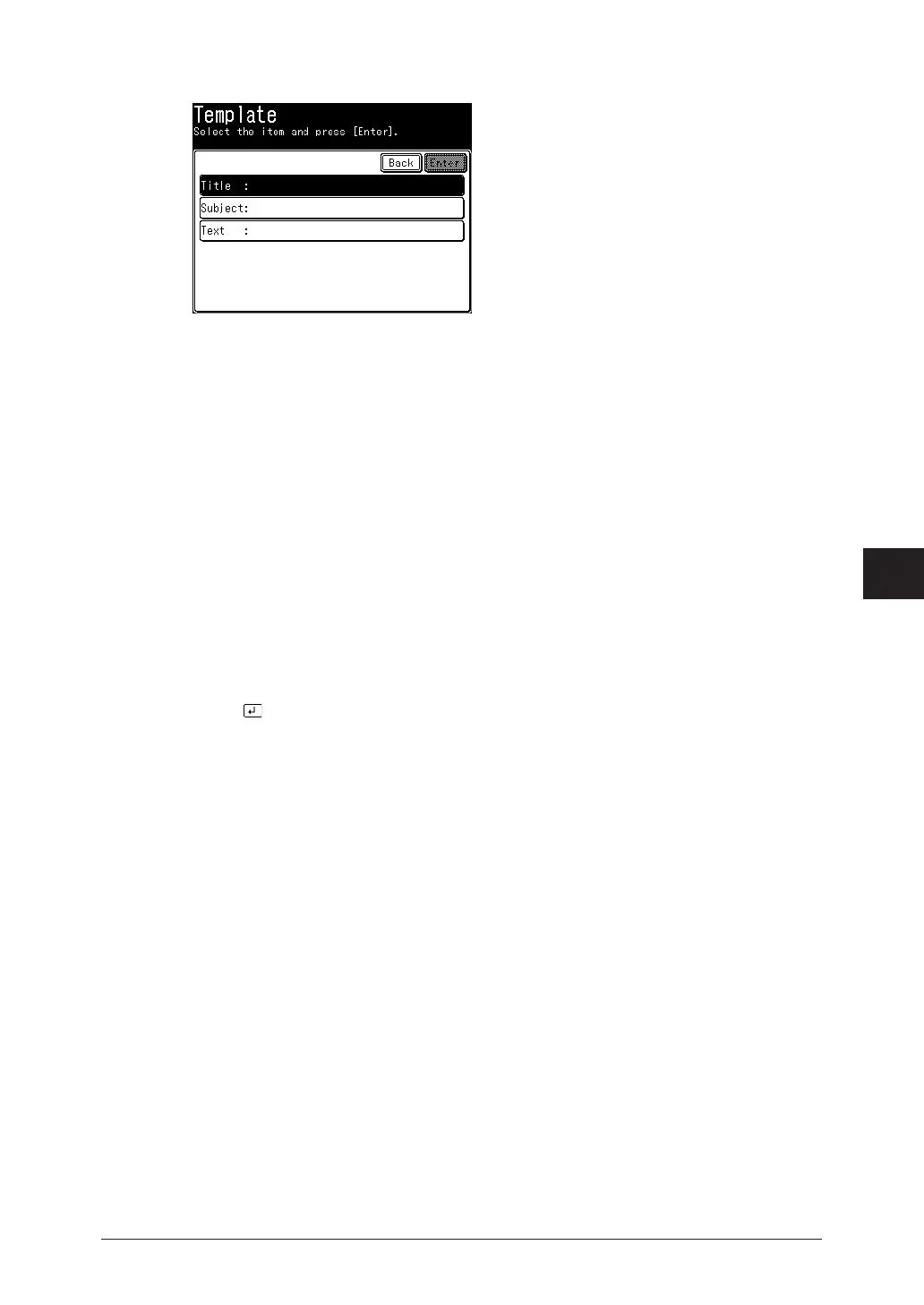
Press [Title].
6
Edit the title, and press [Enter].
For details on entering characters, see chapter 1, “Entering characters” in the Administrator’s
Guide.
7
To enter a subject, press [Subject].
If you do not want to enter a subject, proceed to step 9.
8
Enter the subject, and press [Enter].
For details on entering characters, see chapter 1, “Entering characters” in the Administrator’s
Guide.
9
To enter the message, press [Text].
If you do not want to enter the message, proceed to step 11.
10
Enter the message, and press [Enter].
•For details on entering characters, see chapter 1, “Entering characters” in the
Administrator’s Guide.
•Press to enter a line break. A line break takes up two characters.
11
Press [Enter].
To continue to register or edit templates, repeat the procedure from step 4.
Deleting
1
Press [Setting] on My MFP Menu screen.
If My MFP Menu screen is not displayed, press <Mode> repeatedly until My MFP menu
screen is displayed.
2
Press [Register].
3
Press [Template].
4
Select the template you want to delete, and press [Delete].
5
Press [Yes].
To continue deleting templates, repeat the operation from step 4.



 To Next Page