106 User Manual Version 3.1
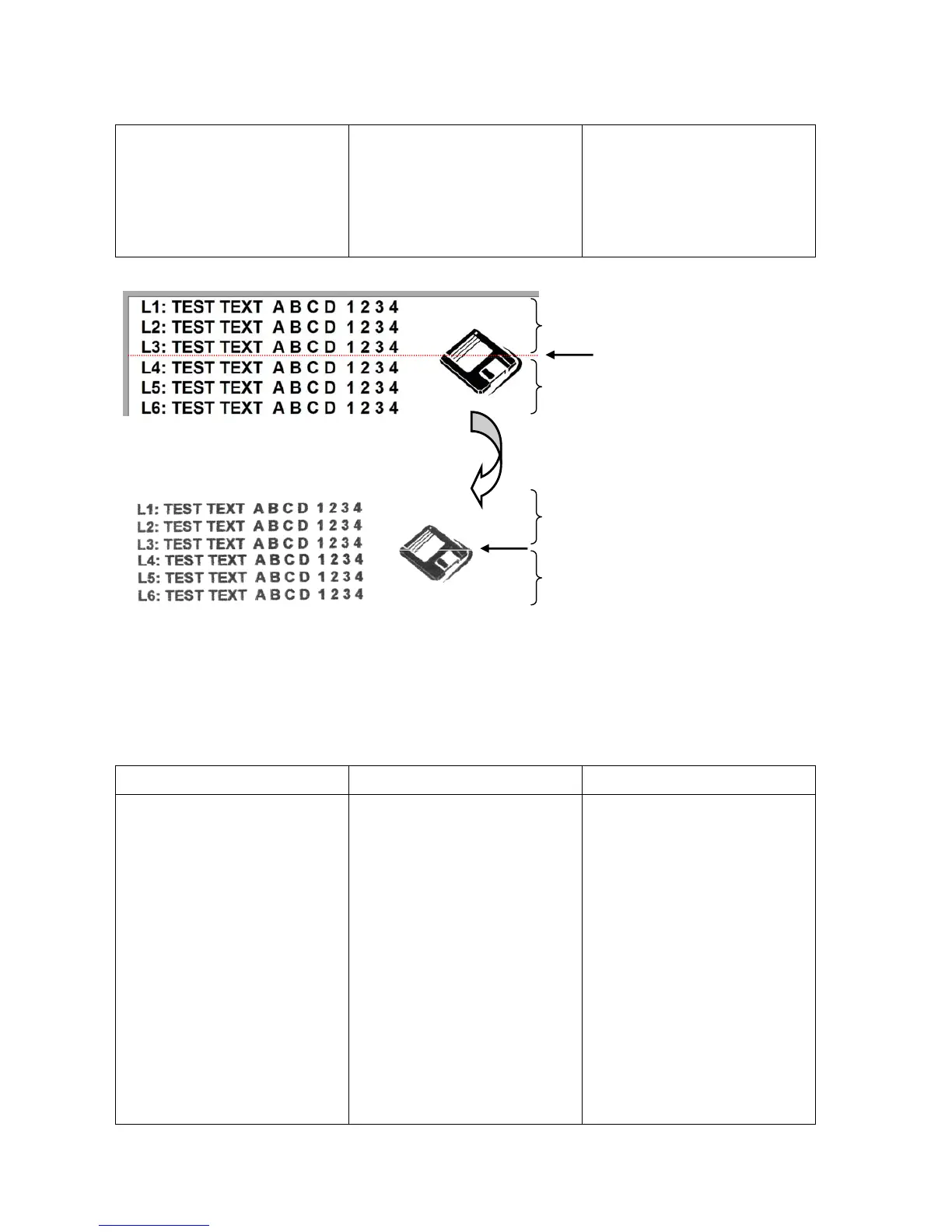
between the print area of
two carriage movements
(see Figure 55).
correct.
PRINTER CONFIG. ->
ADJUSTMENTS ->
ADJUSTMENT STEPS
• Check if the material
transport is setup
correctly.
Figure 55: White streaks in between two cartridges
Pos: 76 /Bedienungsanlei tungen/Geräte spezi fisch/Druc ker/Troubleshooting (al l printers)/Printi ng/8.2.1_Ü3_The pri nted ink doesn't dry on the substrate @ 3\mod_127980482 9363_912.doc @ 24149 @ 3
8.2.5 The printed ink doesn’t dry on the substrate
Condition Problem Solution
The used ink doesn’t dry fast
enough.
The printout looks partly
smeared.
The drying time is too short.
There is too much ink on the
printout.
The material-ink combination
is not suitable.
Reduce the print quality (e.g.
2x6dpi instead of 3x6dpi) to
decrease the amount of ink.
If available, put a conveyor
behind the printer to extend
the drying time.
Reduce the transport speed
to extend the drying time.
Try another kind of ink (see
9.1.1, on page 133). Vary
the material-ink
combinations.
If available, use an infrared
light dryer (ask your local
Neopost dealer).
Pos: 77 /Bedienungsanlei tungen/Geräte spezi fisch/Druc ker/8.x_Ü2_Error_Messa ges @ 2\mod_1265641574257 _912.doc @ 11615 @ 2
Preview of print layout in PC software
Print area of one cartridge movement
Print area of next cartridge movement
Actual printout with white streak
Print area of one cartridge movement
Print area of next cartridge movement



 To Next Page