102 User Manual Version 3.1
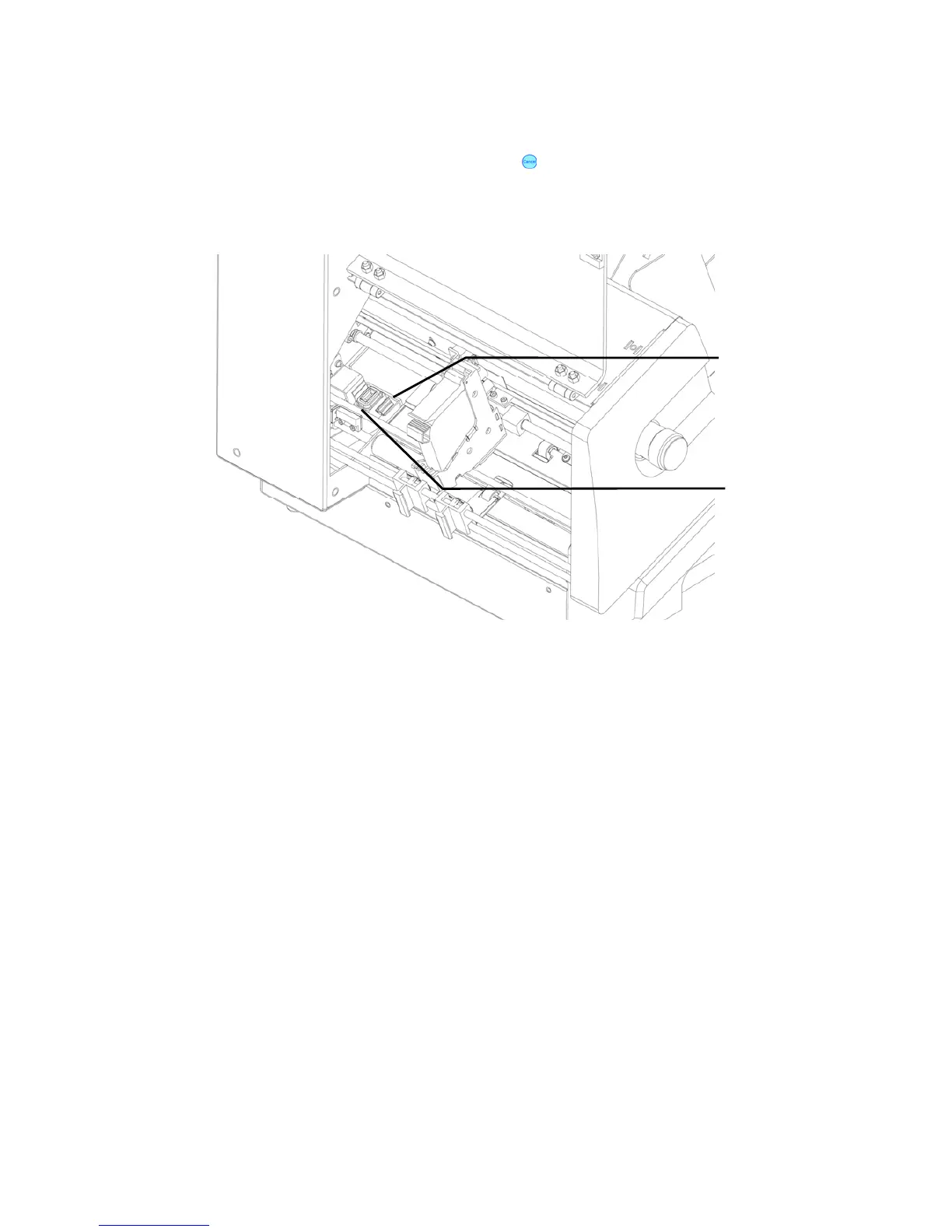
Cleaning the service station:
1. Turn the printer Offline by pressing the Offline
key.
2. Open the transparent safety cover. The cartridge carriage will move out of the
service station.
Figure 53: Cleaning the service station
3. Dampen a cloth with distilled water and clean the wiper until it is clear of any ink
accumulation.
4. Use the cloth to wipe any ink residues away from the orange cap.
5. Close the transparent safety cover.
Pos: 69 /Bedienungsanlei tungen/Geräte spezi fisch/Druc ker/8.2.x_Ü3_How to reset the pr inter @ 1\mod_1263547335 243_912.doc @ 10311 @ 3
Wiper
Cap



 To Next Page