104 User Manual Version 3.1
8.2 Troubleshooting
Pos: 71 /Bedienungsanlei tungen/Geräte spezi fisch/Druc ker/Troubleshooting (al l printers)/8.2a_Ü3 _The device cannot be turned on @ 3\mod_1280834344948 _912.doc @ 24470 @ 3
8.2.1 The device cannot be turned on
Condition Problem Solution
The device cannot be turned
on and gets no power.
The power is cut or the fuses
were activated.
Check the correct connection
of the power cable.
Check the fuses of the
device.
Pos: 72 /Bedienungsanlei tungen/Geräte spezi fisch/8.2b_Sic herungswechsel_250V 3. 15A T_KG5101.008_Tab le Top Drucker @ 3\mod_128083 3937069_912.doc @ 24458 @
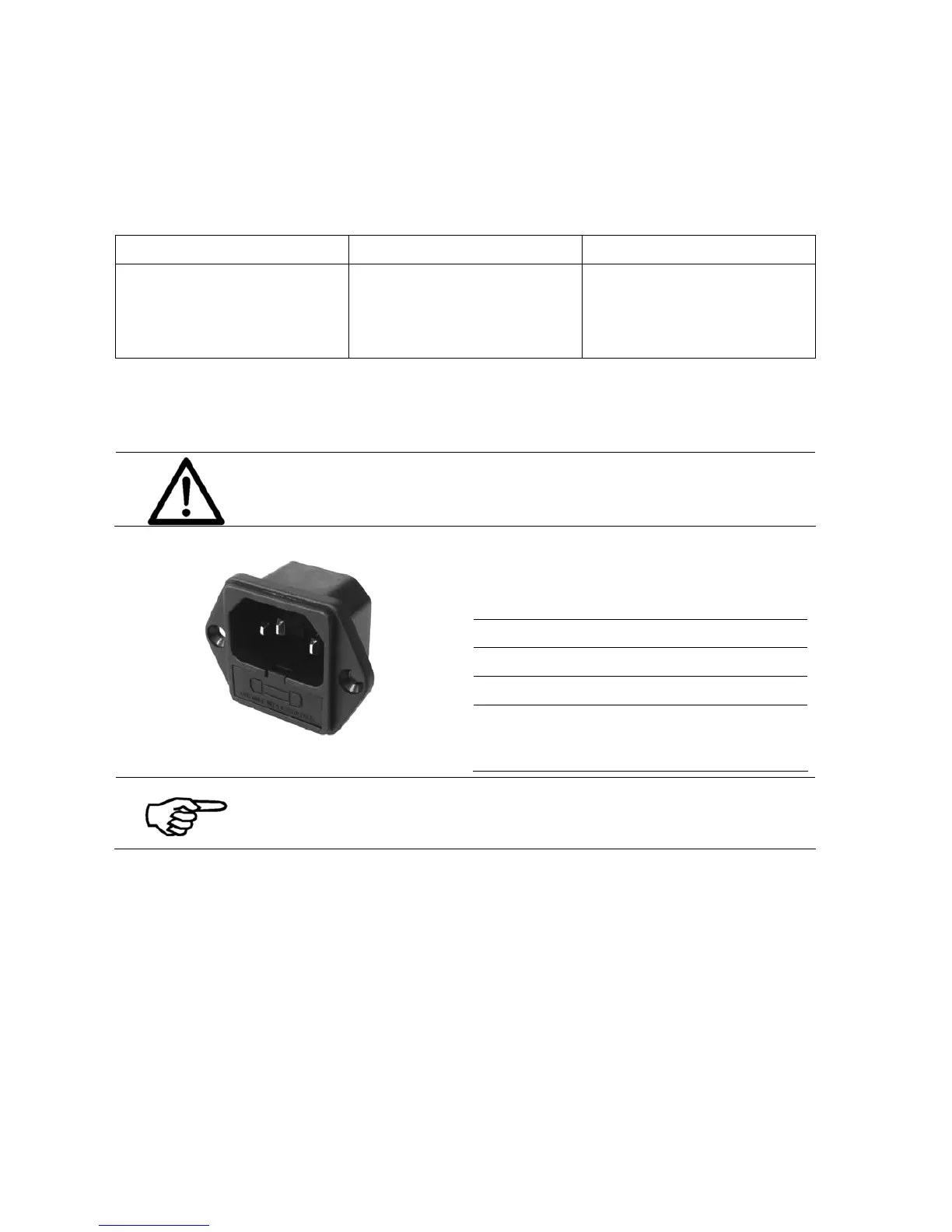
Fuse exchange
Attention!
Disconnect the device from the power outlet before exchanging the
fuses.
Figure 1: Exchange of the fuses
Data
Type Glass tube microfuse
Dimensions 5 x 20 mm
Voltage 250 V
3.15 A (T)
Amount 1
(one additional fuse
included as spare)
Use a flat screwdriver to take the fuse holder with the two small
microfuses out of the power input module. The inner fuse is in use,
while the outer fuse is only a spare. Change the blown fuse and insert
the holder again.
Pos: 73 /Bedienungsanlei tungen/Geräte spezi fisch/Druc ker/Troubleshooting (al l printers)/Printi ng/8.2.X_Ü3_Weak_pri ntout_due_to_w orng_ink_type_se lected_ALL PRINTERS @ 2\mod_1 276846566086_912. doc @ 18721 @ 3



 To Next Page