64 User Manual Version 3.1
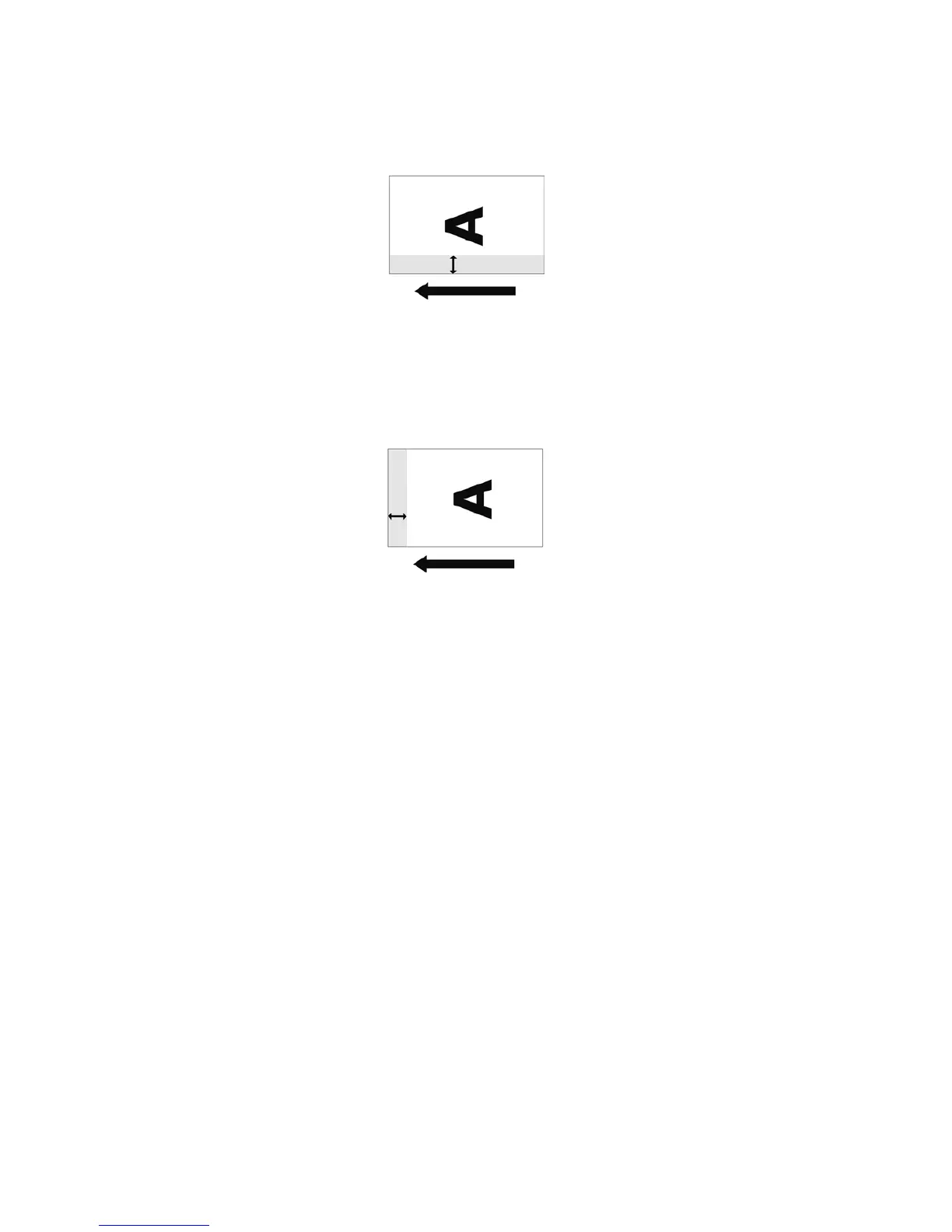
LEFT MARGIN
This feature is used to set the left margin of the print area in [mm]/[inch].
Figure 23:LEFT MARGIN, transport direction
Pos: 61.66 /Bedienungsan leitungen/Gerät e spezifisch/Druc ker/Menüpunkte Druc ker/Ü3/Ü4/Ü3_2305_TOP MARGIN_Shuttle Head @ 1\mod_12 59843902972_912.doc @ 8119 @
TOP MARGIN
This feature is used to set the top margin of the print area in [mm]/[inch].
Figure 24:TOP MARGIN, transport direction
Pos: 61.67 /Bedienungsan leitungen/Gerät e spezifisch/Druc ker/Menüpunkte Druc ker/Ü3/Ü4/Ü3_2307_OFFS ET EDGE_Shuttle head @ 1\ mod_1259845158256_912. doc @ 8128 @
OFFSET EDGE
This feature is used to set a global offset for the distance between the paper edge (left edge
in paper transport direction) and the beginning of the print area.
Pos: 61.68 /Bedienungsan leitungen/Gerät e spezifisch/Druc ker/Menüpunkte Druc ker/Ü2/Ü2_2400_FONT_PA RAMETERS @ 0\mod_125483197 4770_912.doc @ 4349 @
FONT PARAMETERS
Pos: 61.69 /Bedienungsan leitungen/Gerät e spezifisch/Druc ker/Menüpunkte Druc ker/Ü3/Ü4/Ü3_2401_F ONT @ 0\mod_1254914552628_9 12.doc @ 4935 @
FONT
This feature is used to choose one of the 13 printer internal fonts. These font types are
totally integrated into the printer firmware (Nevertheless you can print any True Type Font
if you use a modern Microsoft Windows computer).
Cour12, Cour12bo, Cour12it, Helv07, Helv10, Helv12, Helv12bo, Helv12it,
Helv13, LetGot12, TmsRm12, Bru12, OCR-A
Default: Cour12
Pos: 61.70 /Bedienungsan leitungen/Gerät e spezifisch/Druc ker/Menüpunkte Druc ker/Ü3/Ü4/Ü3_2402_C HARACTER SPACING @ 0\mod_12549 14550940_912.doc @ 4915 @



 To Next Page