38 User Manual Version 3.1
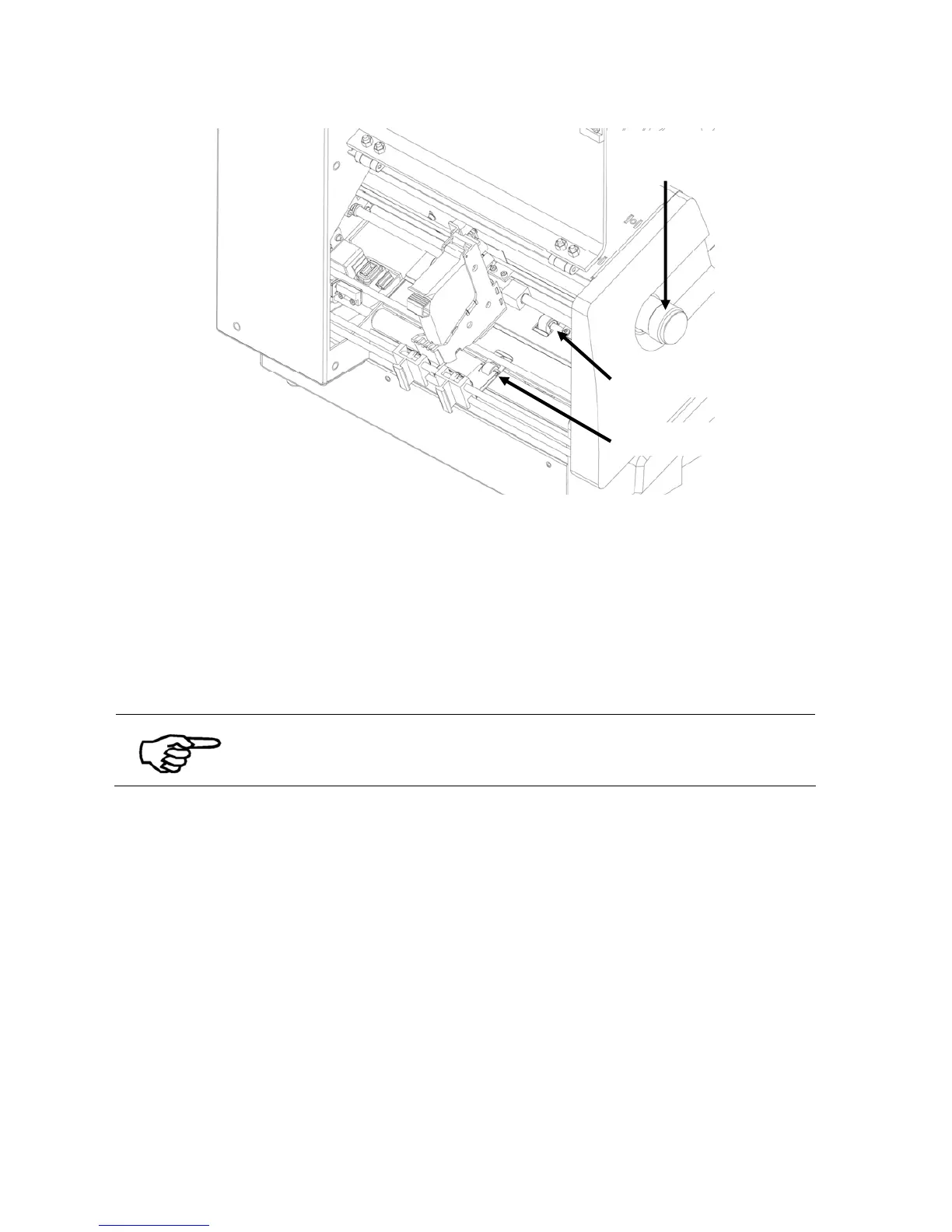
Figure 17: Adjusting the printer to the material thickness
Pos: 54 /Bedienungsanlei tungen/Geräte spezi fisch/Druc ker/AS-710/5.5_Ü2_Leng th Measurement of the Pri nt Media_AS-700/710 @ 2\mod_127 0557639681_912.doc @ 14311 @ 2
5.5 Length measurement of the medium
The printer permanently controls the size of the fed media. Therefore the Neopost AS-710
needs to know the dimension of the medium at the beginning of a new print job. The
dimension can either be measured manually or be sent by a PC software. The dimension
values are stored in the printer as reference values, until new dimensions are measured.
PC software
Sending the correct media dimensions to the printer, is only available
in PC software designed to work together with this Neopost printer.
When you are using a PC software that is able to send the dimension data, you do not need
to measure the paper size manually.
• Manually measure the media dimension
Put one medium into the feeder and proceed as described in chapter 4.3.1
• Key panel, on page 24.
• Set the paper dimension in PC software
Please refer to the manual of your PC software.
Pos: 55 /Bedienungsanlei tungen/Geräte spezi fisch/Druc ker/5.7_Ü2_How to set the print dir ection @ 1\mod_126088 1170148_912.doc @ 8511 @ 2
moveable exit roller



 To Next Page