140 User Manual Version 3.1
Pos: 100.2 /Bedienungsan leitungen/Gerät e spezifisch/Dr ucker/Printer Dri ver & Cables to PC/Ü2_How to comple tely remove printer dri vers from Windows XP and Wi ndows 2000 @ 3\mod_1298031435957_9 12.doc @ 30411 @ 2
11.2 How to completely remove printer drivers from Windows XP
and Windows 2000
1. Uninstall
printers and
printer
drivers
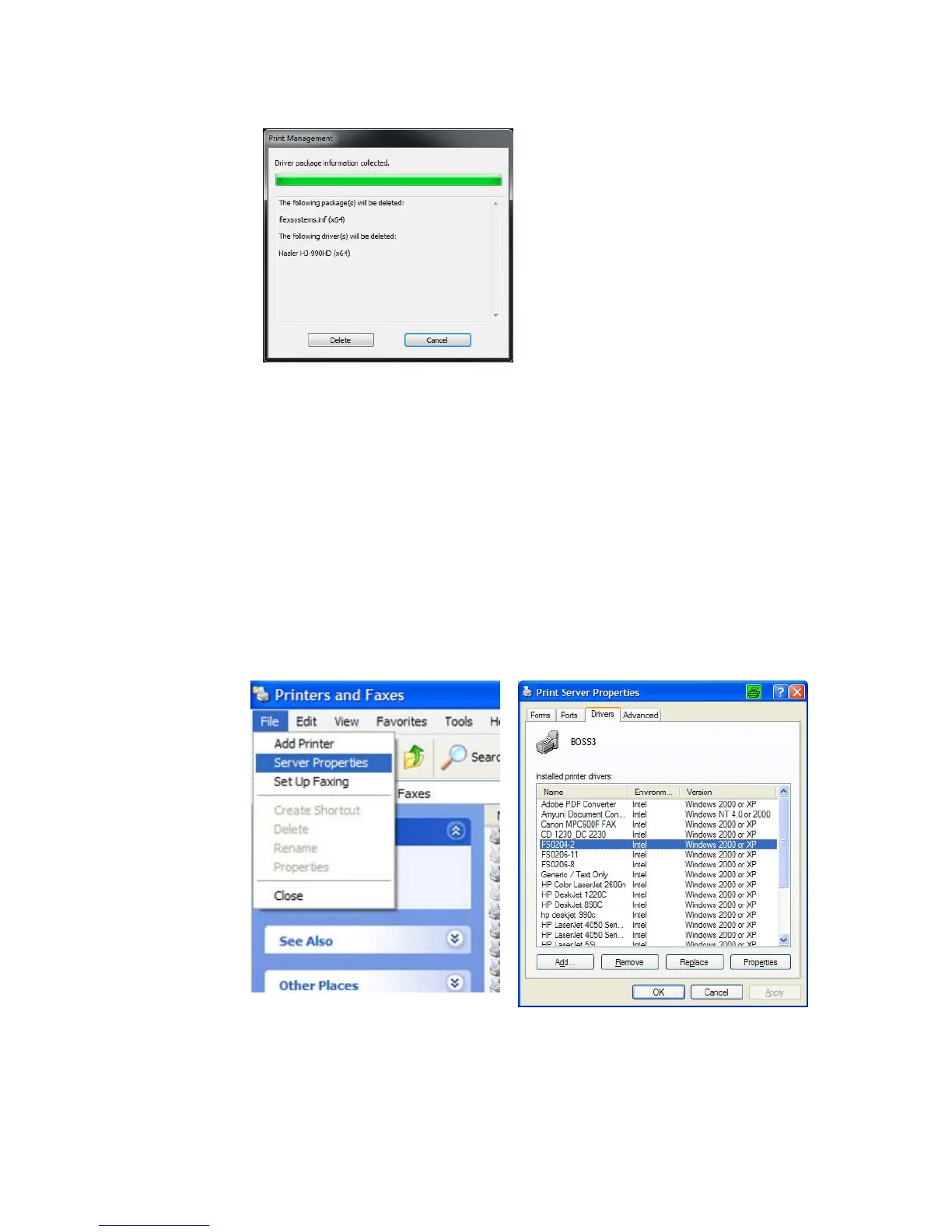
• Open “Printers and Faxes” and delete your address printer.
• Then open “File” > “Server Properties” and select the “Drivers” tab.
• Remove all printer drivers beginning with “FS****-**”.
For example “FS0204-2”.
• Remove all printer drivers beginning with “AS***_vX”, “DA***_vX”
or “RENA***_vX”.
For example “AS700_v4”.



 To Next Page