11.6 How to create a print file
Depending on the software you use, there are two ways to create a print file.
1. Create a
print file
directly from
the software
• Open the print dialog window in your software (usually File >
Print).
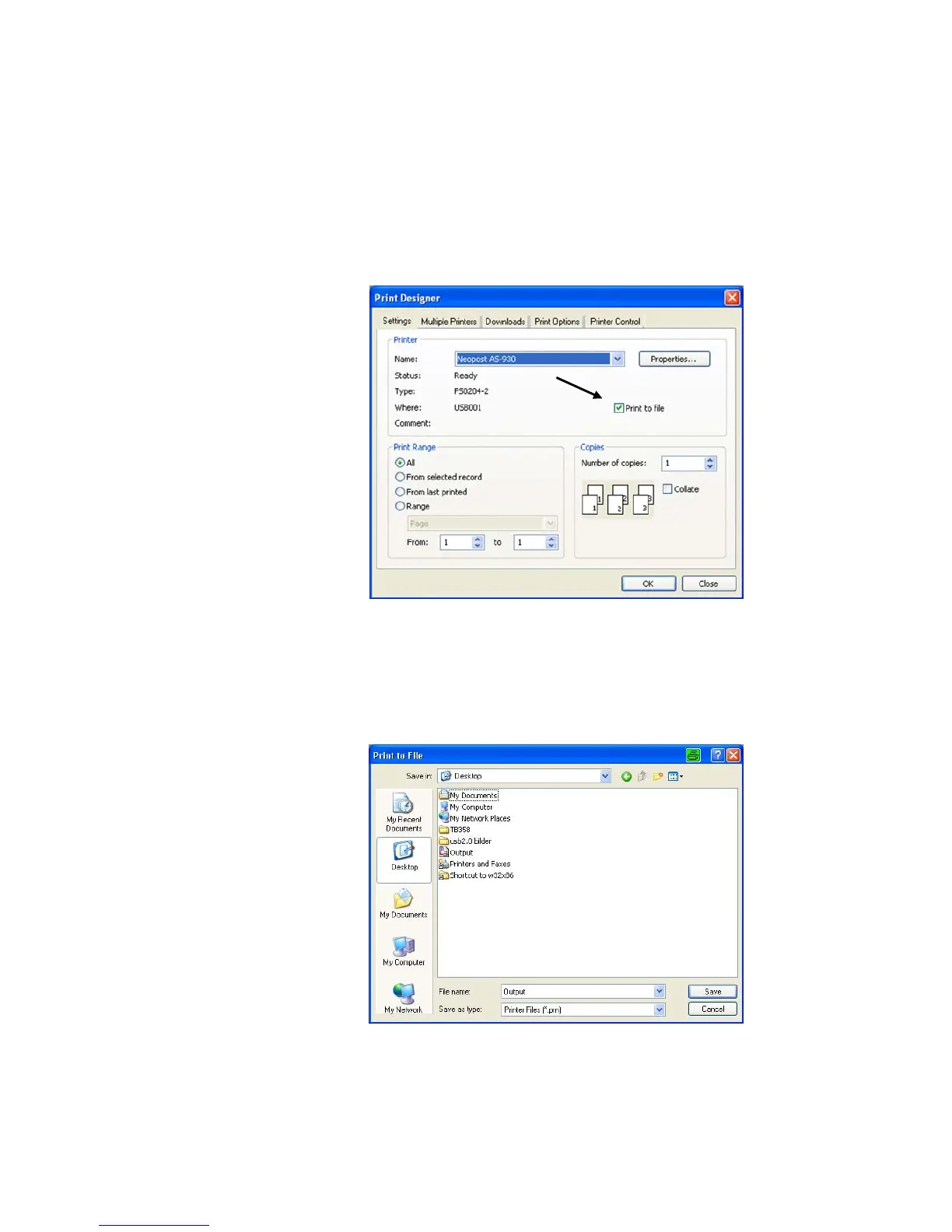
• Activate the "Print to file" checkbox as shown in Figure 62.
Figure 62: Print dialog window
• Click on the “OK” button.
• Select a file name and a location to save the print file in the “Print
to file” dialog window shown below. Use the default file type “.prn”
(printable file).
Figure 63: Print to file dialog



 To Next Page