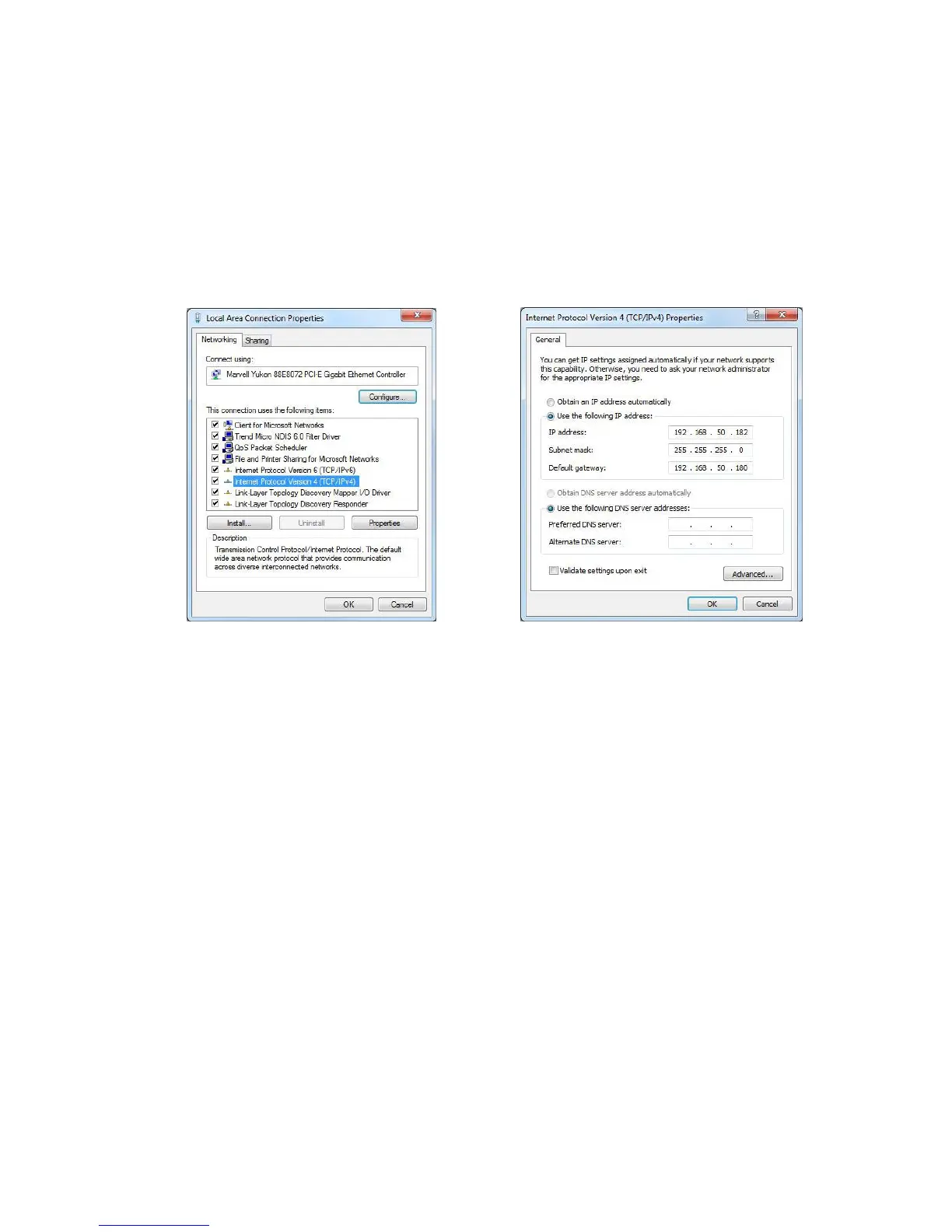
IP address: The first three parts of the address must be the same
as in the printer. The last part must be different!
Subnet mask: Same as in the printer.
Default gateway: Must be the same as the IP address in the
printer.
• Click onto “OK” and wait until the connection to the printer is
established.
Figure 48: Local Area Connection Properties Figure 49: TCP/IPv4 settings
5. Install and
configure the
printer driver
• Install and configure the printer driver for your printer model as
described in chapter 7.1 on page 86.
Pos: 63 /Bedienungsanlei tungen/Geräte neu tral/8.0_Ü1_Ser vice @ 0\mod_1251192378636 _912.doc @ 3024 @ 1



 To Next Page