KEEP ALIVE
Here you can turn on the KEEP ALIVE maintenance function. This function helps to prevent
the ink from drying inside the nozzles of the cartridge.
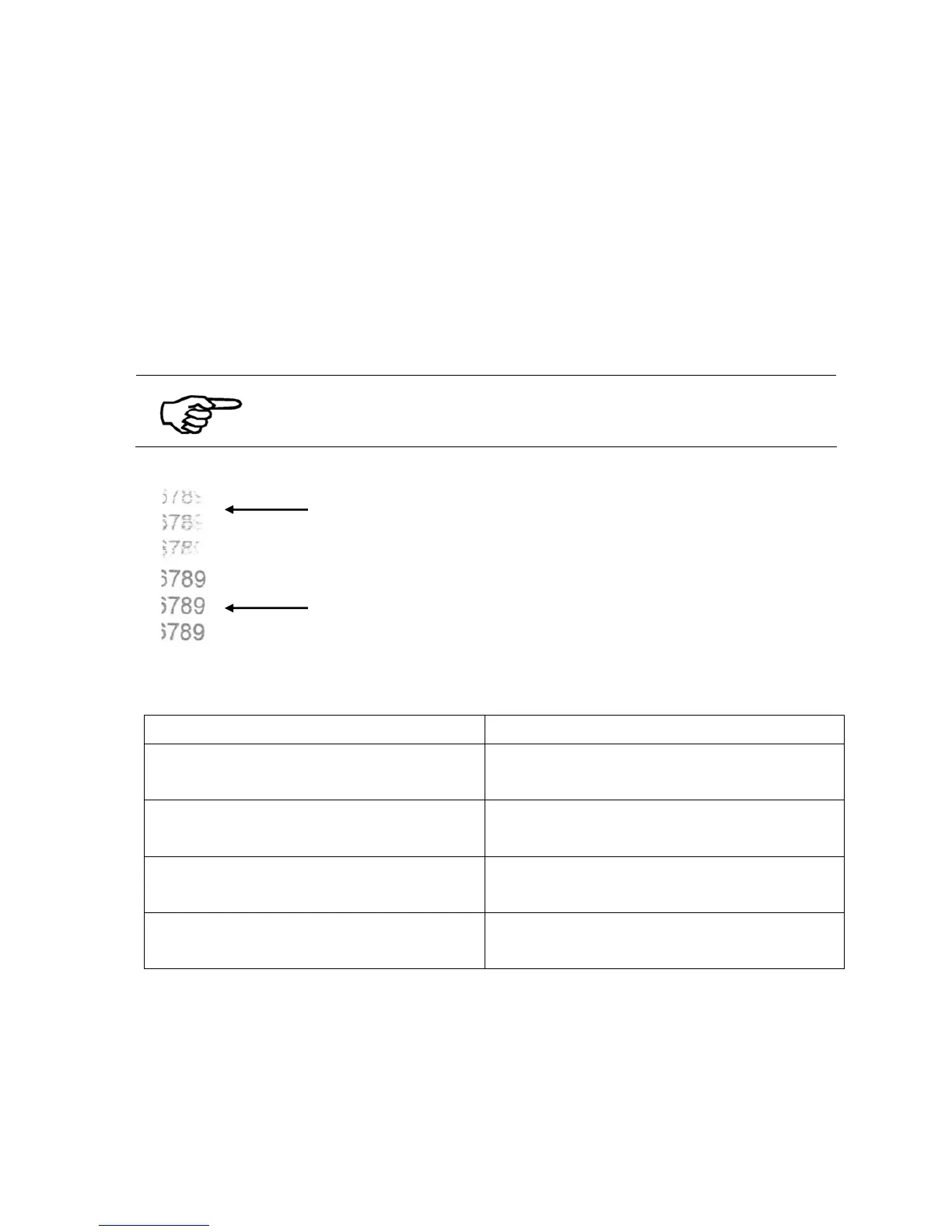
During print jobs it can happen that some parts (nozzles) of an ink cartridge are not used
on every page. For example when most addresses in a job consist of 5 lines of text but a
few addresses consist of 6 lines of text. The nozzles used to print the 6
th
line are therefore
used only every few pages. The not permanent usages may cause the ink inside these
nozzles to dry. The KEEP ALIVE maintenance function helps to avoid that by printing a
pattern of dots across the whole page.
Test before a print job
Please perform a few test prints with this function, to make sure that
the visual effect of the pattern of dots is acceptable for your print job.
Figure 19: Keep Alive function
Option Note
off
No pattern of dots is printed.
No nozzles maintenance.
low
A faint pattern of dots is printed.
Low nozzle maintenance.
medium
A more noticeable pattern of dots is printed.
Medium nozzle maintenance.
high
A stronger pattern of dots is printed.
High nozzle maintenance.
Default: off
Pos: 61.23 /Bedienungsanleitungen/Geräte spezifisch/Drucker/Menüpunkte
Drucker/Ü2/Ü2_1300_ADJUSTMENTS @ 1\mod_1260954224542_912.doc @ 8611 @
without Keep Alive
with Keep Alive „high“



 To Next Page