7.2 How to use the USB interface
Start the the printer driver installation first
Please make sure to start the installation the printer driver before you
connect to the printer to the PC!
See chapter 7.1 on page 86 for a description of how to install the
printer driver.
Plug the USB cable into the USB interface of the printer.
After turning on printer and
PC you may start to send print jobs to the printer.
Pos: 62.4 /Bedienungsan leitungen/Geräte s pezifisch/Druc ker/Printer Dri ver & Cables to PC/TCP /IP (619)/7. X_Ü2_How to use the Ethernet inter face_ONLY_619 @ 3\mod_128 9307206814_912.doc @ 28147 @ 2
7.3 How to use the Ethernet interface
The printer can either be connected directly to a PC via the Ethernet (TCP/IP) connection or
the printer can be connected to a local area network (LAN) using the Ethernet (TCP/IP)
connection.
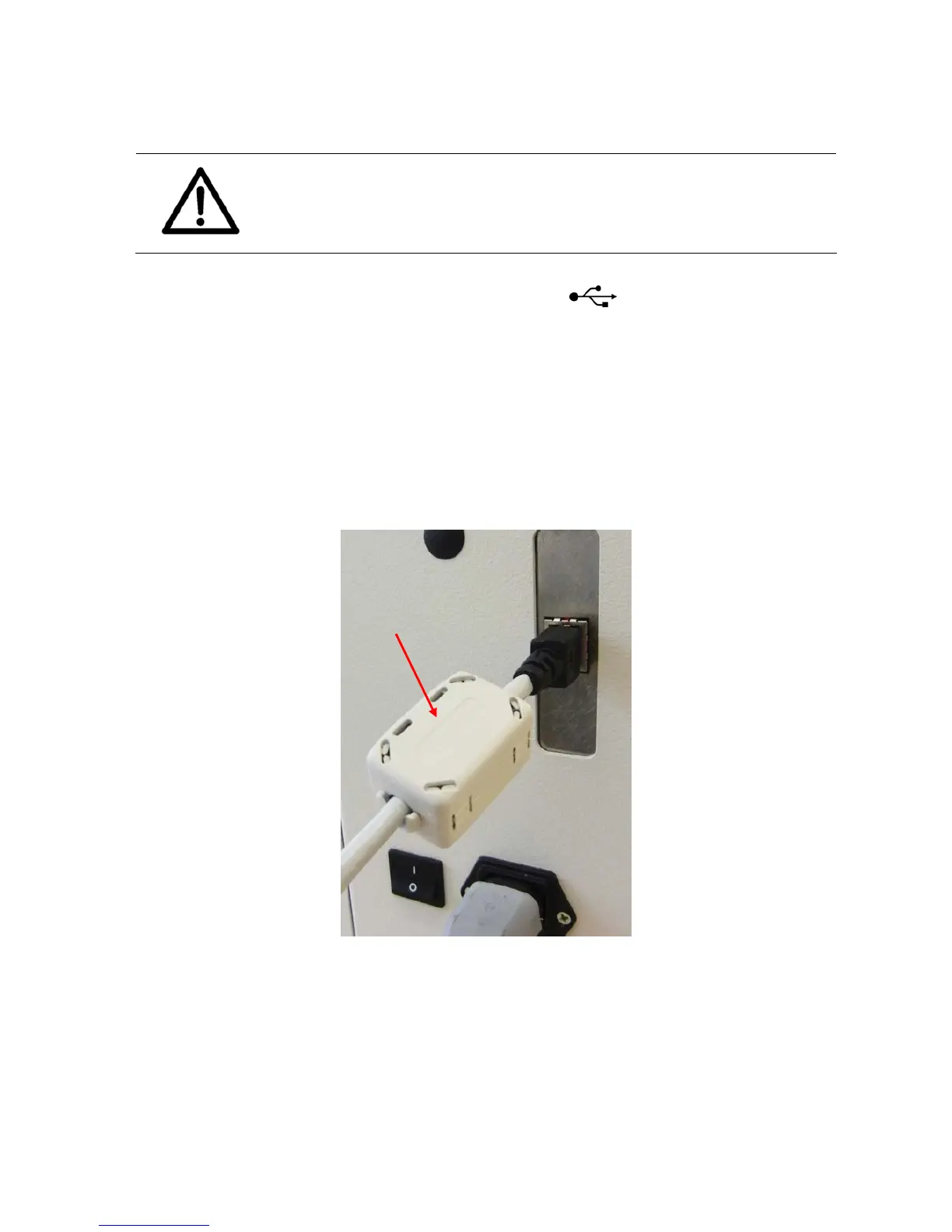
• Please attach the “Splitting Ferrite with plastic case” (part number 9204150F) to the
end of the Ethernet cable that goes into the printer. See Figure 39.
Figure 39: Ferrite with plastic case
• Please see chapter 7.3.2 on how to connect the printer to a network via the Ethernet
connection
• Please see chapter 7.3.3 on how to connect printer directly to a PC via the Ethernet
connection
Pos: 62.5 /Bedienungsan leitungen/Geräte s pezifisch/Druc ker/Printer Dri ver & Cables to PC/TCP /IP (619)/7. X.X_Ü3_Adding a TCP/IP por t to a printer driver_ ONLY_619 @ 3\mod_1295345335701 _912.doc @ 29481 @ 3



 To Next Page