SEPARATION
Here the paper separation can be adjusted. The gap between two sheets of paper can be
varied in eleven different steps. It can be useful to increase this level, if paper jams occur
many at a time (sometime when working with very slippery papers). This options works
only with feeders which can be speed controlled by the print system.
minim, level1, level2, ..., maxim
Default: level2
Pos: 61.62 /Bedienungsan leitungen/Gerät e spezifisch/Druc ker/Menüpunkte Druc ker/Ü2/Ü2_2300_LAY OUT @ 0\mod_1254831971240_9 12.doc @ 4345 @
LAYOUT
Here you can configure different layout settings directly in the printer menu. These manual
settings were made for users that print out of Microsoft DOS applications.
All functions in the following submenus are obsolete for users, who
use a modern Microsoft Windows computer with layout softwares like
“Flexmail” or “BulkMailer”. In those cases all layout information is
included in the print job, that is sent from PC to the printer.
Pos: 61.63 /Bedienungsan leitungen/Gerät e spezifisch/Druc ker/Menüpunkte Druc ker/Ü3/Ü4/Ü3_2301_O RIENTATION_Shuttle Head @ 2\mod_1270715736022_ 912.doc @ 14481 @
ORIENTATION
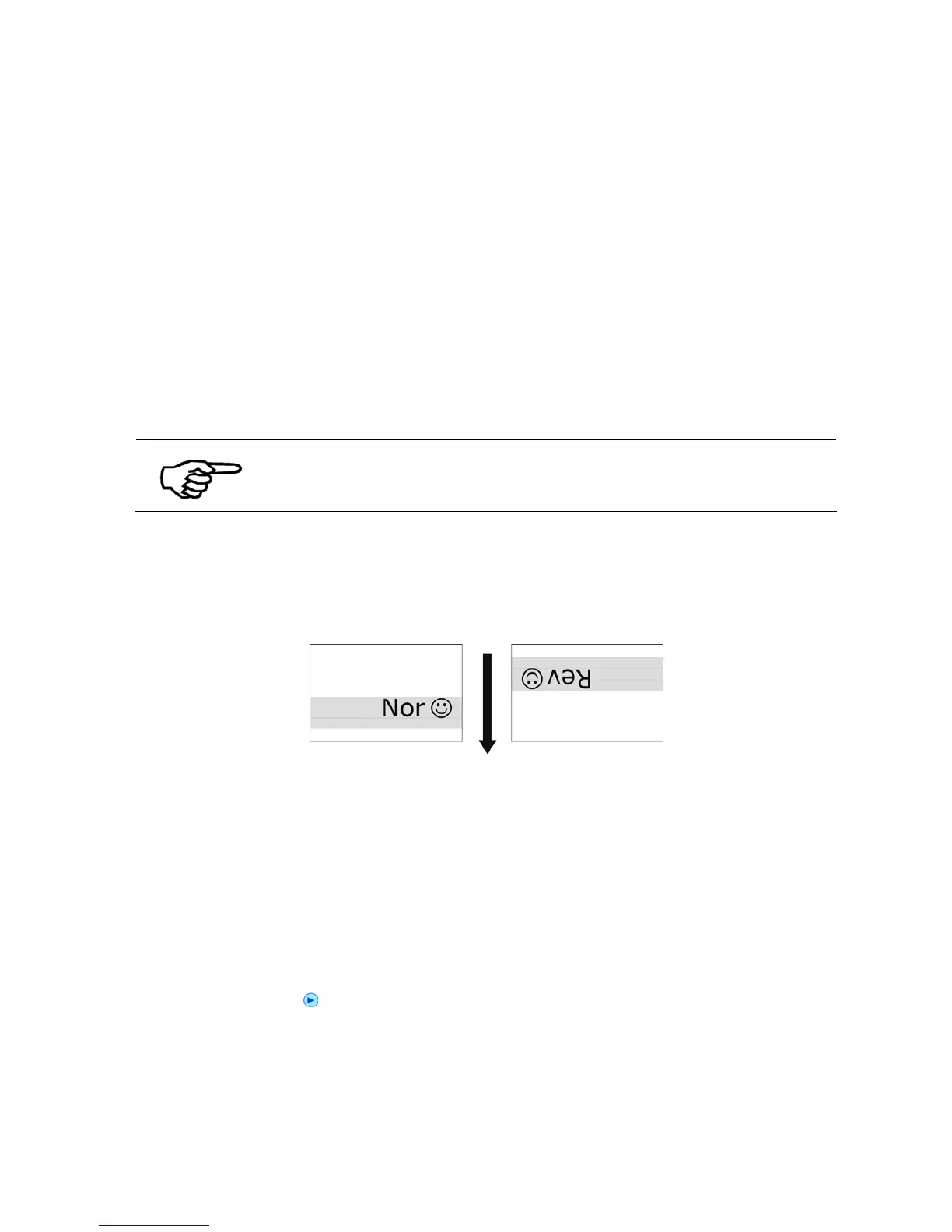
This feature is used to turn the whole print image by 180°.The print layout on the PC can be
edited in the normal view, while the printouts will be done reversed.
Figure 22: Difference Nor/Rev, transport direction
Rev, Nor
Default: Nor
Pos: 61.64 /Bedienungsan leitungen/Gerät e spezifisch/Druc ker/Menüpunkte Drucker /Ü3/Ü4/Ü3_2302_PAPER SI ZE @ 0\mod_1254914550424_912. doc @ 4911 @
PAPER SIZE
This feature is used to choose between different predefined paper formats. To use different
paper dimensions, please use the “PAPER MEASUREMENT” function (Quick menu or key
combination Quick
+ )
Excecutive, Letter, Legal, Ledger, A3, A4, A5, A6, Monarch, C10, Intern.DL, INSD, C4,
C5, C6, B4, B5, B5JIS, Card1, Card2, Hagaki, User
Pos: 61.65 /Bedienungsan leitungen/Gerät e spezifisch/Dr ucker/Menüpunkte Druc ker/Ü3/Ü4/Ü3_2303_LE FT MARGIN_Shuttle Head @ 1\ mod_1259843901940_ 912.doc @ 8115 @



 To Next Page