7.1.2 Windows 7
1. Insert the
driver CD-ROM
• Insert the Neopost CD-ROM in the CD drive of your PC.
2. Connect the
PC to the
printer
• Make sure that your printer is turned off.
• Connect the printer with the USB cable to your PC.
• Turn on the printer. Check if the printer shows OnlinUSB in the
bottom line of the main display.
If not press the Ok
key to turn the printer online.
If the printer shows OnlinTCP in the bottom line of the main
display use the menu PRINTER CONFIG. > BOOT DEFAULTS >
COMMUNICATION to select the USB interface.
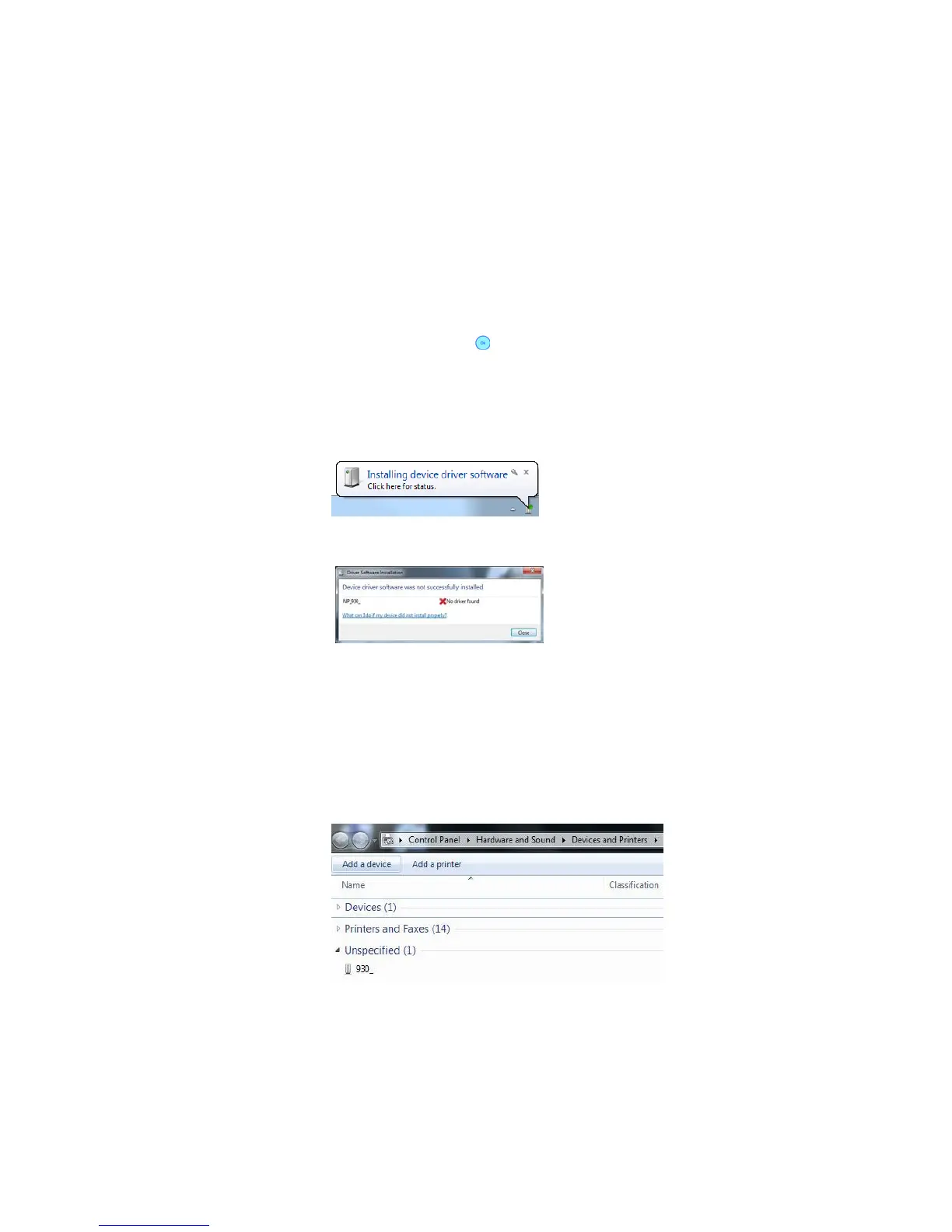
• Wait for the automatic detection of the new hardware.
• By clicking on the message box, Windows will display a status
window.
• Windows 7 is not able to locate the printer drivers on the CD-ROM
or in the Internet automatically. Therefore you have to install the
printer driver manually.
3. Install the
driver
manually
• Click on the Windows button and “Devices and Printers”
• The detected printer is listed under the category “Unspecified”.
Right-click on it and select “Properties”.
• Go to the tab “Hardware” and see the listed device functions (see
Figure 35). Double-click on the printer (Type: Other devices);
another properties window will open.
• Select the button “Change Settings” (administrator rights
required). The window will flicker once.



 To Next Page