Newtec Proprietary
Confidentiality: Unrestricted
V1.4
183/225
Features Descriptions M6100 Broadcast Satellite Modulator
Parameter Description
Calibration Traffic Source • Internal test traffic (When using this mode, the live
traffic is interrupted and a PRBS is started to perform
the calibration.)
Demodulator type Indicate what type of demodulator is used to run the
calibration procedure.
• External demodulator:
– RMCP Demodulator (select this type when working
with equipment such as EL910. When this is
selected, RMCP commands are used to
communicate with this type of device.)
– Remote Equalink Client, in this case the remote
device is a M6 type demodulator.
• Internal demodulator:
– Local S2-EXT Demodulator, in this case you are
calibrating with the wideband demodulator inside
the modulating device.
Note: When using this it is advised to add noise in
the hub downlink.
IP Address Demodulator Enter the MGMT IP address of the demodulator.
Uplink Frequency Enter the uplink frequency.
Transponder Uplink Centre
Frequency
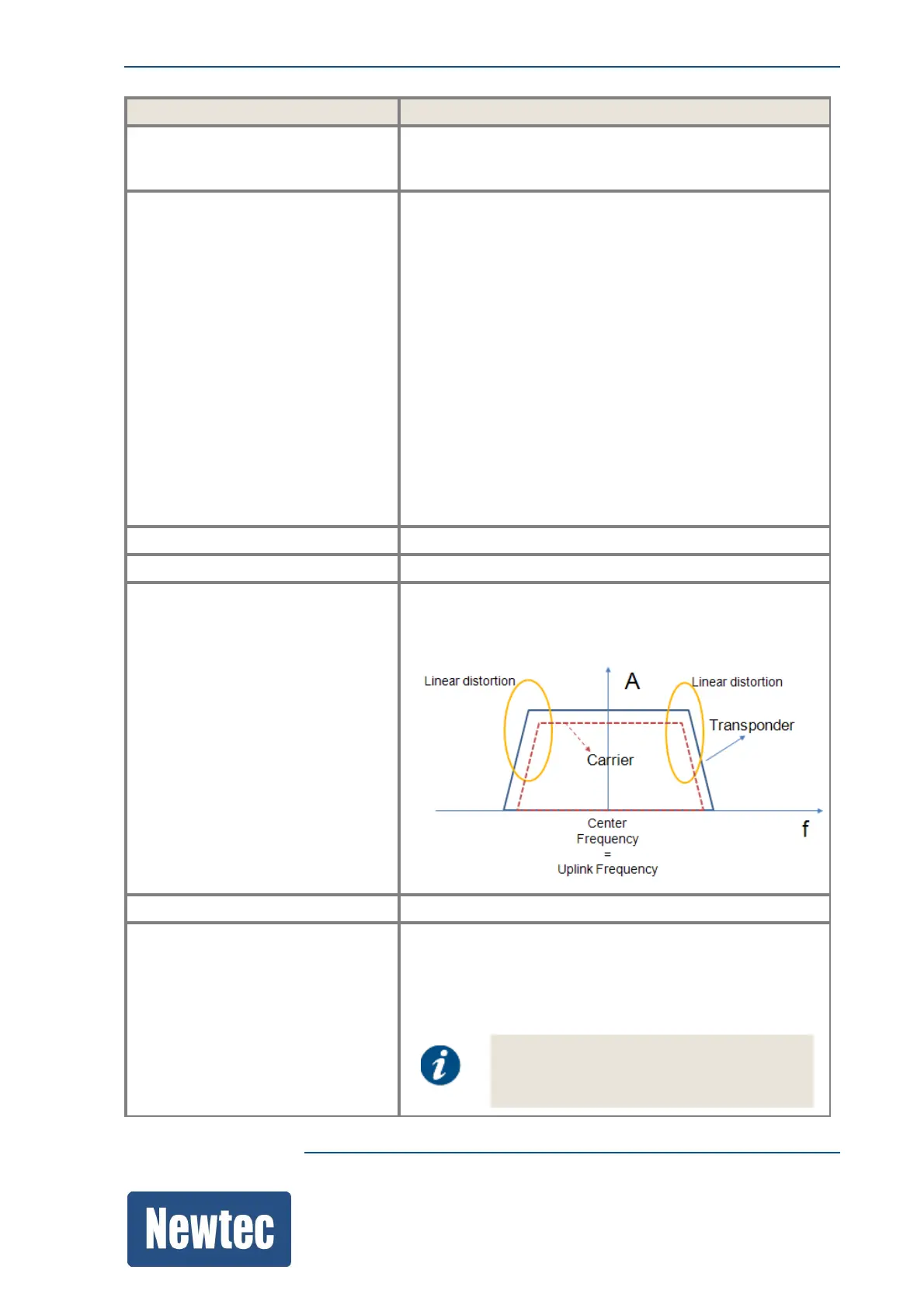
Enter the same Uplink Frequency and Transponder
Center Frequency to optimize the linear distortion for the
full transponder. Refer to the following figure:
Transponder User Bandwidth Enter the corresponding bandwidth.
Iterations per Monitor Cycle Enter the amount of iterations per monitoring cycle you
want to perform.
Two iterations provide a relative fast calibration.The
higher the amount of iterations the longer the calibration
period takes, (typically, one iteration takes 5 minutes).
The number of iterations recommended is
3.



 To Next Page