Newtec Proprietary
Confidentiality: Unrestricted
V1.4
184/225
Features Descriptions M6100 Broadcast Satellite Modulator
Parameter Description
Fading Margin Enter the maximum fading margin that is allowed during
the calibration period.
Calibration ModCod The calibration will run in DVB-S2 or DVB-S2X.
• Auto ModCod: In this case the calibration uses
different ModCods to perform the calibration.
• Manual selection of the Equalink calibration ModCod.
» By default the Calibration ModCod is set to Auto ModCod, in this case the application searches
for the most optimal ModCod to perform the calibration;
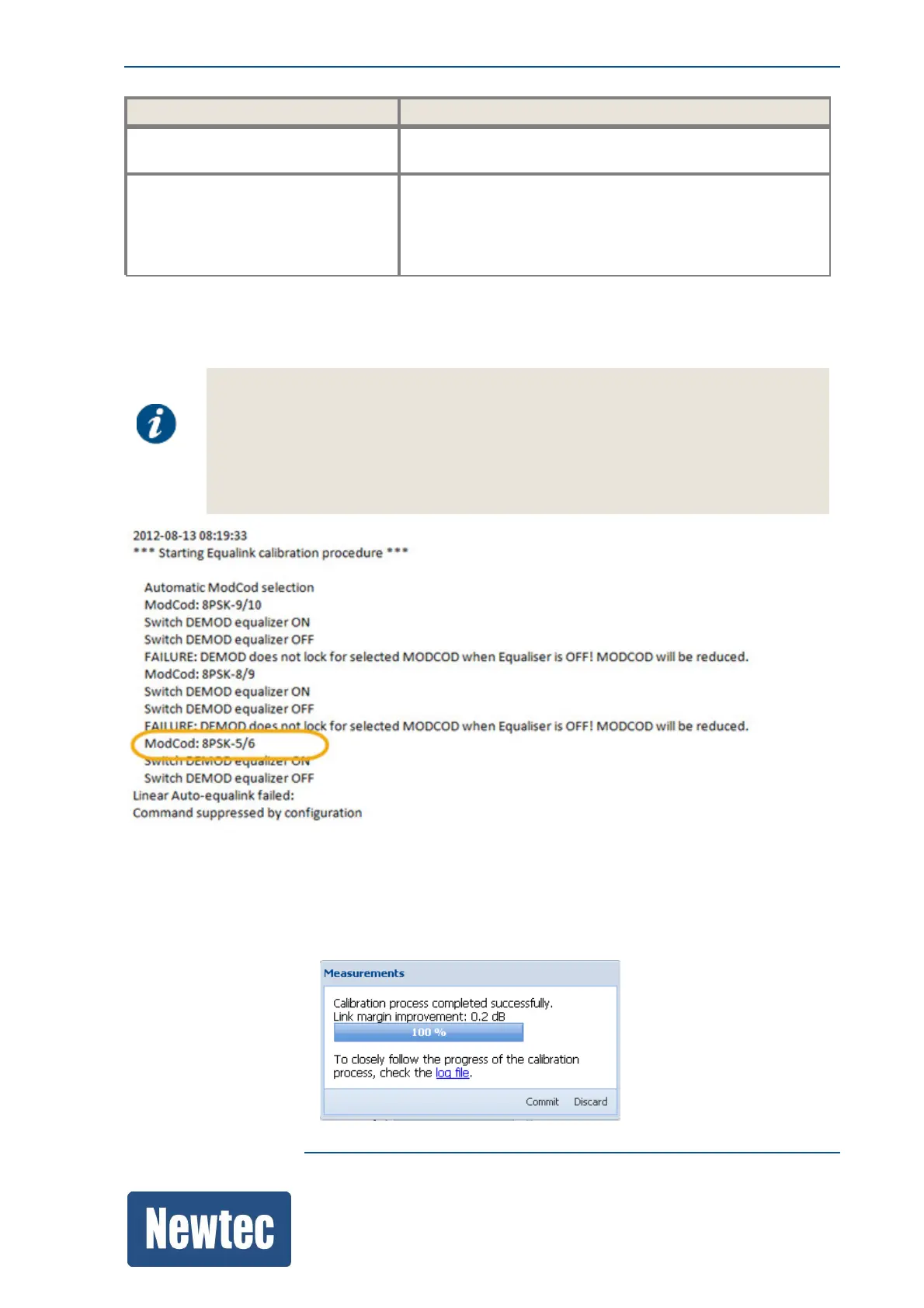
It is possible that the calibration stops when running the procedure with Auto ModCod
selected.
If this is the case, you have to select the Calibration ModCod manually.
Please check the log file and select the lowest ModCod value indicated in the log file.
(please refer to the figure below)
» Click Start (to start the calculation);
» A progression bar is displayed;
» When the measurements are performed, the link margin improvement is displayed;



 To Next Page