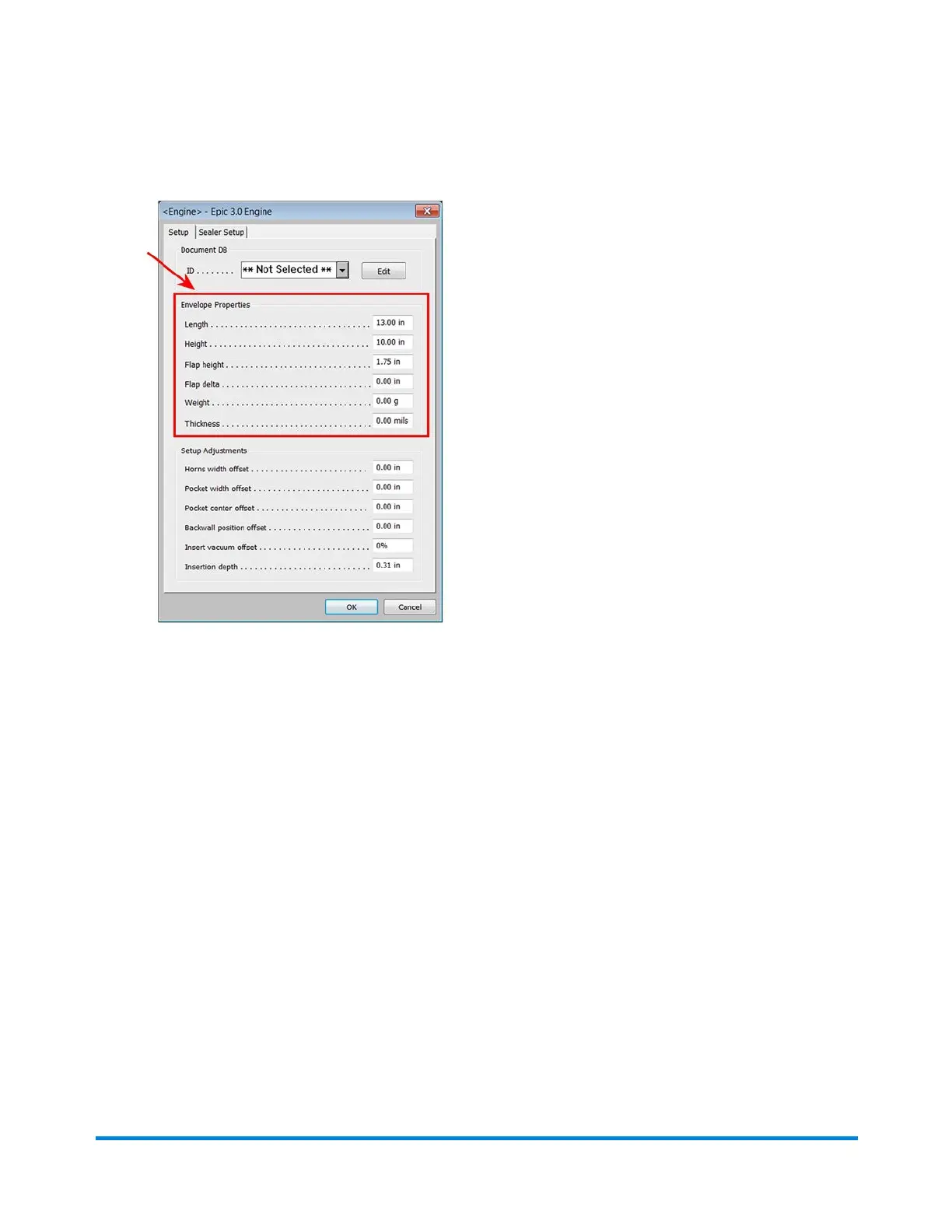
3. When the Engine Setup screen opens, you can define your envelope properties in these fields.
l Length - measured across the envelope from left to right (required field)
l Height - measured with the flap closed from the top to the bottom of the envelope (required
field)
l Flap height - length of flap at its largest point from crease (required field)
l Flap delta - difference in flap size at flapper exit sensors (i.e. how much shorter is the flap at
the sealer). The sensor itself is about 2.9 inches (74 mm) off the flap center line. (required field)
l Weight - weight of the envelope (optional)
l Thickness - (referring to material thickness) the thickness of a single insert or document page
that will be fed from this feeder. (optional)
Operator Adjustments
Pitney Bowes Epic v3.1 (ZVE0) Operator Guide May, 2018 Page 72 of 328



 To Next Page