• You can import an account list to or export an account list
from your mailing machine as a CSV file using OLS or a
USB memory key.
• Imported accounts are created and added to the existing
account list as unformatted accounts.
• Using a spreadsheet program or a simple text editor,
modify an exported CSV file to add new accounts to your
Mailing System by re-importing the file.
• You can only import CSV files located in the root directory
of the USB memory key.
• To add accounts to your Mailing System, export the current
account list and modify it before re-importing it into the
Mailing System.
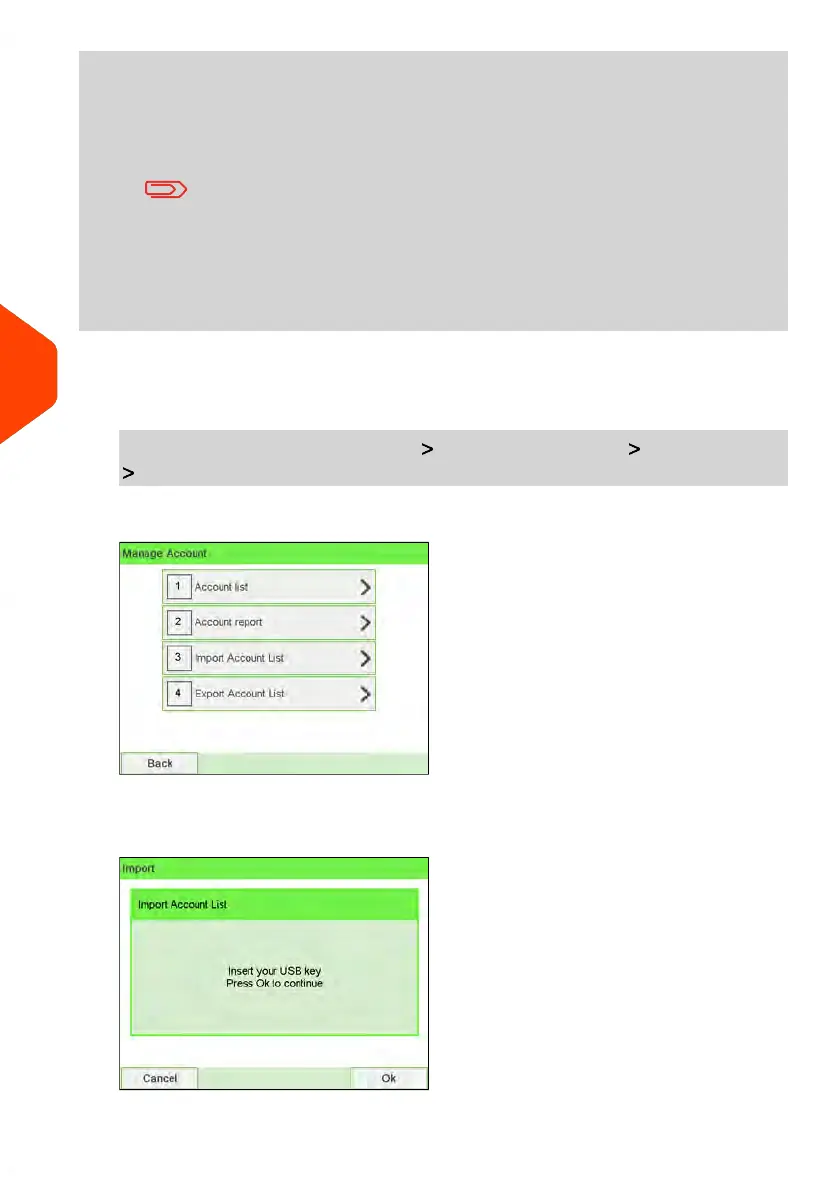
To import accounts from a CSV file:
1. As supervisor (see How to Log in as Supervisor on page 241):
From the main menu, select the path: Account management Manage account
Import Account list
2. Insert your USB memory key into the USB port of the base (at rear left) and press
[OK].
168
| Page 168 | Jun-22-2021 11:01 |
6
Accounts and Access Control















 To Next Page