1-11
Installation
04 October 2007
Interface to SR5000 Finisher
Interface between SR5000 Finisher and BK5010
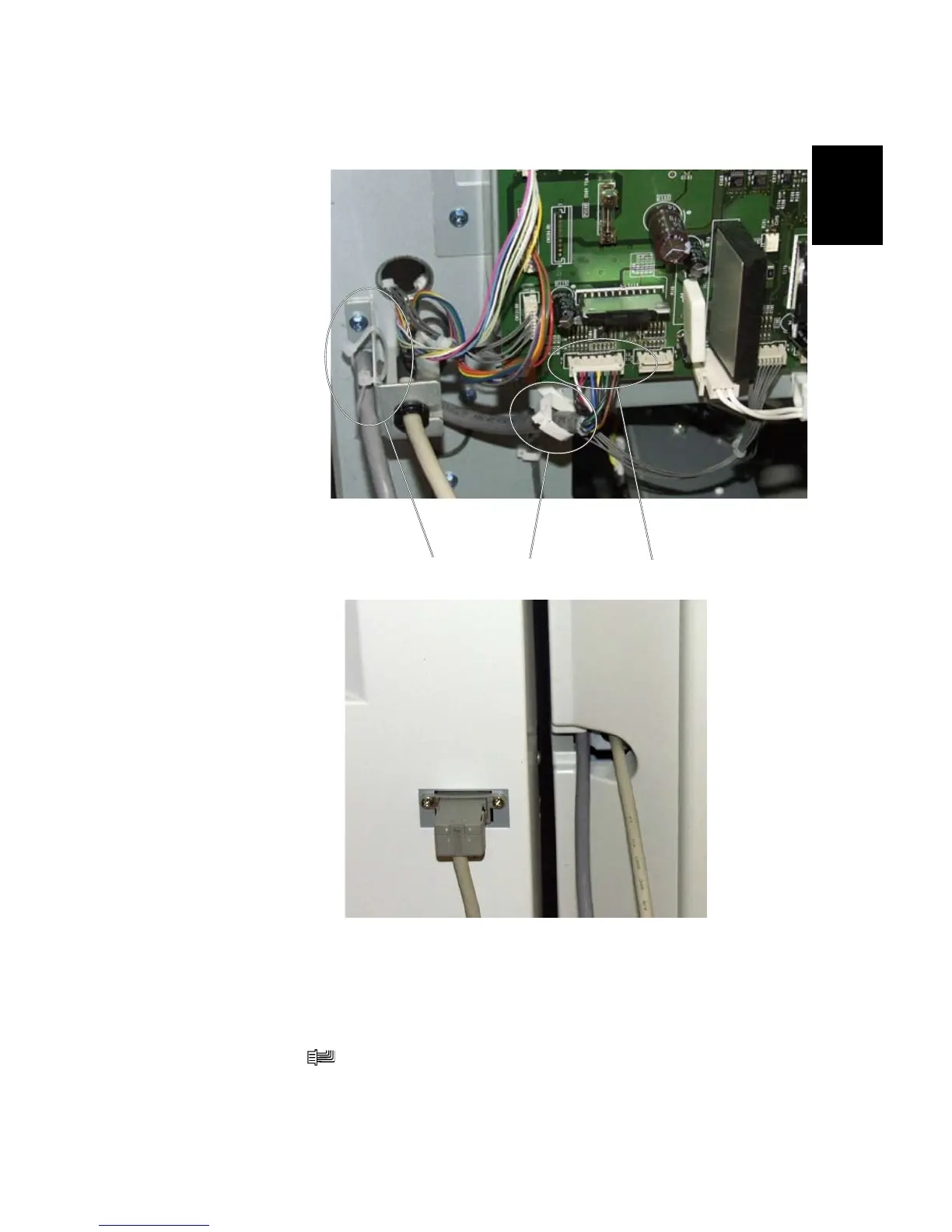
1. Install the Communication cable from the installation kit, to connector
CN138H [A] ( x1) on the nisher main board.
NOTE: Make sure to use the communication cable for SR5000 Finisher.
2. Guide the Communication cable through the cable holder [B] and secure it in
the nisher [C], with two tie wraps from the installation kit.
[C]
[A]
Finisher Main PCB
[B]
Finisher with rear cover installed
BOOKLET MAKER INSTALLATION



 To Next Page