10 February 2005 SKEWED, TRAPEZOID, AND PARALELLOGRAM IMAGES
4-35
Trouble-
shooting
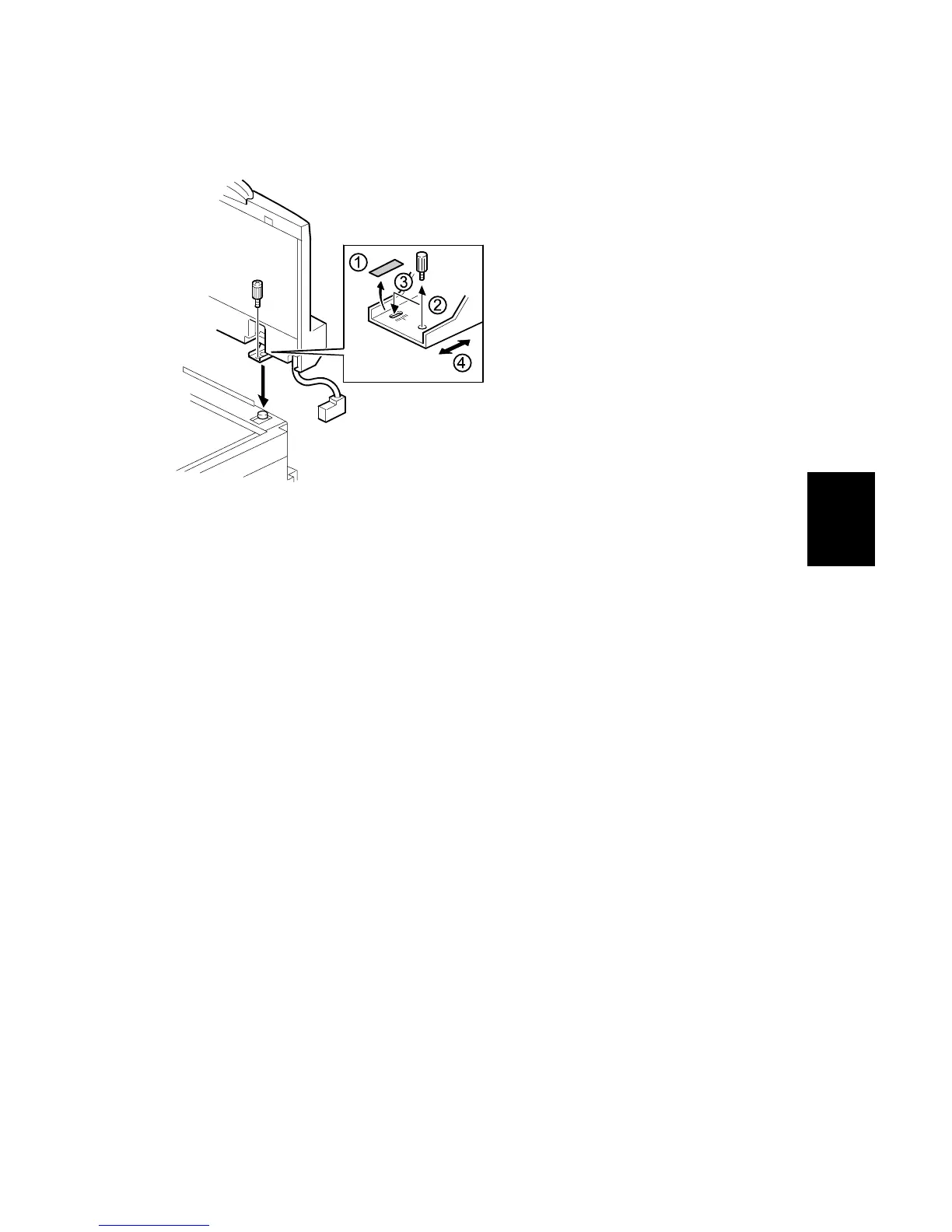
Action 5-1 Adjusting the original skew with equal front/rear pulling loads
1. Peel off the black tape on the right hinge of the ADF.
2. Loosen the screw that secures the left hinge.
3. Change the position of the screw that secures the right hinge to the long hole.
NOTE: Do not tighten the screw at this moment.
4. Adjust the right hinge position to correct the skewed image.
NOTE: Shifting the hinge to the rear will slant the image to the right (and vice-
versa).
5. Tighten both screws and check the copy image.
6. If it is not fixed, repeat steps 2 to 5.
B156T011.WMF


 To Next Page
 Loading...









