SAM4s ER-900 Series Operator's & Programming Manual v.1.28 P-Mode Programming • 129
Program 200 - PLU Price/HALO Programming
If a PLU is open, set the HALO (high amount lock out) here. If a PLU is preset set the preset
price here. If a PLU is set with gallonage status, enter the price per gallon here. (Enter price
per gallon in tenths of a penny, i.e. 1299 for $1.29 9/10 per gallon.)
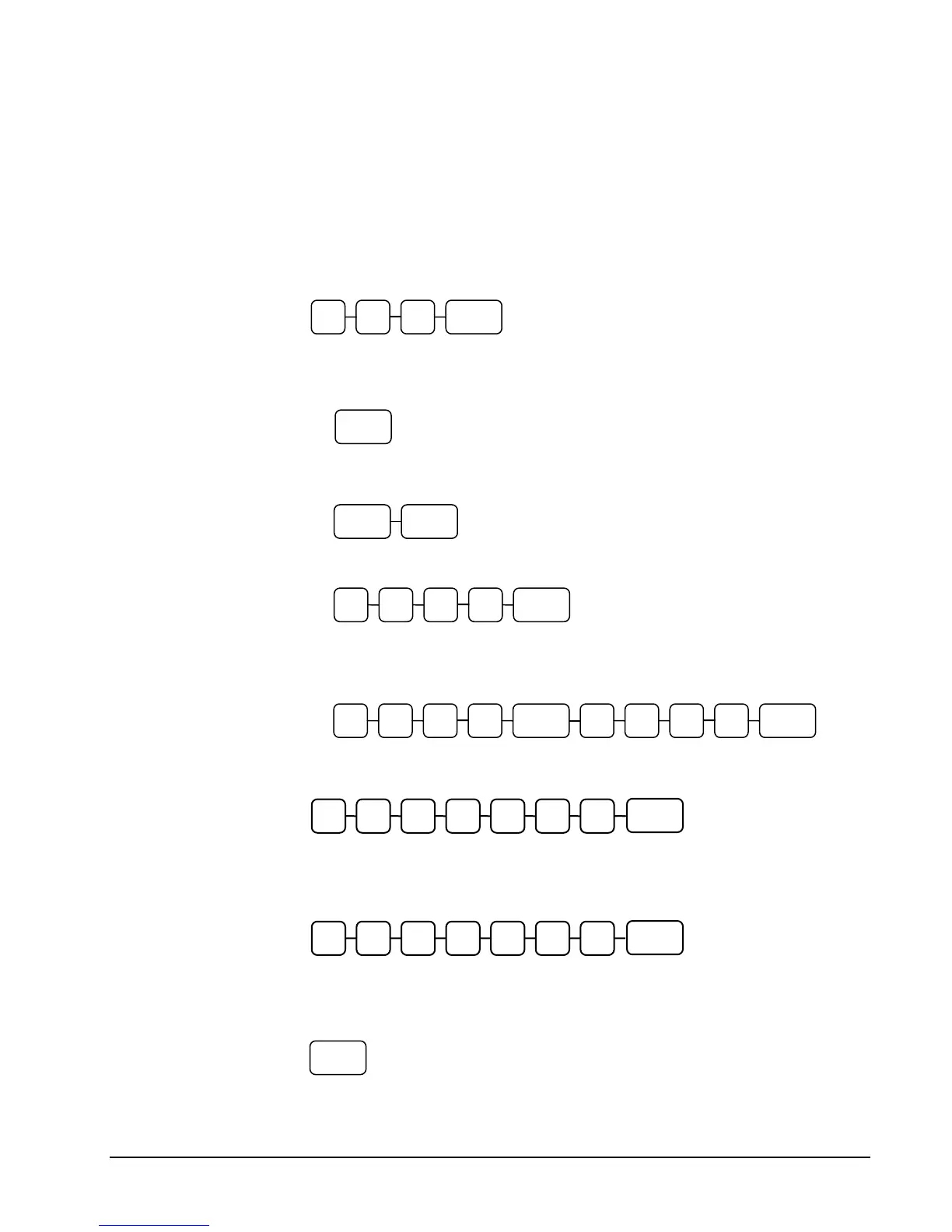
1. Turn the control lock to the PGM position.
2. To begin the program, enter 2 0 0, press the SUBTL key.
3. Select the PLU or PLUs you wish to program in one of the following ways:
Press a PLU key on the keyboard or scan the item.
If sequential PLUs are to receive the same price, press the first PLU key and
then press the last PLU key.
Enter the number of the PLU (up to 15 digits) and press the PLU key.
Enter the number of the first PLU in a range of PLUs that are to receive the
same setting; press the PLU key. Enter the last number in the range; press
the PLU key.
4. If the PLU is open, enter a HALO of up to 7 digits. If the PLU is preset, enter a
preset price. (The maximum preset price you can enter is $50,000.00.)
5. If you have allocated a second price level for PLUs, you must enter the second
price for the item a immediately after you have entered the first price.
6. To program additional PLUs, repeat from step 3, or press the CASH key to
finalize the program.
2 0 0 SUBTL
PLU
PLU PLU
PLU
PLU PLU
CASH
X/TIME
Price/HALO
X/TIME
2
nd
Lvl Price/HALO



 To Next Page