SAM4s ER-900 Series Operator's & Programming Manual v.1.28 P-Mode Programming • 201
Program 1400 - Scale Tare Weight Programming
A tare is the amount of weight representing the container, or package when items are sold by
weight. You can pre-program five tare weights, representing the weight of different
containers. When you place an item and a container on optional scale, you can enter the tare
number to automatically subtract the pre-programmed tare weight.
(Note: If your scale is reading pounds, enter the tare in pounds; if your scale is reading
ounces, enter the tare in ounces. The last tare digit must be zero. Enter the tare without
pressing the decimal key. For example if the tare is 1.15 lbs, enter 1150; if the tare is .09 lbs,
enter 0090.)
If you choose to use tare #5 for manual tare weight entry, do not enter a weight for tare #5.
(See Scale Operations on page 82.)
1. Turn the control lock to the PGM position.
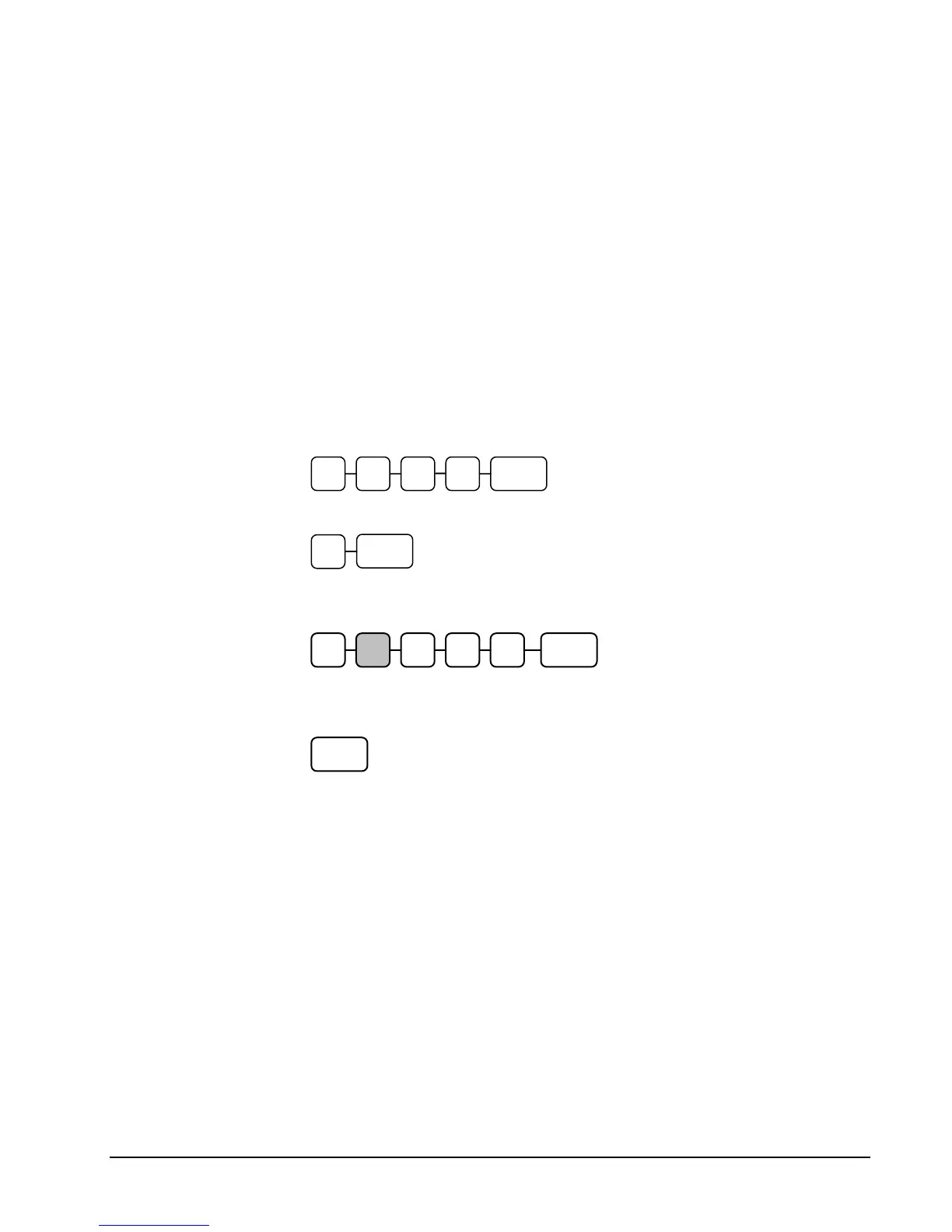
2. To begin the program, enter 1 4 0 0, press the SUBTL key.
3. Enter the number (1-5) of the tare you wish to program; press the X/TIME key.
4. Enter the weight of the tare (one digit preceding the decimal key, the decimal
key, and then three digits after the decimal key). Press the SUBTL key.
5. To program additional tare weights, repeat from step 3, or press the CASH key to
finalize the program.
4 0 0 SUBTL1
X/TIME
CASH
0 SUBTL
.



 To Next Page