SAM4s ER-900 Series Operator's & Programming Manual v.1.28 Getting Started • 23
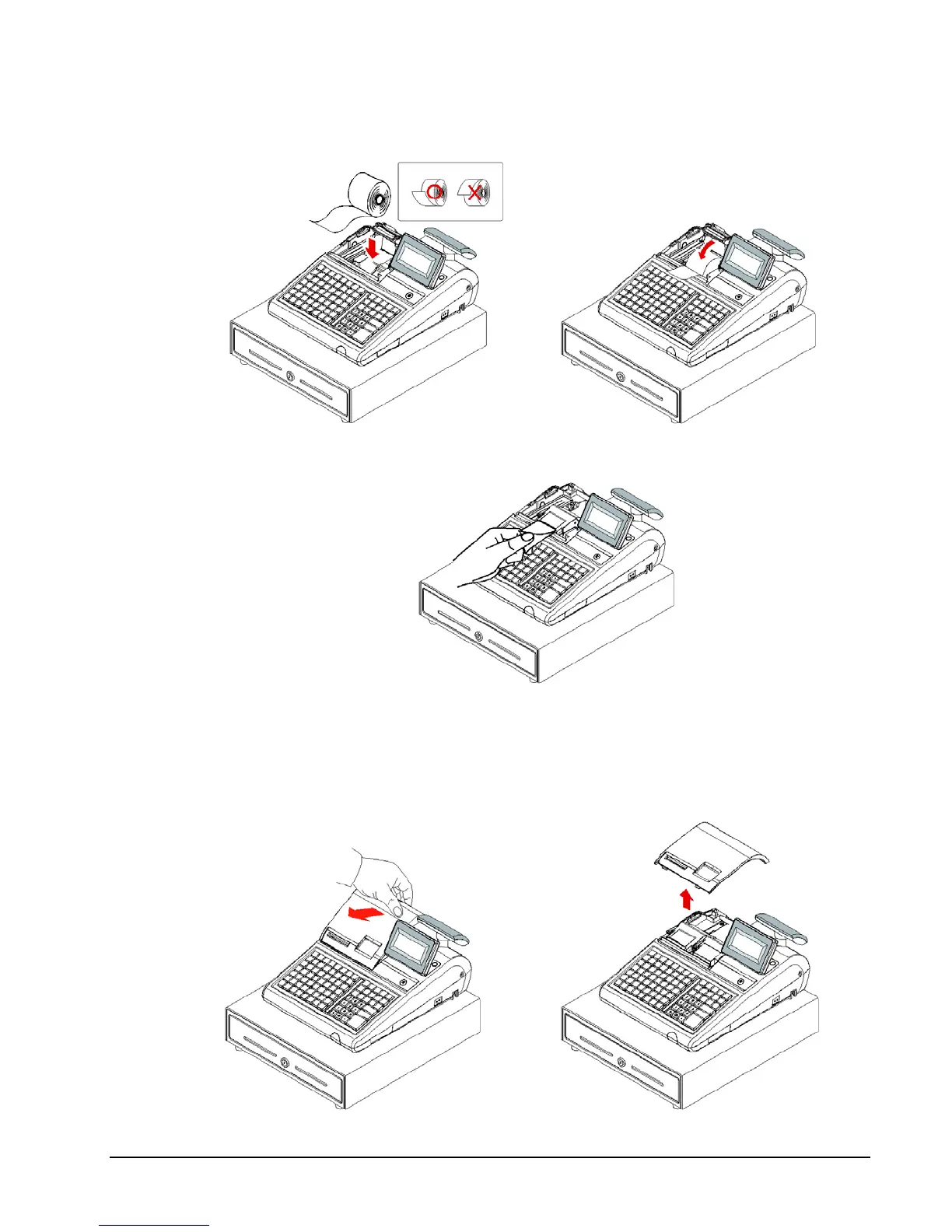
3. Ensure that the paper is being fed from the bottom of the roll and then close the paper
cover slowly until it locks firmly.
4. Pass the leading edge of the paper through the tear-bar slot. Tear off the excess paper.
Replace the printer cover.
Models with Two Printer Stations
The ER-940 and ER-945 models are equipped with separate printers for receipt and journal.
Paper loading for these models is shown below:
1. Remove the printer cover.



 To Next Page