16 • Introduction SAM4s ER-900 Series Operator's & Programming Manual v.1.28
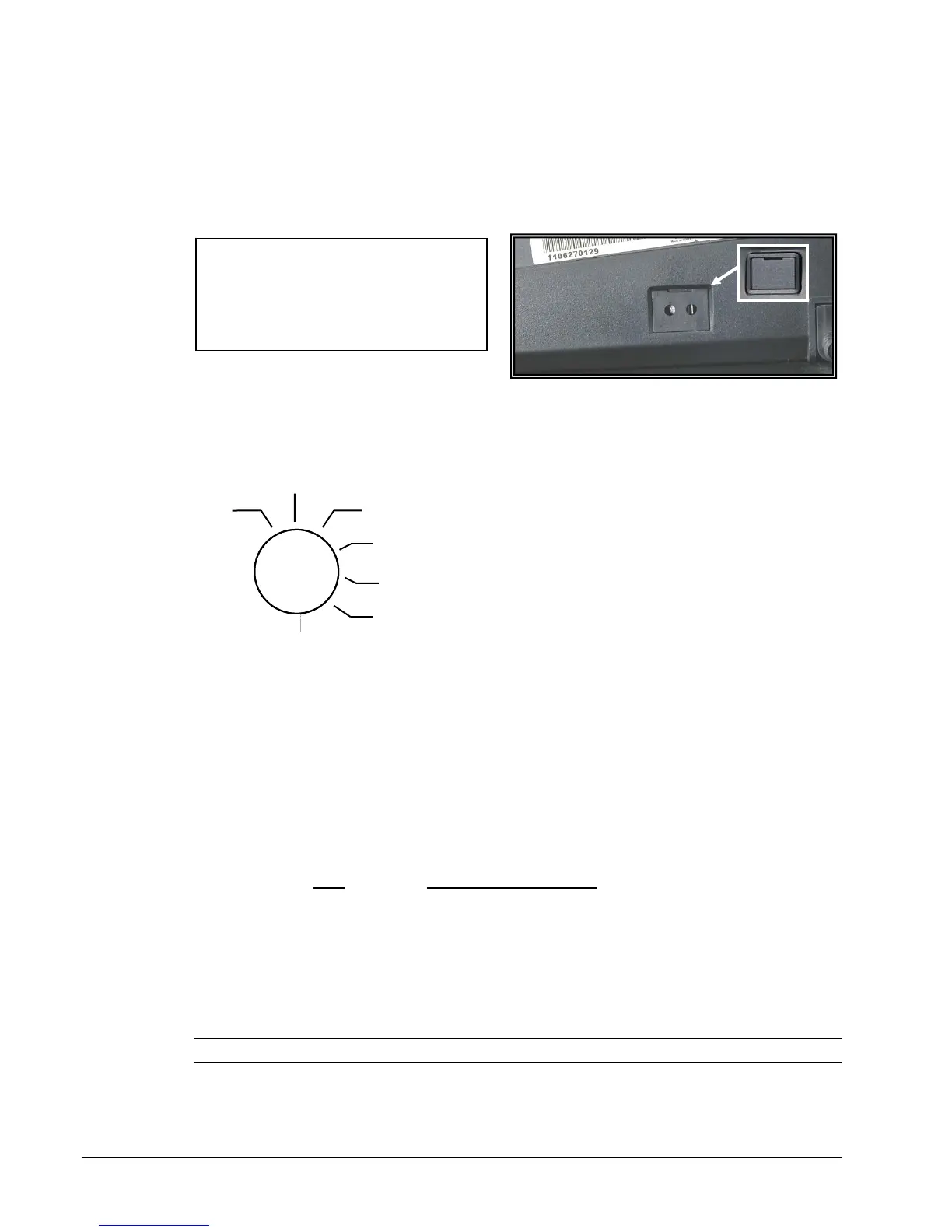
Power Switch
To prevent tampering or interference with the power switch, a protective cover is installed.
Use a pointed device such as a pen to activate the switch when the cover is installed, or
simply pop off the cover to access the switch normally. For maximum protection, you can
install the solid cover provided in the accessory package.
Control Lock
The control lock has 7 positions, accessed with 5 keys. Each ECR is shipped with two full
sets of keys.
VOID Use to void (correct) items outside of a sale.
OFF The register is inoperable.
REG Use for normal registrations.
X Use to read register reports.
Z Use to read register reports and reset totals to zero.
P Use to program the register.
S The S position is a hidden position reserved for
dealer access.
Before performing any operations in Register Mode a clerk must be signed on. See “Direct
Sign-On” or “Coded Sign-On” on page 41 for a description of clerk operations.
Control Keys
The ER-900 includes two sets of keys that may be used to access the following control lock
positions.
Key
Positions Accessible
REG OFF, REG
VD VOID, OFF, REG, X
Z VOID, OFF, REG, X, Z
P VOID, OFF, REG, X, Z, P
C ALL POSITIONS
Note: Keys may be removed from the control lock in the OFF or REG positions.
OID
P
Z
X
REG
OFF
S
Power Switch Cover Options:
Use pointed object to toggle on/off
Pop-out to remove
Insert shows optional full switch
cover provided with accessories



 To Next Page