SAM4s ER-900 Series Operator's & Programming Manual v.1.28 Operations • 41
Coded Sign-On
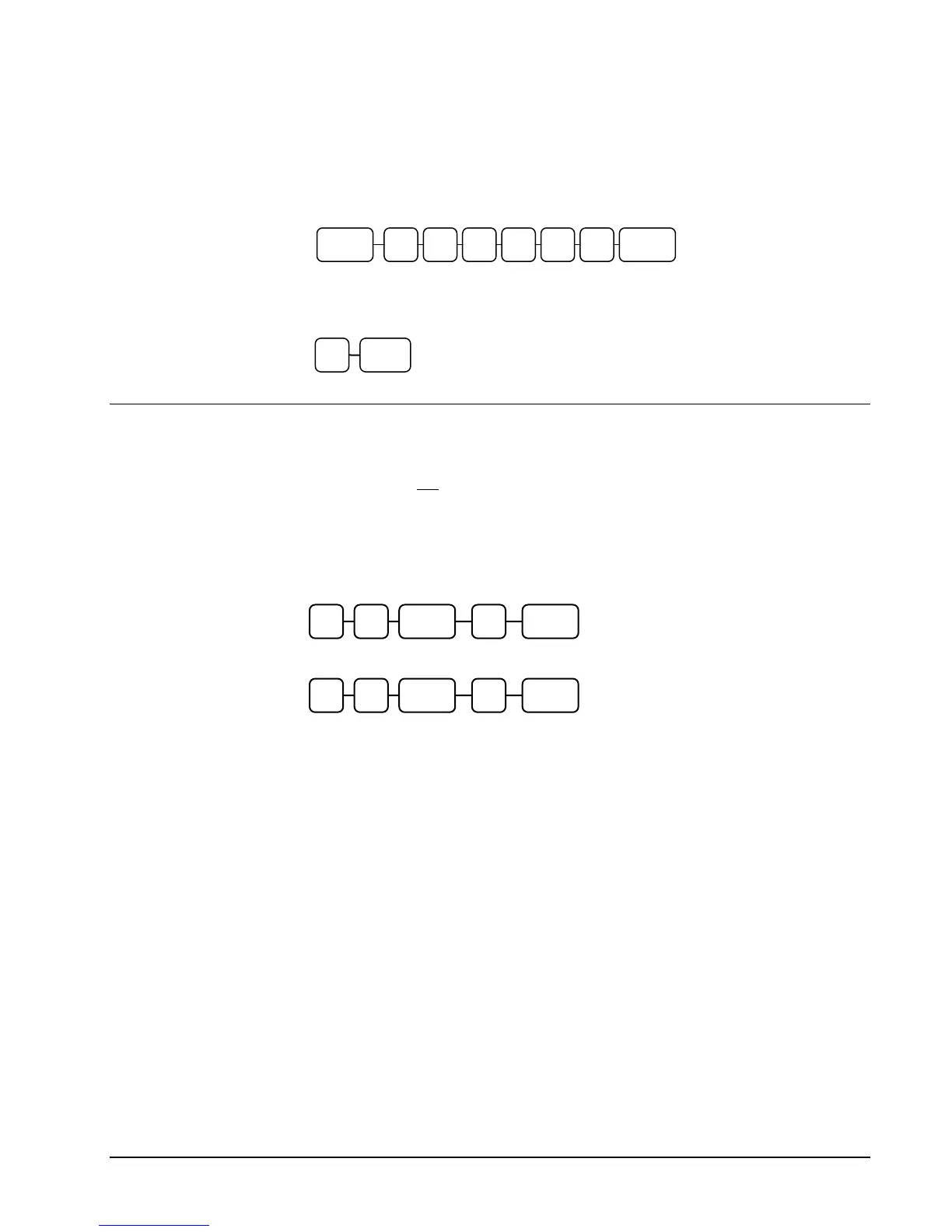
If the code entry sign-on method is selected, press the clerk key, enter the clerk code, and
then press the clerk key again.
To sign the clerk off, enter 0 (Zero) and press the clerk key.
Receipt On and Off
The RECEIPT ON/OFF function key may or may not be located on your keyboard. (The
RECEIPT ON/OFF key is not located on the default keyboard.)
If the RECEIPT ON/OFF Key is Not Located on the Keyboard
1. Turn the control lock to the X position.
2. To turn the receipt off, enter 9 9, press the SUBTL key. Enter 1, press CASH.
3. To turn the receipt on, enter 9 9, press the SUBTL key. Enter 0, press CASH.
If the RECEIPT ON/OFF Key is Located on the Keyboard
1. Press the RECEIPT ON/OFF key once to turn the receipt off.
2. Press the RECEIPT ON/OFF key again to turn the receipt on.
0 CLERK
CLERK CLERK
Clerk Code (up to 6 digits)
1 SUBTL9 9 CASH
0 SUBTL9 9 CASH



 To Next Page