SAM4s ER-900 Series Operator's & Programming Manual v.1.28 Operations • 83
Scale with Automatic Tare Entry
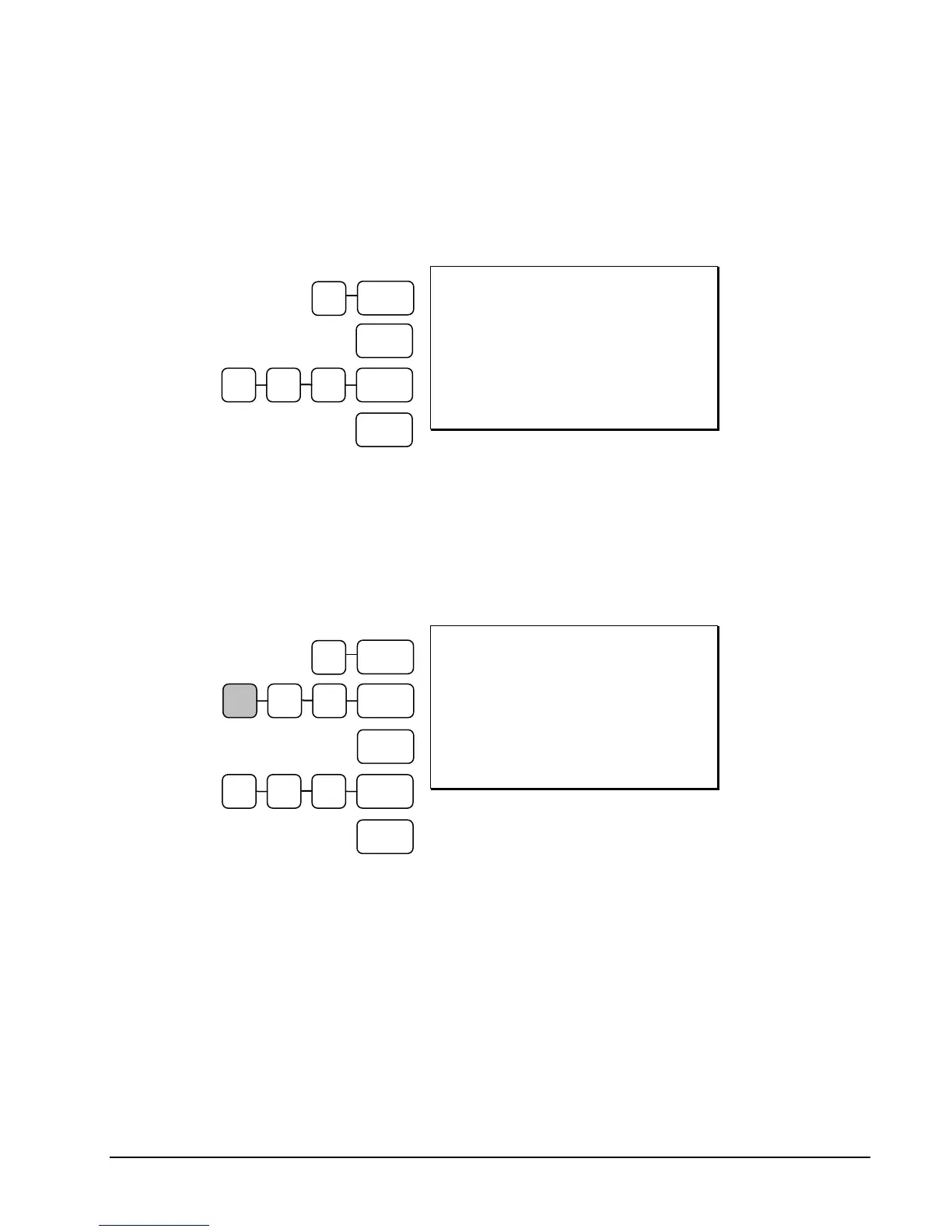
Place a product on the scale, enter the preprogrammed tare number and press the TARE key
and then the SCALE key. The weight, less the tare, will appear on the cash register display.
Then make the appropriate PLU entry.
DATE 06/14/2011 SUN TIME 03:15
1.50 lb @ 1.00
PLU4 $1.50
TOTAL $1.50
CASH $1.50
CLERK 1 000001 00001
Automatic Tare
Entry
Scale with Manual Tare Entry
Tare #5 can be used to manually enter tare weights. Place a product on the scale, enter 5 and
press the TARE key. Enter the tare weight (using the decimal key- you can enter weights up
to 2-digits before and 3-digits after the decimal i.e. xx.xxx), press the TARE key and then the
SCALE key. The tare weight will display. Press the SCALE key again, and the weight, less
the tare will display. Then make the appropriate PLU entry.
DATE 06/14/2011 SUN TIME 03:15
1.50 lb @ 1.00
PLU4 $1.50
TOTAL $1.50
CASH $1.50
CLERK 1 000001 00001
Manual Tare
Entry
CASH
1 0 0 PLU #4
CASH
1 0 0 PLU #4
.
5 2 TARE
1
TARE
5
TARE
SCALE
SCALE



 To Next Page