SAM4s ER-900 Series Operator's & Programming Manual v.1.28 Management Functions • 89
Or, enter each denomination separately:
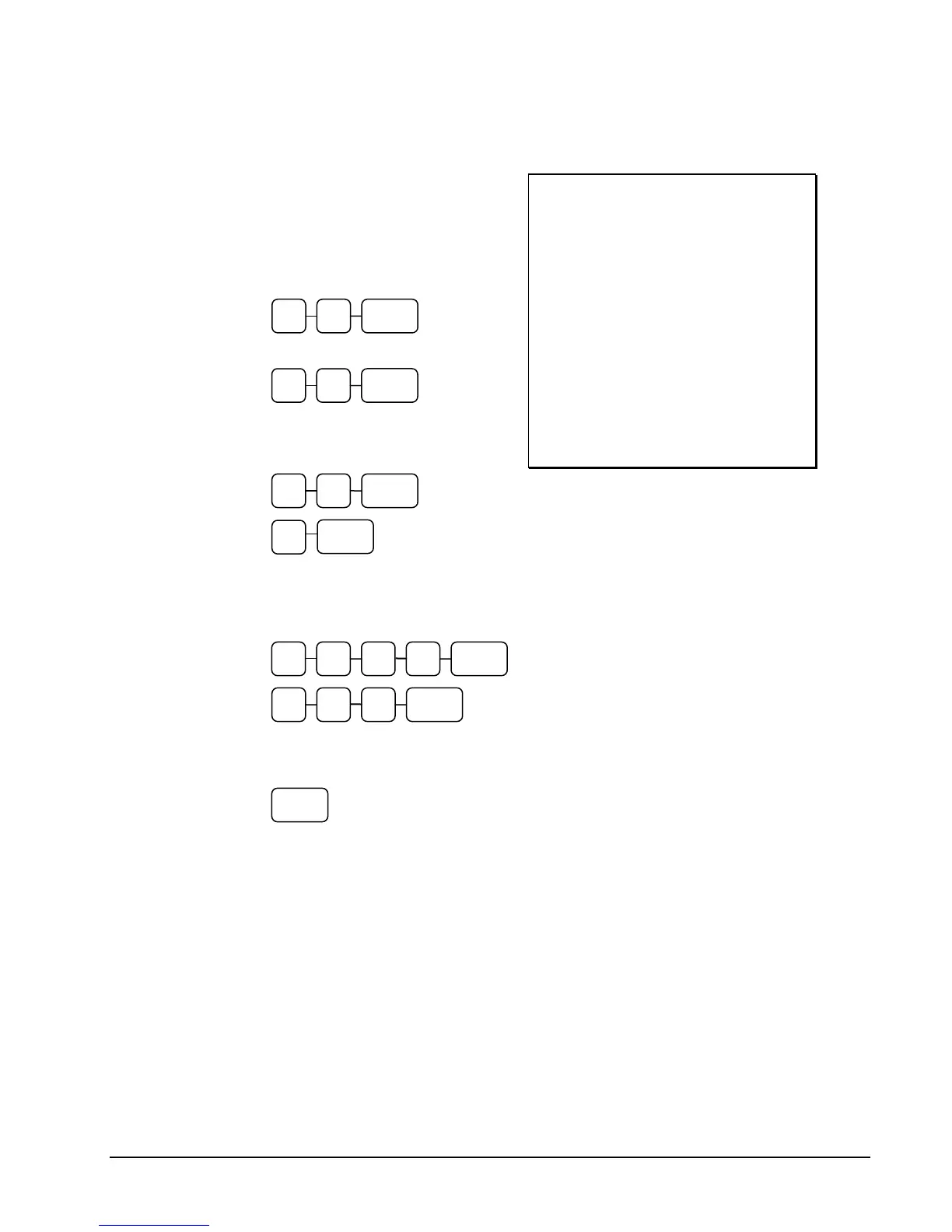
1. Turn the control lock to the X or Z
position (depending upon the type
of report you are taking.)
2. Enter 90 and press the SUBTL
key.
3. Enter the total of pennies:
4. If you wish you can multiply the
count times the denomination.
Enter, for example:
5. Enter the remaining cash
separately by denomination.
6. Enter each check:
7. Press the CASH key to total the
declaration.
DATE 06/14/2011 SUN TIME 03:15
*** CASH DECLARATION ***
CASH $0.76
CASH $1.50
CHECK $12.00
CHECK $8.00
INPUT AMT $22.26
DRAWER TTL $23.53
DIFFERENCE -1.27
CLERK 1 00001 00000
CASH
7 6 CASH
3 0 X/TIME
5
CASH
2 0 0 CHECK1
8 0 0 CHECK
9 0 SUBTL



 To Next Page