110
•
Advanced Operations Sam4POS Operators Manual v2.33
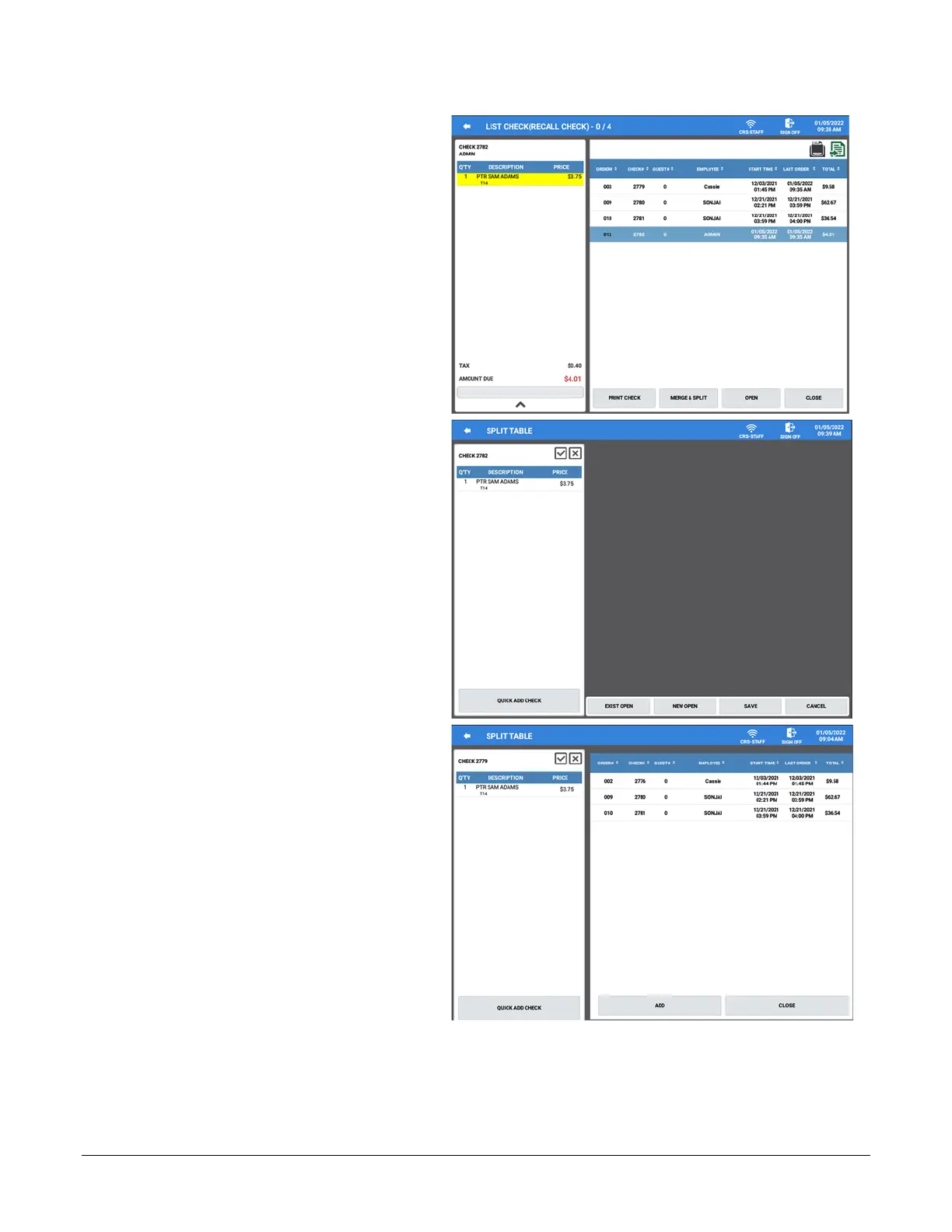
2. Select a check from the list; the
check is displayed in the left column.
3. Press the MERGE & SPLIT button.
4. The Split Table screen is displayed
with the selected check and the
operation buttons: Quick Add Check,
Exist Check, New Check, Save,
Cancel
5. Press the QUICK ADD CHECK
button to display the list of open
checks


 To Next Page