136
•
Advanced Operations Sam4POS Operators Manual v2.33
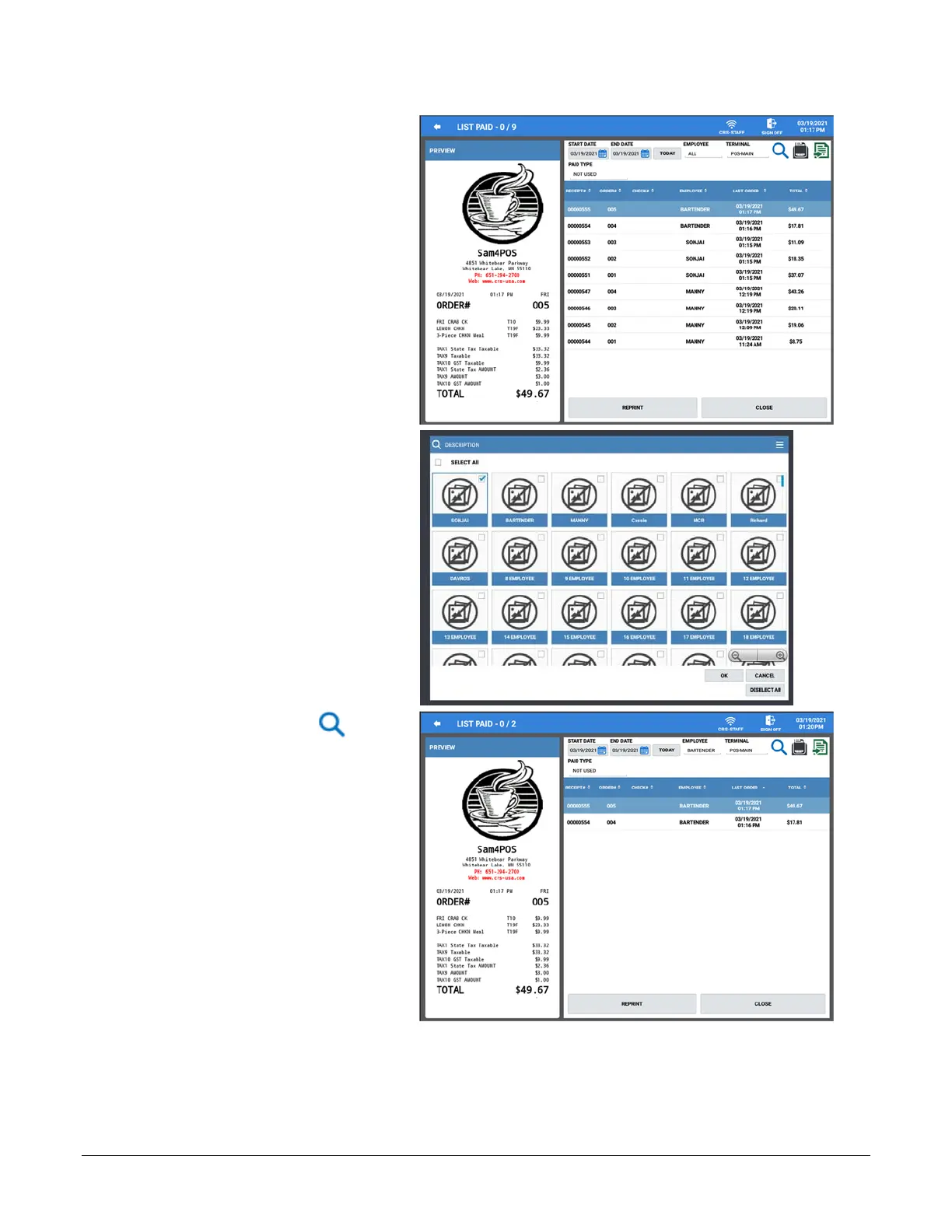
8. The LIST PAID screen is
displayed. The default setting is
to show paid transactions for all
employees. If desired, you can
choose to see just the transactions
from selected employees.
9. Touch the EMPLOYEE field to
display the employee list.
Check\Uncheck the SELECT
ALL checkbox.
10. Choose the employee whose paid
transactions you wish to view.
11. Press OK.
12. Touch the Search icon to
load the list of transactions for
your specified date range and
employee selection.



 To Next Page