Sam4POS Operators Manual v2.33 Advanced Operations
•
137
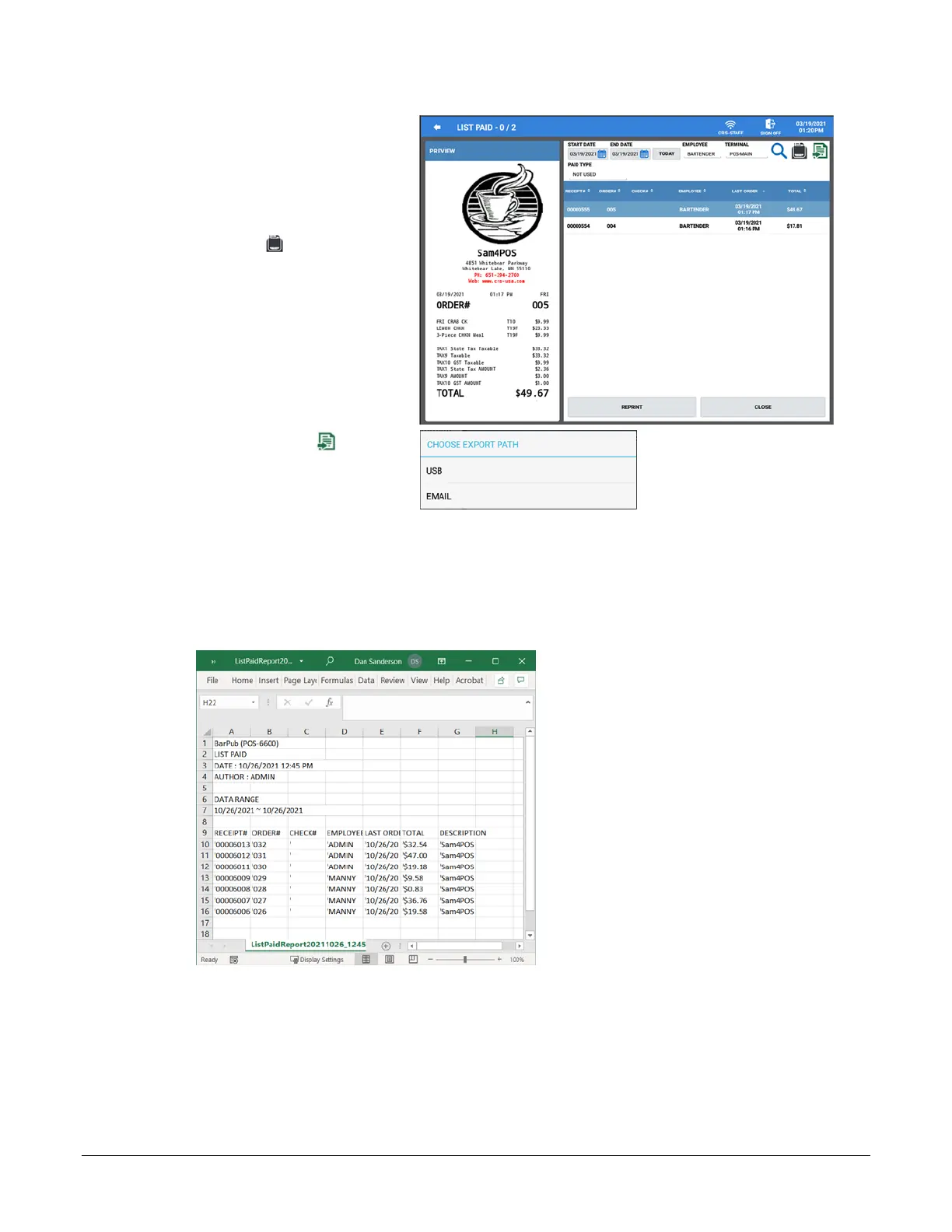
13. Select a transaction from the list
to preview the receipt.
14. Press the REPRINT button to
print a copy of the receipt.
15. To print a summary of all of the
paid transactions in the list, press
the Print icon . See Print List
Paid Example on page 138.
16. Press the Export icon if you
want to export the list paid
transaction summary.
17. Choose the Export Path where
you want to send the data:
• USB
• EMAIL
18. The transaction summary will be exports and you will be returned to the List Paid screen. The
Export Suuccess notification will display breifly.
19. The exported file is sent in a spreadsheet (.csv) format.
20. Press CLOSE to return to the register screen.



 To Next Page