182
•
Report Mode Sam4POS Operators Manual v2.33
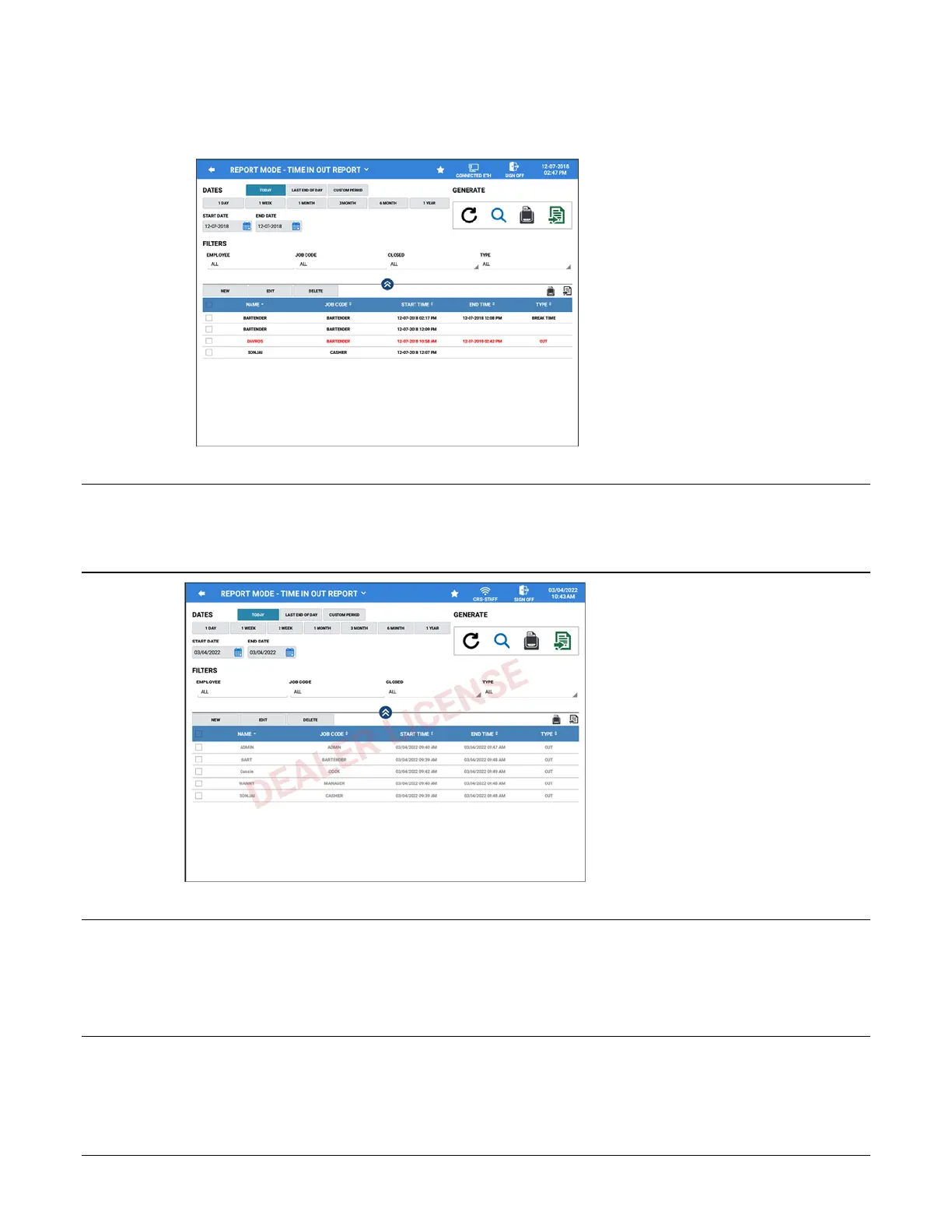
6. The edited time entry will now appear in red and will print to the receipt printer (if set in system options) and
the new time is applied to the Employee.
Note: You must perform all time clock edits before the End Of Pay Report is generated. Edited records will display in
red to easily see which times have been changed.
If the End Of Pay Report has been generated you will not be able to edit the employee times. The data will appear
“Grayed Out”.
Note: When the Time Keeping Option: Clock IN/OUT Employee At EOD checked – When the EOD is performed
clocked in employees are Clocked-Out - the EOD is generated and then those employees are Clocked-In again. At that
point the time entries from prior to the EOD are Grayed out and you cannot Edit the entries.
Error Message #221 ALREADY CLOSED will display if edit is attempted.
However, you will still be able to select time entries and delete the entries.



 To Next Page