Total Station Manual
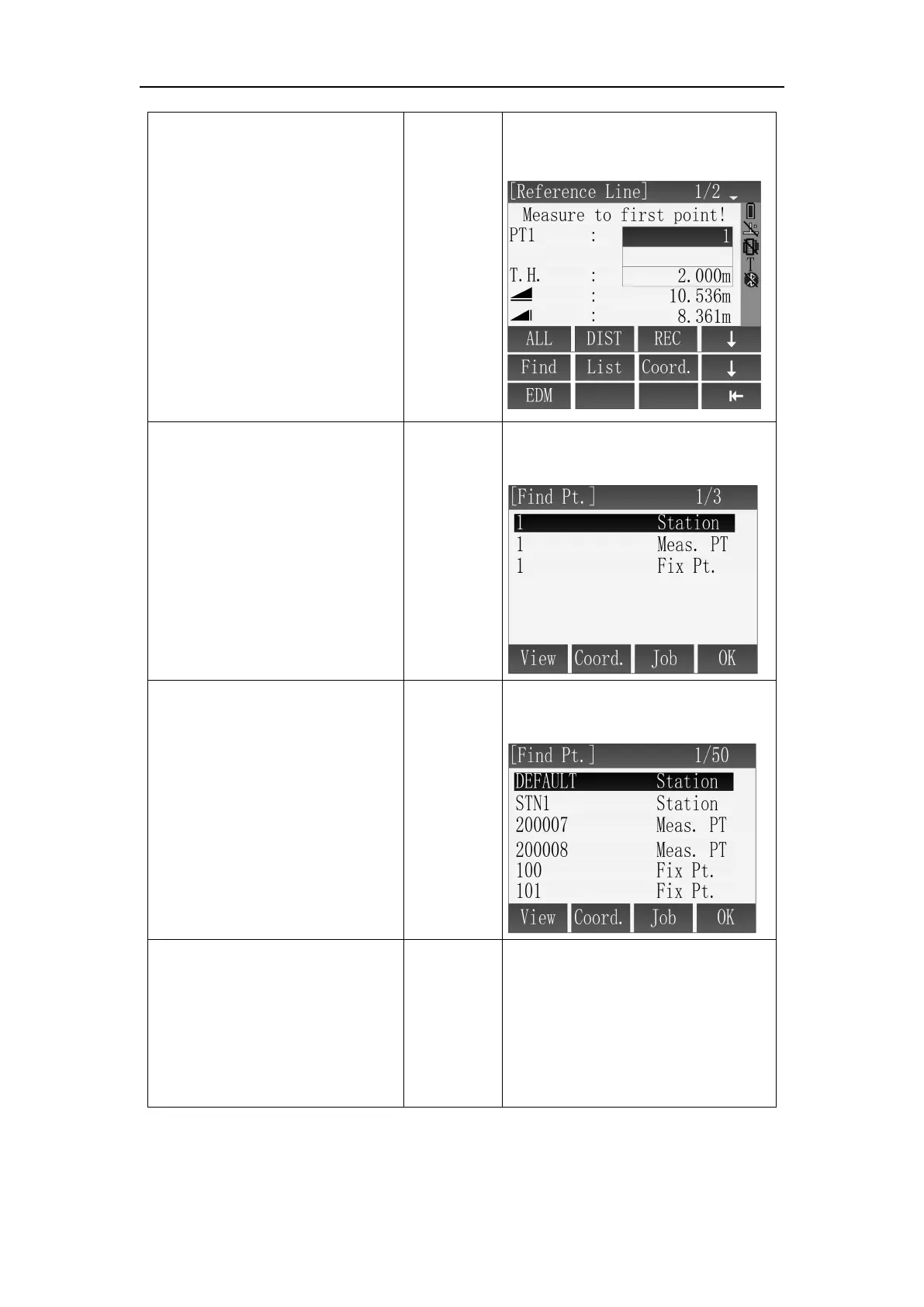
B: Input point name, Press
[F2](DIST) + [F3](REC) to save
target point, the saved result
will be directly put into
calculation.
B: Get the target point by
DIST+REC.
C: Input point name, press
[F4]( ↓ ) to shift to subscript
function, then press [F1](Find)
to check if this point exists, if
not exist, then should firstly
input or measure this point's
coordinate.
Input point
name
+
[F4]
+
[F1]
+
[F4]
C: Input the name of the point and
find whether it is in memory.
D: Press [F2](List) , in [Find Pt.]
dialog, search the known points
in job through [▲]\[ ▼ ] and
press [F4](OK) to select.
D: Select the point by list in the
instrument.
E: Press [F3](Coord.), input point
name, coordinate data and press
[F4](OK), it will indicate cover if
the point name is repeated.
[F3]
+
Input point
name
coordinate+
[F4]
E: Input the point through
keyboard.



 To Next Page