Total Station Manual
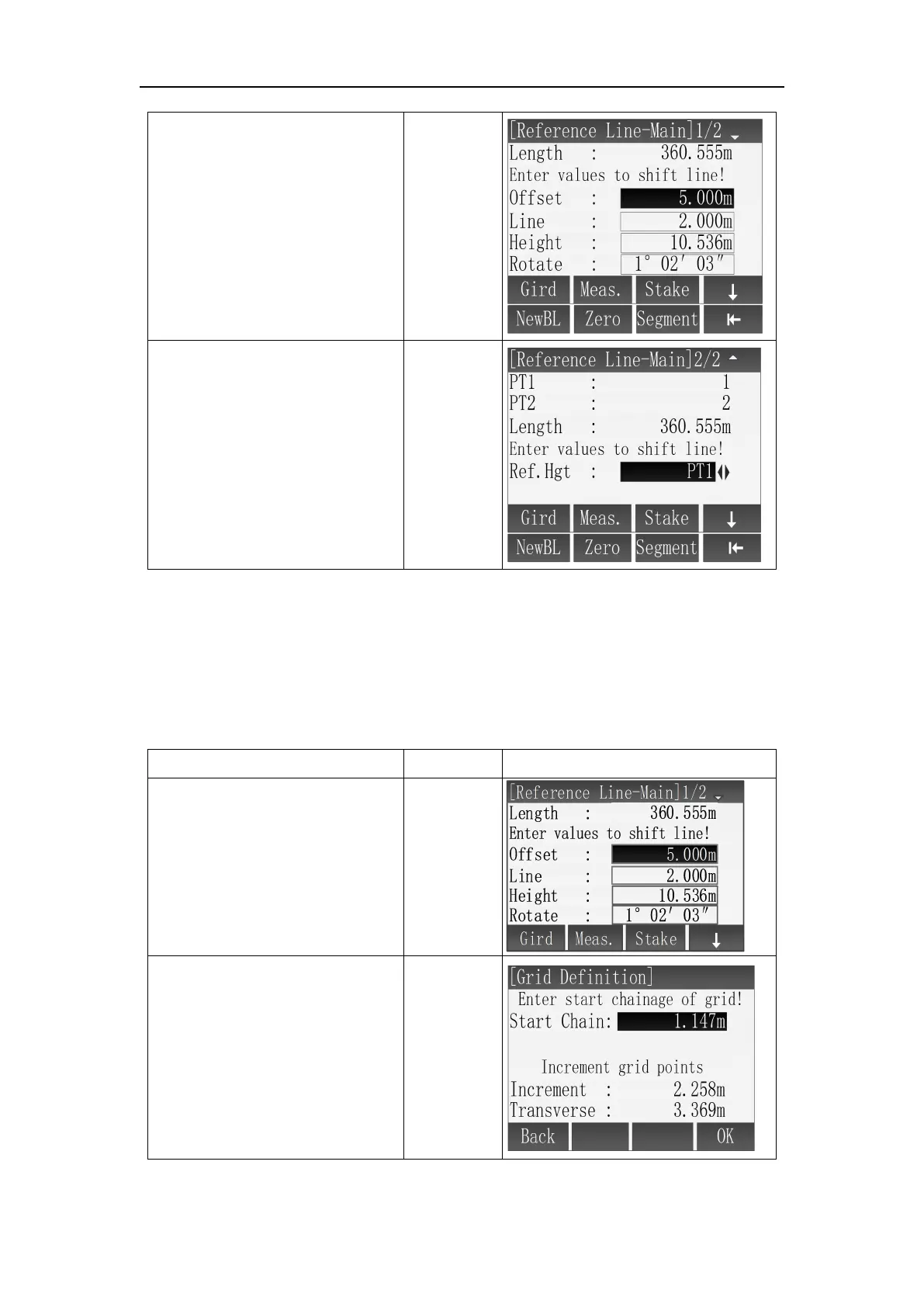
⑤ In the interface of
[Reference Line-Main], if
baseline needs to be redefined,
press [F4](
↓
) to shift to
subscript function and press [F1]
(NewBL) to redefine new
baseline.
⑥ In the interface of
[Reference Line-Main] , input
translation parameters, if you
need to clear, press [F4] (↓ ) to
shift subscript function, press
[F2] (Zero) to recover input
parameters to zero.
※
1
Ref.Hgt options :
PT1 : The elevation value of defined first point
PT2 : The elevation value of defined second point
Equal : Average value of defined two endpoints' elevation
None : Not perform elevation difference calculation
※ In above operation, press [ESC] to return to previous menu
○
1
In the interface of
[Reference Line-Main], press
[F1] (Gird) to enter the [Grid
Definition] .
② In the [Grid Definition]
interface, use [ ▲ ] \ [ ▼ ] to
select input box, use keyboard
to enter start chainage of gird
and increment grid points, then
press [F4](OK) to next step.
[▲]\[▼]
+
Input
parameters
+
[F4]



 To Next Page