Total Station Manual
○
1
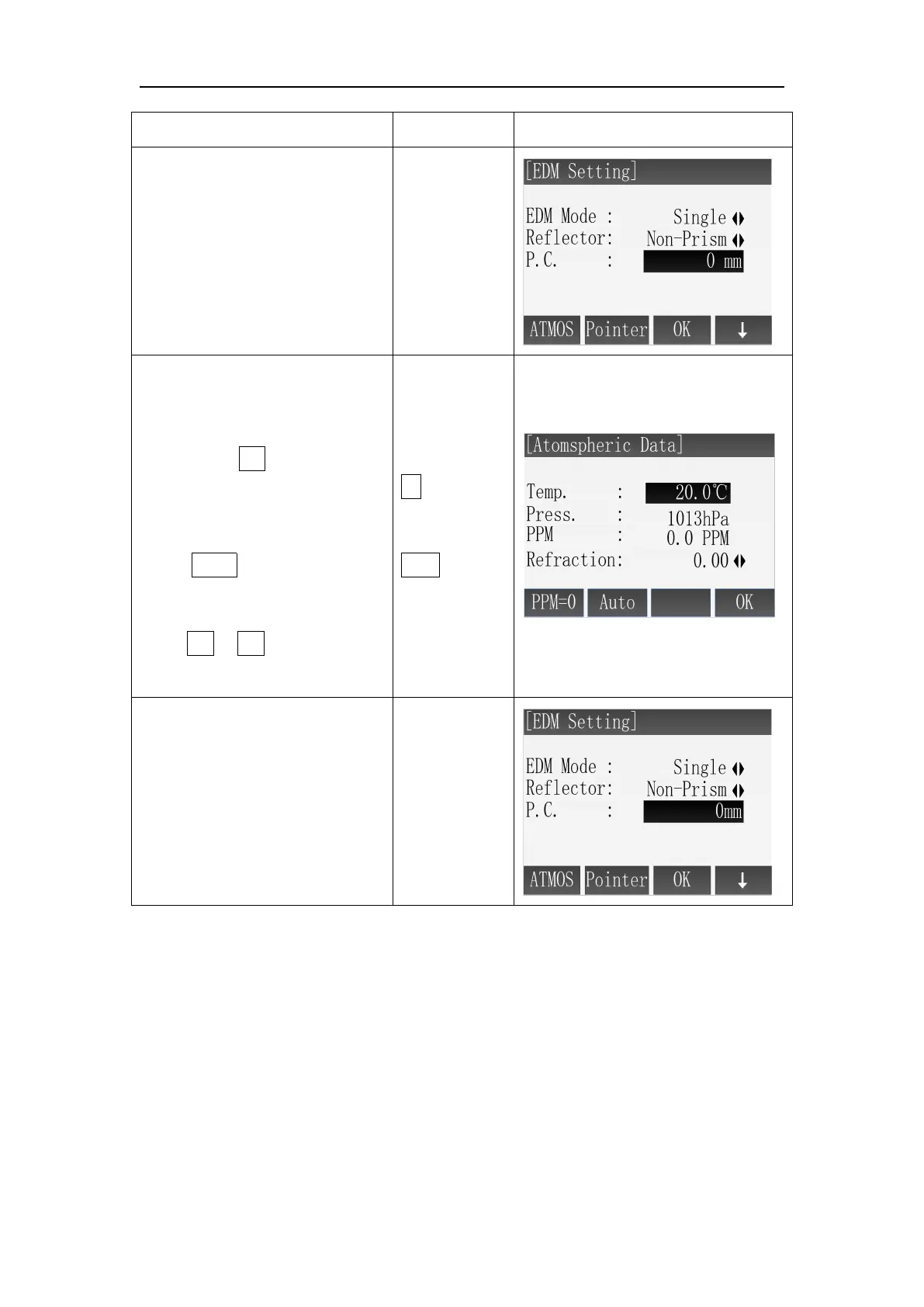
After entering to the
interface of EDM Setting, press
[F1] (Atoms) to enter the
interface of Atmospheric Data.
○
2
Interface displays the
current setting, using the
direction of ↓ to move the
cursor to the setting item of
Refraction.
Press ← → to select the value
of refraction. Each time you
press ← or → , the value of
refraction is switched.
○3 After finished setting, press
[F4] (OK) to save settings and
back to previous menu.
If you want to cancel the
settings, press [ESC] to ignore
the changes
Atmospheric Correction:
When measuring distance, the measured value will be influenced by the
atmosphere.
In order to reduce the influence, a atmospheric correction parameter is needed.
Correction value associated with the pressure and temperature in air. Calculated
as follows:
PPM = 277.8 – (0.2900* the air pressure(hPa))/(1 + 0.00366* temperature(℃))
If the air pressure unit is mmHg, Make a conversion according to the formula:
1hPa=0.75mm Hg



 To Next Page