162 CHAPTER 4 Setup
J-Link / J-Trace (UM08001) ©
2004-2017 SEGGER Microcontroller GmbH & Co. KG
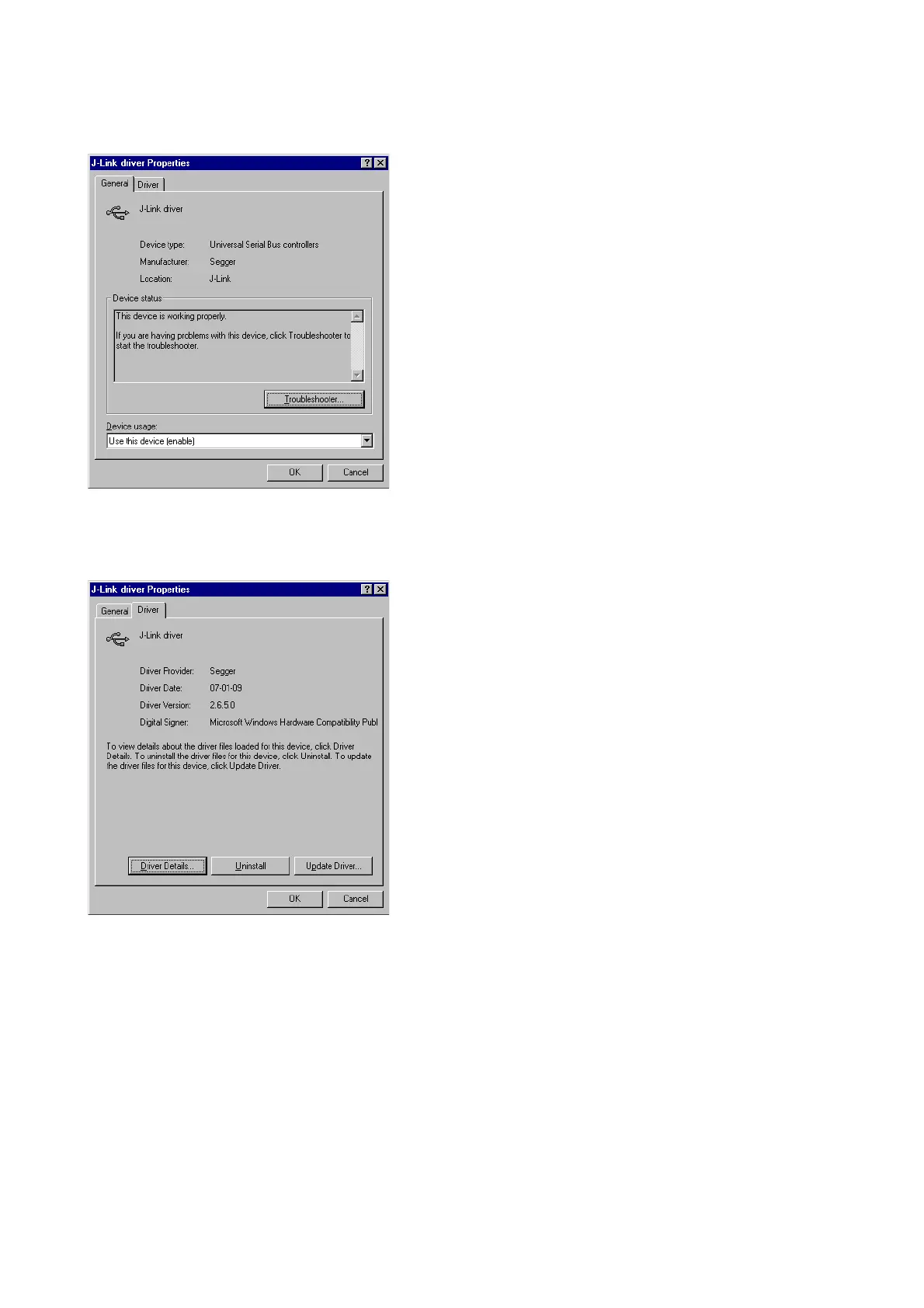
Right-click on the driver to open a context menu which contains the command Prop-
erties. If you select this command, a J-Link driver Properties dialog box is opened
and should report: This device is working properly.
If you experience problems, refer to the chapter Support and FAQs on page 465 for
help. You can select the Driver tab for detailed information about driver provider,
version, date and digital signer.
4.2.2 Uninstalling the J-Link USB driver
If J-Link / J-Trace is not properly recognized by Windows and therefore does not enu-
merate, it makes sense to uninstall the J-Link USB driver.
This might be the case when:
• The LED on the J-Link / J-Trace is rapidly flashing.
• The J-Link / J-Trace is recognized as Unknown Device by Windows.
To have a clean system and help Windows to reinstall the J-Link driver, follow this
procedure:
1. Disconnect J-Link / J-Trace from your PC.
2. Open the Add/Remove Programs dialog (Start > Settings > Control Panel
> Add/Remove Programs) and select Windows Driver Package - Segger



 To Next Page