446 CHAPTER 17 Background information
J-Link / J-Trace (UM08001) ©
2004-2017 SEGGER Microcontroller GmbH & Co. KG
17.5 J-Link / J-Trace firmware
The heart of J-Link / J-Trace is a microcontroller. The firmware is the software exe-
cuted by the microcontroller inside of the J-Link / J-Trace. The J-Link / J-Trace firm-
ware sometimes needs to be updated. This firmware update is performed
automatically as necessary by the JLinkARM.dll.
17.5.1 Firmware update
Every time you connect to J-Link / J-Trace, JLinkARM.dll checks if its embedded firm-
ware is newer than the one used the J-Link / J-Trace. The DLL will then update the
firmware automatically. This process takes less than 3 seconds and does not require
a reboot.
It is recommended that you always use the latest version of JLinkARM.dll.
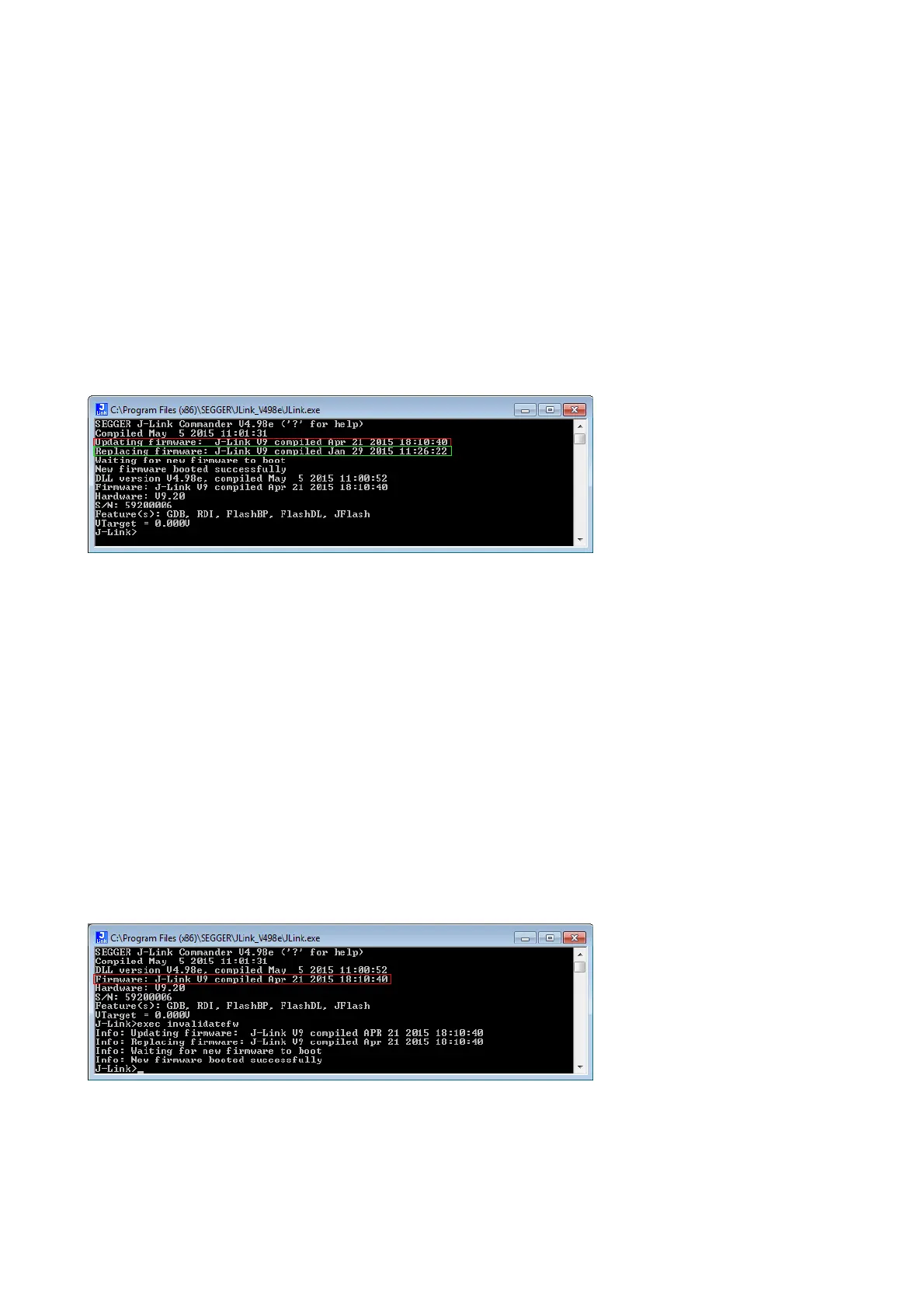
In the screenshot:
• The red box identifies the new firmware.
• The green box identifies the old firmware which has been replaced.
17.5.2 Invalidating the firmware
Downdating J-Link / J-Trace is not performed automatically through an old
JLinkARM.dll. J-Link / J-Trace will continue using its current, newer firmware when
using older versions of the JLinkARM.dll.
Note: Downdating J-Link / J-Trace is not recommended, you do it at your own
risk!
Note: Note also the firmware embedded in older versions of JLinkARM.dll might
not execute properly with newer hardware versions.
To downdate J-Link / J-Trace, you need to invalidate the current J-Link / J-Trace firm-
ware, using the command
exec InvalidateFW.
In the screenshot, the red box contains information about the formerly used J-Link /
J-Trace firmware version.
Use an application (for example
JLink.exe) which uses the desired version of
JLinkARM.dll. This automatically replaces the invalidated firmware with its embedded
firmware.



 To Next Page