274 CHAPTER 8 Monitor Mode Debugging
J-Link / J-Trace (UM08001) ©
2004-2017 SEGGER Microcontroller GmbH & Co. KG
8.2.3 Keil MDK-ARM (uVision)
In Keil MDK-ARM there is no built-in option to pass execs or similar to the J-Link DLL,
therefore monitor mode has to be enabled on a per-project basis via the J-Link set-
tings file that is created on start of the first dbeug session with a specific project. for
more information where to find the J-Link settings file for a Keil MDK-ARM project,
please refer to The J-Link settings file on page 205.
To enable monitor mode debugging, the following lines have to be added to the set-
tings file (opened in a text editor), in the [CPU] section (Second line only needed in
case of monitor interrupt forwarding, see Forwarding of Monitor Interrupts on
page 279):
[CPU]
MonModeDebug=1
MonModeVTableAddr=<Addr>
8.2.4 J-Link Commander
In J-Link Commander, the appropriate command to enable monitor mode can be exe-
cuted directly (Second command only needed in case of monitor interrupt forward-
ing, see Forwarding of Monitor Interrupts on page 279):
J-Link>exec SetMonModeDebug = 1
J-Link>exec SetMonModeVTableAddr = <Addr>
8.2.5 Generic way of enabling
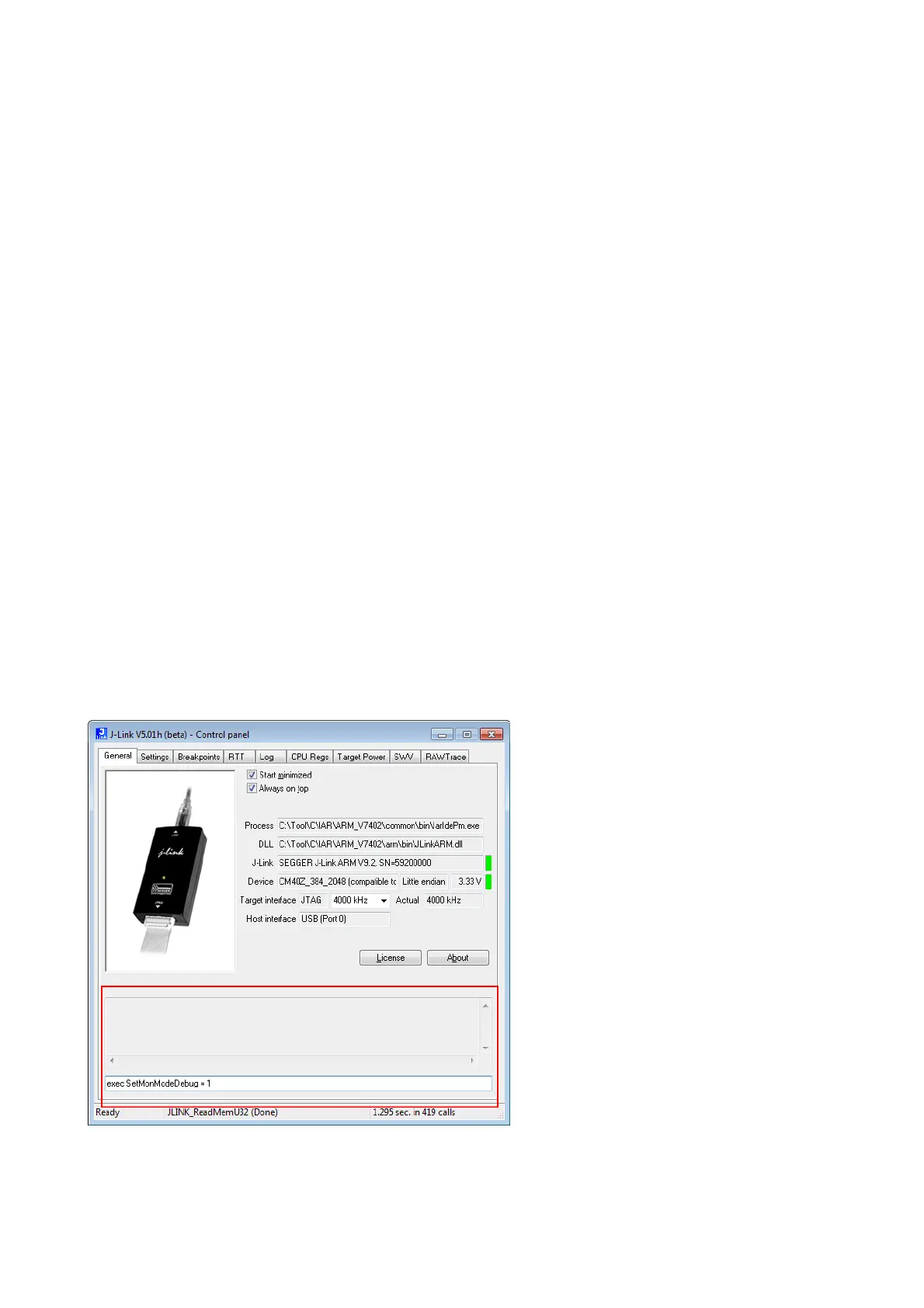
There is always the possibility to perform the monitor mode enable command manu-
ally via the J-Link control panel. This works independently from the IDE. For more
information about the J-Link control panel, please refer to J-Link control panel on
page 193 (Second command only needed in case of monitor interrupt forwarding, see
Forwarding of Monitor Interrupts on page 279):
exec SetMonModeDebug=1
exec SetMonModeVTableAddr=<Addr>



 To Next Page