J-Link / J-Trace (UM08001) © 2004-2017 SEGGER Microcontroller GmbH & Co. KG
189
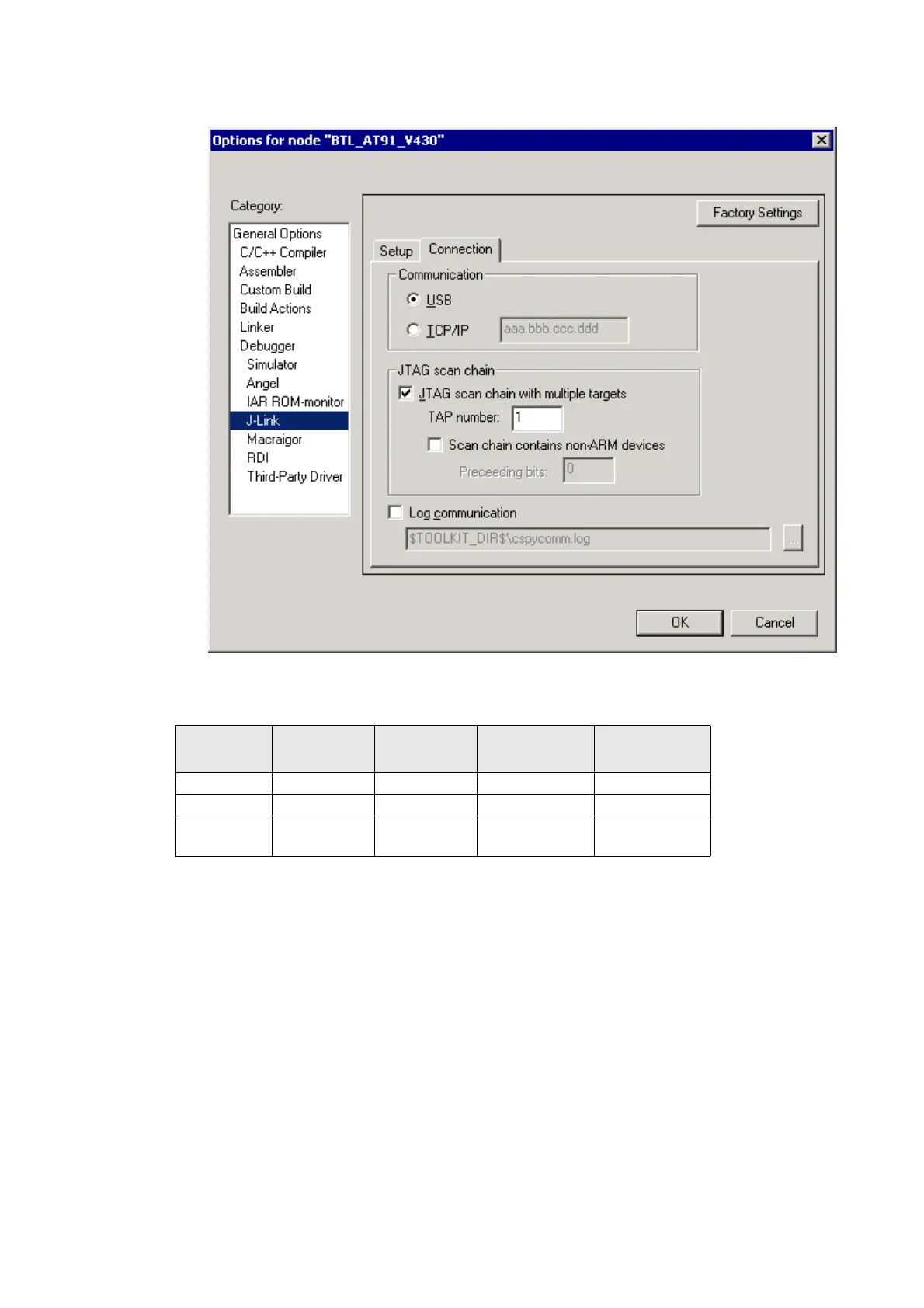
6. Choose Project|Options and configure your second scan chain. The following
dialog box shows the configuration for the second ARM core on your target.
7. Start debugging your second core.
Example:
Cores to debug are marked in blue.
5.5.3 Things you should be aware of
Multi-core debugging is more difficult than single-core debugging. You should be
aware of the pitfalls related to JTAG speed and resetting the target.
5.5.3.1 JTAG speed
Each core has its own maximum JTAG speed. The maximum JTAG speed of all cores
in the same chain is the minimum of the maximum JTAG speeds.
For example:
• Core #1: 2MHz maximum JTAG speed
• Core #2: 4MHz maximum JTAG speed
• Scan chain: 2MHz maximum JTAG speed
Core #1 Core #2 Core #3
TAP number
debugger #1
TAP number
debugger #2
ARM7TDMI ARM7TDMI-S ARM7TDMI 0 1
ARM7TDMI ARM7TDMI ARM7TDMI 02
ARM7TDM
I-S
ARM7TDMI-S ARM7TDMI-S 12
Table 5.9: Multicore debugging



 To Next Page