J-Link / J-Trace (UM08001) © 2004-2017 SEGGER Microcontroller GmbH & Co. KG
173
4.8 Getting started with J-Link and ARM DS-5
J-Link supports ARM DS-5 Development via the RDDI protocol.
For commercially using J-Link via RDDI in ARM DS-5, an RDI/RDDI license is
required. J-Link models which come with an RDI license, can also be used via RDDI.
RDDI can be evaluated free of charge.
In order to use J-Link in ARM DS-5 Development Studio, the RDDI DLL in DS-5 needs
to be replaced by the SEGGER version of this DLL. The SEGGER version of the RDDI
still allows using ARM’s DSTREAM in DS-5. After installing the J-Link software and
documentation package, the J-Link DLL Updater is started which allows easily updat-
ing the RDDI DLL in DS-5. An backup of the original DLL is made automatically.
4.8.1 Replacing the RDDI DLL manually
If J-Link DLL Updater is unable to find a DS-5 installation and does not list it for
updating, the RDDI DLL can always be replaced manually. For more information
about how to manually update the RDDI DLL, please refer to
$JLINK_INST_DIR$\RDDI\ManualInstallation.txt.
4.8.2 Using J-Link in DS-5 Development Studio
Please follow the following steps, in order to use J-Link in DS-5, after replacing the
RDDI DLL accordingly:
• Connect J-Link and target.
• Open ARM DS-5.
• Open DS-5 Project for target.
•Open Debug Configurations...
• Select DS-5 Debugger on the left side.
•Press New button.
• In the Connection tab, select The target from the device database, Bare Metal
Debug, Debug via DSTREAM/RVI.
•Click on the Browse... button right to the Text box at the bottom Connection.
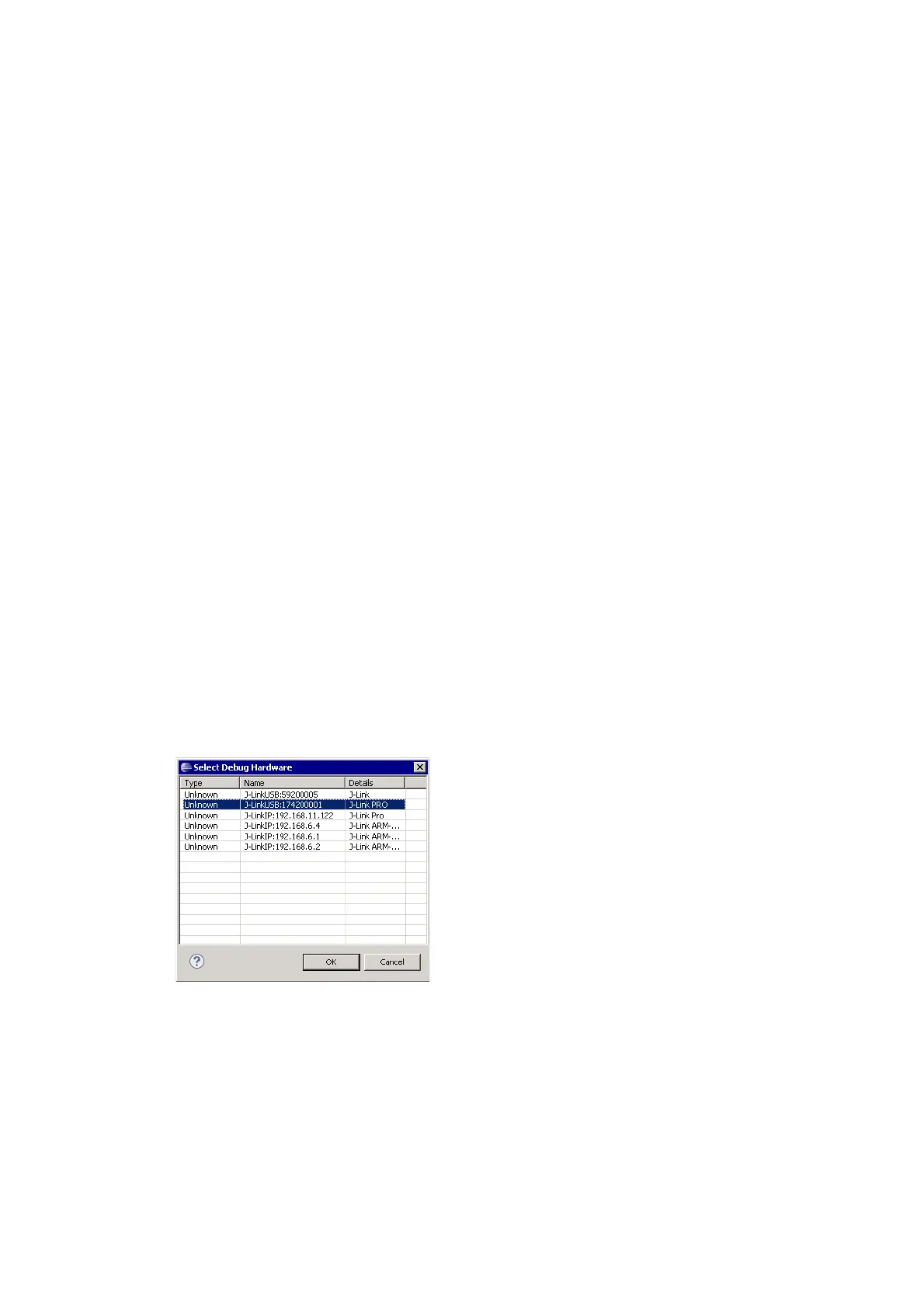
• In the Dialog select the J-Link which is connected to the target (e.g.
JLinkUSB:174200001).
•Click OK.
• Add the device name to the connection string (e.g. JLinkUSB:174200001:Device



 To Next Page